
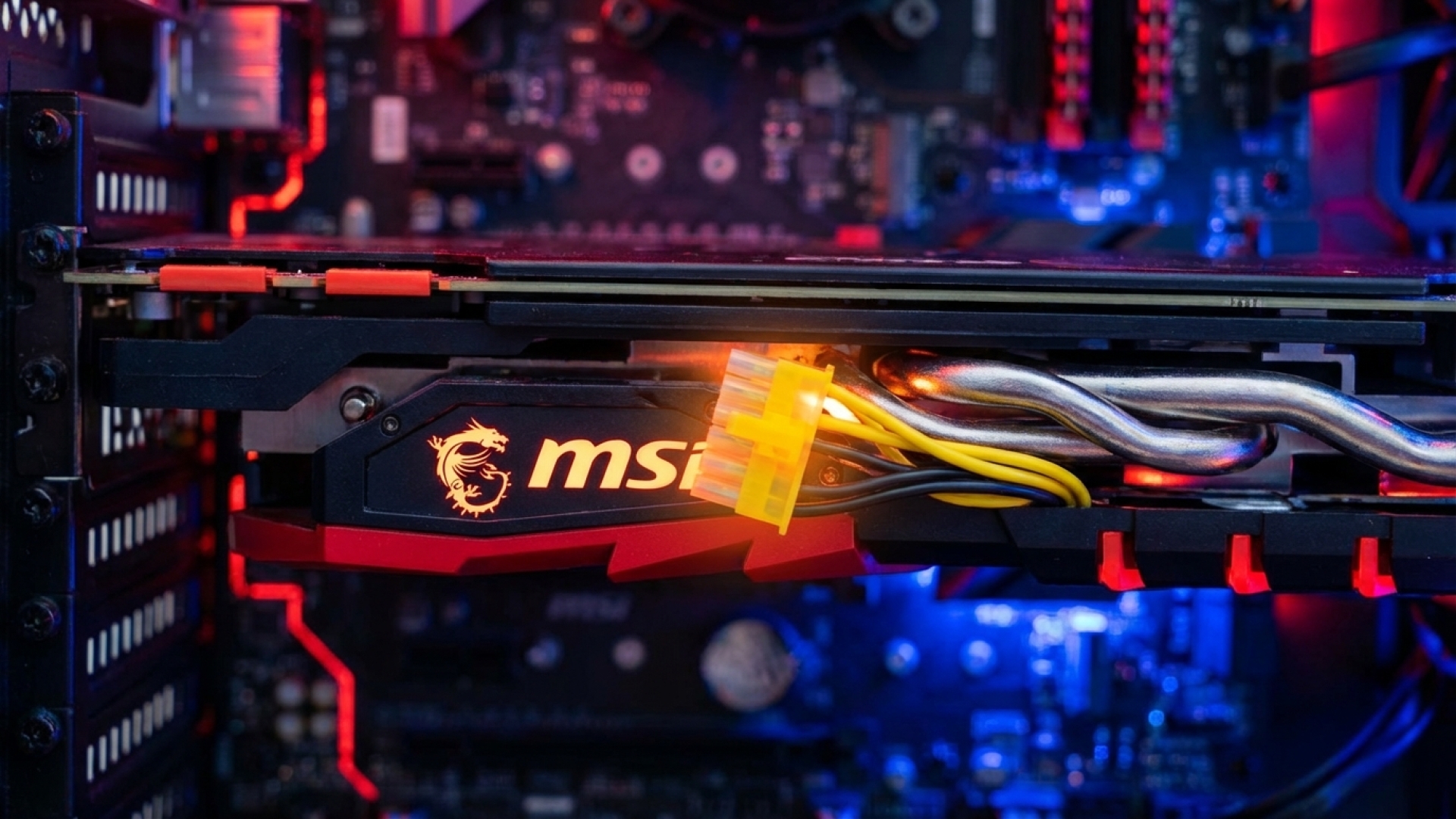
The tech world is no stranger to “Meltgate,” the persistent saga of melting GPU power connectors that has haunted enthusiasts since the launch of the high-powered RTX 40-series. Here at Digital Tech Explorer, we’ve followed every twist and turn of this narrative, from initial design flaws to the industry’s attempts at a fix. However, a new chapter is unfolding that challenges our understanding of the problem: MSI’s innovative yellow-tipped cables, designed to prevent improper seating, are reportedly “creeping” out of their sockets on their own.
Reports originating from Reddit and highlighted by Wccftech suggest that even when users take every precaution, the physical connection between the power supply and the graphics card may not be as stable as we hoped. For developers and gamers pushing their hardware to the limit, this “connector creep” represents a significant concern for long-term system stability.
The Evolution of the 12V-2×6 Connector
The history of 12V-2×6 cables melting began in earnest with the RTX 4090. The high wattage requirements necessitated a more compact, high-density power delivery system, but the early 12VHPWR design was unforgiving. If the cable wasn’t perfectly flush with the header, the resulting resistance caused extreme heat, leading to catastrophic failure.
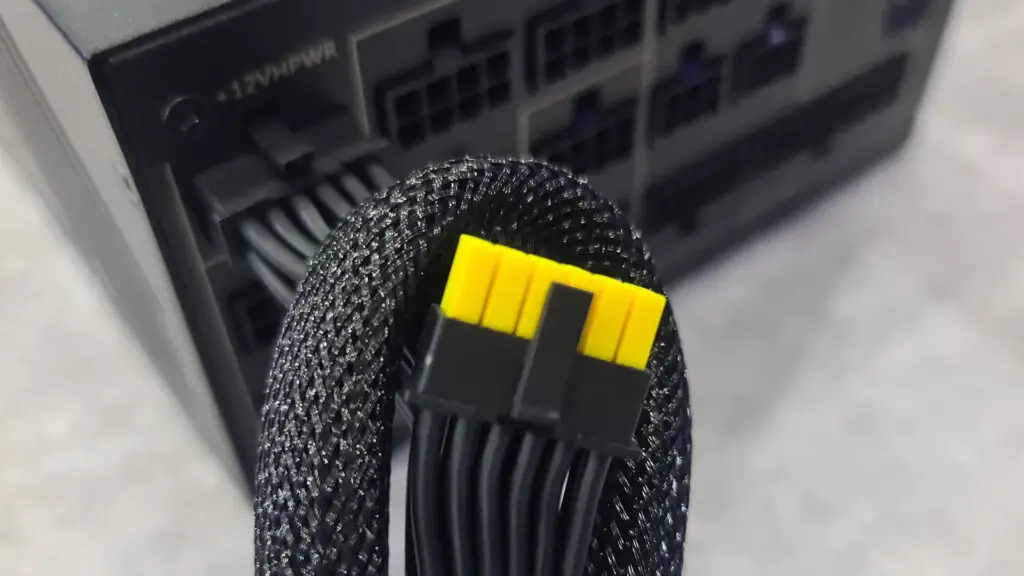
MSI’s response was a simple yet brilliant piece of visual engineering: the yellow-tipped cable. By coloring the final few millimeters of the connector yellow, MSI gave builders a clear visual cue. If you can see yellow, the cable isn’t in far enough. This solution was applied to high-end power supplies for both the current generation and upcoming RTX 50-series cards.
| Feature | Standard 12VHPWR Cable | MSI Yellow-Tipped Design |
|---|---|---|
| Visual Indicator | None (All black) | Yellow tip shows if unseated |
| Safety Focus | Standard power delivery | Prevention of partial insertion |
| Compatibility | Universal PCIe 5.0 | MSI high-end ATX 3.0/3.1 PSUs |
When “Set and Forget” Fails: The Creep Phenomenon
As a storyteller in the tech space, I, TechTalesLeo, have always advocated for the “set and forget” approach—get your cable management right the first time and leave it alone to avoid wear on the pins. But new evidence suggests the 12V-2×6 connector might have a mind of its own. One frustrated Redditor shared a detailed account of their experience:
“I always make sure the cables are fully seated and clicked in properly. There’s no tension on the cables at all… However, over time, the connectors seem to slowly back themselves out. Little by little, I start seeing the yellow part of the connector becoming visible… It’s almost like they’re gradually sliding out on their own.”
This “connector creep” is ironic. MSI’s yellow tips are doing exactly what they were designed to do—revealing a dangerous gap—but they are revealing that the gap is forming after the build is finished. This suggests that thermal expansion, vibrations, or subtle cable tension might be enough to overcome the locking mechanism of the plug over several weeks or months of gaming and AI acceleration workloads.
Proactive Hardware Monitoring
If you are a professional or enthusiast who relies on GPU stability for machine learning or 4K rendering, waiting for the yellow tip to appear might not be enough. Our research at Digital Tech Explorer points toward several specialized tools that provide an extra layer of security:
- Thermal Grizzly WireView Pro II: This device monitors power consumption and temperatures directly at the connector, offering an audible alarm or emergency shutdown if it detects heat spikes associated with a loose connection.
- Aqua Computer Power Adjustments: Advanced controllers that monitor the balance of power across the pins, ensuring that no single pin is overloaded due to a partial disconnect.
Final Thoughts from Digital Tech Explorer
While the yellow-tipped cable remains one of the best passive safety features on the market, it isn’t a “one-and-done” fix. We recommend that all users—especially those with heavy-duty cards like the RTX 4090—make it a habit to perform a visual inspection of their hardware during routine maintenance. If you see yellow, it’s time to power down and re-seat.
Stay tuned to Digital Tech Explorer as we continue to investigate emerging trends in pc games and hardware innovation. For more insights into digital trends and product analyses, visit the author page of TechTalesLeo.
Affiliate Disclaimer: Some of the links on Digital Tech Explorer are affiliate links. This means we may earn a commission if you click through and make a purchase, at no additional cost to you. Our recommendations are based on thorough research and personal experience. All content is for informational and entertainment purposes only.