
How to Complete Keeping the Memory in Arc Raiders
Navigating the southern reaches of the Dam Battlegrounds in Arc Raiders can be a desolate experience. Often overlooked by Raiders hunting for high-tier loot, the Formicai Hills region holds a specific secret that many players miss. Here at Digital Tech Explorer, we specialize in breaking down these complex tactical hurdles. The Keeping the Memory quest is a prime example of a mission that tests your environmental awareness rather than just your trigger finger.
The mission instructs you to find a specific wreckage within the Formicai Hills. However, even once you’ve located the site, the real challenge begins: finding a missing helmet hidden within the foliage. It is a classic “needle in a haystack” scenario—or in this case, a “helmet in a bush.”
In this guide, I will walk you through the exact steps to restore the memorial and secure your rewards.
Locating the Wreckage in Formicai Hills
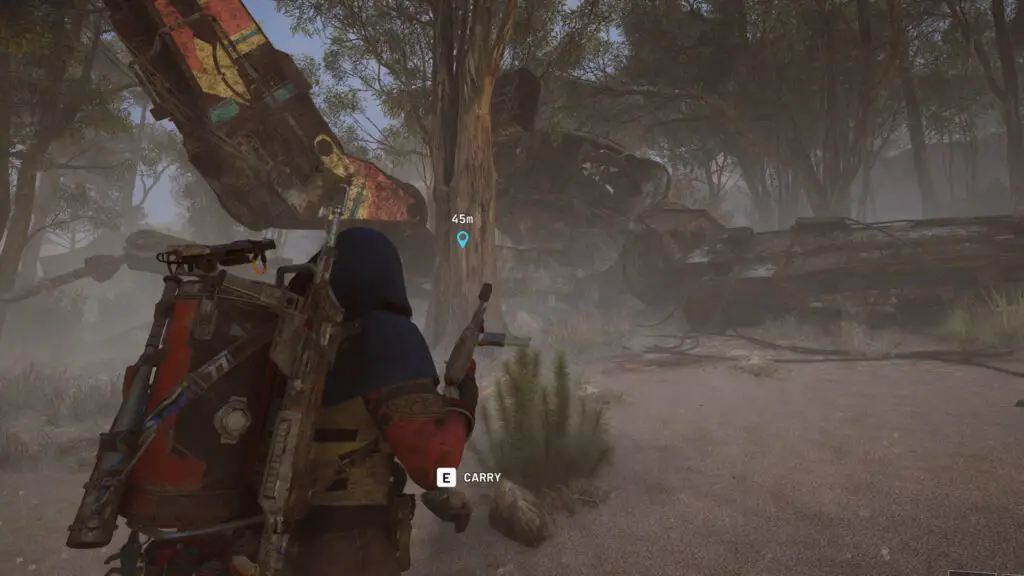
Your first objective is to reach the Wreckage site located in the southeast corner of the Dam Battlegrounds, specifically within the Formicai Hills. While the area is dotted with minor huts and smaller debris, you are looking for the primary machine wreck at the center of the clearing. You can identify it easily by the distinct graffiti covering its metallic frame.
Finding the Missing Helmet
Once you are at the wreck, the quest objective shifts to finding the missing helmet. This is where most Raiders get stuck. Instead of looking for a metallic object on the ground, you need to investigate a specific shrub.
Look toward the north side of the machine wreck. You will see a tree tucked between two of the machine’s “legs” near some exposed wiring. Search the small bush at the base of this tree. Once you interact with the shrub, the helmet will appear. Pick it up and carry it to the short memorial post located to your right. You will see a glowing blue prompt—interact with it to place the helmet and restore the memorial.
With the helmet returned, the quest is complete. To make the most of your deployment, I recommend heading northeast toward the Testing Annex lift for extraction, but don’t forget to scavenge the nearby containers first to maximize your haul.
Quest Rewards
While the search for a “hat in a bush” might seem tedious, the crafting materials provided are essential for mid-game upgrades. Here is what you can expect to earn:
| Reward Item | Quantity/Type |
|---|---|
| Simple Gun Parts | 5x |
| Duct Tape | Crafting Material |
| Magnets | Crafting Material |
As a storyteller in the digital space, I find these small environmental narratives in gaming to be what truly brings a world to life. If you are looking to master more of the surface, check out our other detailed PC games guides and tech analyses here at Digital Tech Explorer.

More Arc Raiders Guides from TechTalesLeo:
- Arc Raiders Roadmap: Stay updated on upcoming 2025 content and new releases.
- Best Skills to Unlock: Which abilities will keep you alive on the surface?
- Weapon Tier List: Ranking the best gear to bring into the Battlegrounds.
- Expedition Guide: Everything you need to know about retiring your Raider and progressing.
- Field Depot Locations: Finding the best hidden spots for high-tier loot.
Affiliate Disclaimer: Some of the links on Digital Tech Explorer are affiliate links. This means we may earn a commission if you click through and make a purchase, at no additional cost to you. Our recommendations are based on thorough research and personal experience.