
The “FrameBook”: Resurrecting a 2006 MacBook with Modern Framework Internals
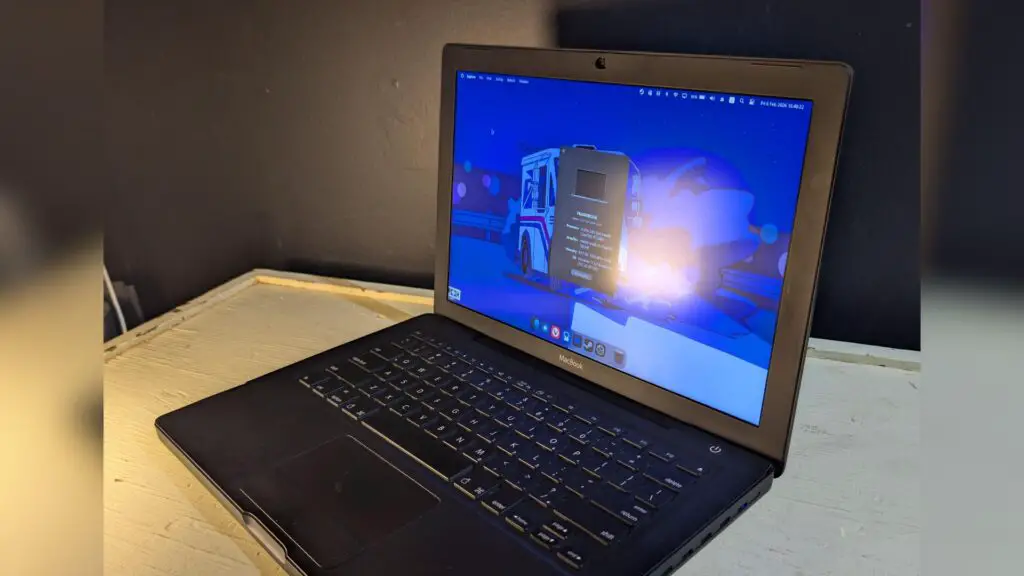
At Digital Tech Explorer, we have a deep appreciation for hardware that defies the status quo. There is a unique, nostalgic appeal to the “hackintosh” and modding culture—the art of transforming proprietary, limited ecosystems into bespoke, high-performance machines. This “Frankenstein-esque” spirit is perfectly captured by a creator known as Edoogg, who successfully integrated the internals of a modern Framework laptop into a classic 2006 MacBook chassis. The result, described as “a reimagined classic, that’s only a little bit janky,” perfectly bridges the gap between vintage aesthetics and modern hardware innovation.
Project Motivation: Choosing a Classic
The decision to use an ’06 MacBook wasn’t based on practical dimensions or ease of use, but rather pure aesthetic preference. Edoogg, the visionary behind this “Framebook,” favored this specific model because it was one of the few MacBooks available in a matte black finish, reminiscent of the legendary PowerBook G3.
The journey began on eBay, where Edoogg sourced several A1181 first-generation 13.3-inch MacBooks. These units were in rough shape—non-functional, missing batteries, and heavily worn. Since the original internal components held little resale value and were largely broken, they were stripped away to make room for a complete digital rebirth.
Technical Specifications
The core of this resurrected machine is built on the versatility of the Framework Laptop 13 motherboard. This allows the vintage shell to house power that the original engineers in 2006 could only dream of. Below is a breakdown of the “FrameBook” internals:
| Component | Details |
|---|---|
| Processor | Intel Core i7 1280P (12th Gen) |
| RAM | 64 GB DDR4 |
| Display | Custom MND307DA1-9 CSOT Panel |
| Audio | Framework Laptop Speaker Kit |
| Connectivity | Internal USB Hub & USB 2.0 Expansion Module |
| Camera | 8 MP Integrated Module |
Overcoming the Assembly Challenges
Merging two decades of technology is no small feat. One of the most significant hurdles was interface compatibility. To make the original 2006 keyboard and trackpad work with the modern Framework motherboard, Edoogg had to manually solder a USB cable to the vintage input circuitry.
This process was a test of patience. An initial successful soldering job was ruined when an accidental tug tore the solder pads right off the PCB. However, in the true spirit of a developer, Edoogg pivoted, acquired a replacement case, and successfully completed the delicate wiring on the second attempt.
Creative Solutions: Glue, LEDs, and Ingenuity
Every ambitious DIY project requires a bit of “creative engineering.” To manage the internal space, Edoogg used super glue to secure components and repurposed an old, dead MacBook battery shell to fill empty gaps within the chassis. A central USB hub was embedded to act as a bridge between the motherboard and the various peripherals, including the camera and input devices.
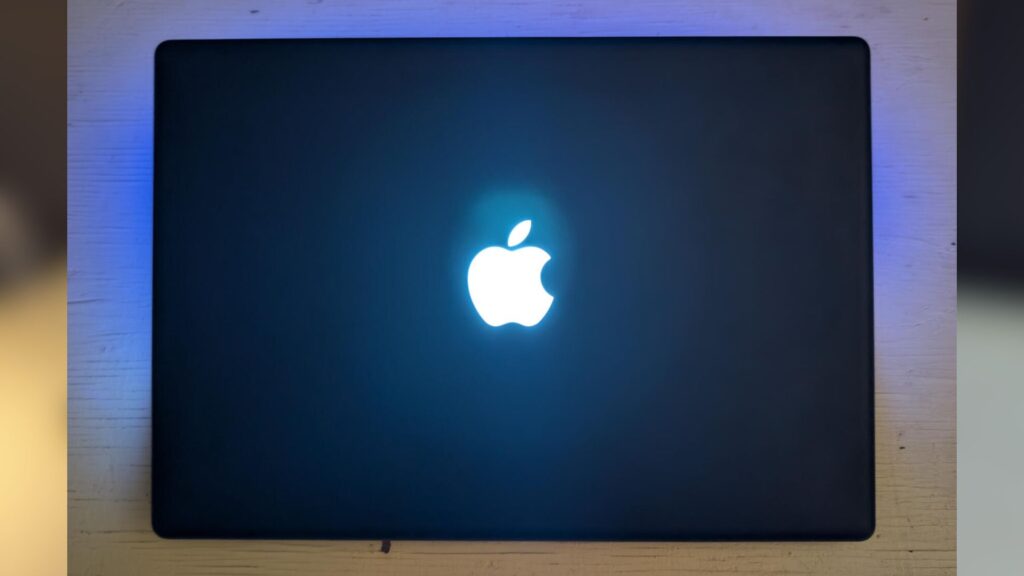
Perhaps the most impressive aesthetic touch is the restoration of the iconic glowing Apple logo. To bring it back to life, a custom 7x7x0.28 cm LED panel was commissioned and wired directly into the internal USB hub. This minor detail preserves the authentic soul of the MacBook while running cutting-edge hardware beneath the surface.
A Three-Month Labor of Love
This intricate project took three months to transition from a concept to a functional machine. Along the way, Edoogg mastered new skills in soldering and 3D modeling—traits we highly value here at Digital Tech Explorer. While the builder acknowledges that future iterations could use custom PCBs and more refined mounting solutions, the current “janky” charm is what makes it a masterpiece of tech storytelling.
Disclaimer: All content on Digital Tech Explorer is for informational and entertainment purposes only. We do not provide financial or legal advice.
Affiliate Disclaimer: Some of the links on Digital Tech Explorer are affiliate links. This means we may earn a commission if you click through and make a purchase, at no additional cost to you. Our recommendations are based on thorough research and personal experience.