

In the ever-evolving landscape of software solutions and digital innovation, a new chapter is unfolding that has many in the tech community scratching their heads. At Digital Tech Explorer, we’ve been tracking a series of disruptions affecting Windows 11 ISOs. Specifically, a growing number of Windows Insiders are reporting persistent failures when attempting to download the latest preview build ISOs, sparking a narrative of frustration and speculation across developer forums.
The Windows Insider ISO Download Dilemma
As a storyteller focused on the intersection of usability and complex technology, I find the current situation particularly intriguing. Members of the Windows Insider preview program—the very group tasked with stress-testing Microsoft’s latest features—are finding themselves locked out. Users attempting to pull the Windows 11 Canary channel build (28020.1611) or the Server preview build (29531) have seen their ISO downloads terminate prematurely.
The technical data gathered from community support forums suggests a targeted disruption. Many users report that their IP addresses appear to be actively blocked during the request phase for these specific builds. For enthusiasts who rely on these files for clean installations and hardware testing, this barrier is more than a minor glitch; it’s a total work stoppage.
| Affected Build Type | Specific Build Version | Reported Issue |
|---|---|---|
| Windows 11 Canary Channel | 28020.1611 | IP Blocking / Download Failure |
| Windows Server Preview | 29531 | Failed ISO Retrieval |
| Non-Insider Builds | Various | Operating Normally |
Rufus Developers Allege Intentional Interference
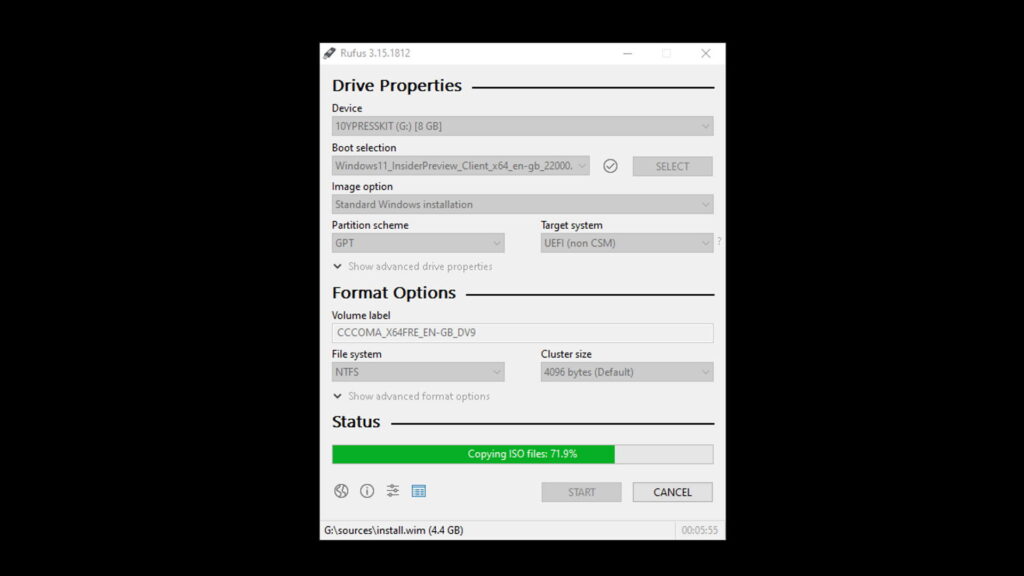
The plot thickens when we look at Rufus, the go-to open-source utility for creating bootable USB drives. Pete Batard, the lead developer behind Rufus, has voiced a stern perspective on GitHub. Batard suggests that this isn’t a mere server error but rather “active intentional involvement from Microsoft to break the script downloads.”
His concern centers on the Fido scripts—an open-source project written in PowerShell that Rufus utilizes to automate the ISO download selection process. From a software engineering standpoint, disrupting these scripts would be relatively straightforward for Microsoft. This isn’t the first time the digital giant has adjusted its parameters in a way that breaks Fido scripts, leading to a recurring game of cat-and-mouse between independent developers and the OS giant.
Analyzing the Motivation: Why Block Downloads?
While official word from Redmond remains elusive, we can analyze the potential drivers behind these blocks through the lens of emerging technology trends and security protocols:
- Proprietary Tooling: Microsoft may be attempting to funnel the user base toward its own Media Creation Tool, moving away from third-party ecosystems like Rufus to maintain tighter control over the installation environment.
- Stability and Security: If a preview build is found to have a “showstopper” bug or a critical vulnerability, blocking the ISO is the most effective way to prevent widespread deployment until a patch is ready.
- Heightened Security Measures: Following the documentation of the Windows Hello Tampering Vulnerability (CVE-2026-20804), Microsoft has ramped up its security posture. It is possible that the current IP blocks are an unintended side effect of stricter access controls designed to mitigate privilege assignment issues.
At Digital Tech Explorer, our mission is to help developers and tech enthusiasts stay ahead of these trends. Whether this is a temporary security measure or a permanent shift in how hardware and software interact, we will continue to monitor the situation. For now, Windows Insiders may need to rely on the built-in Windows Update mechanism rather than external ISO downloads until Microsoft provides further clarity on these disruptions.