
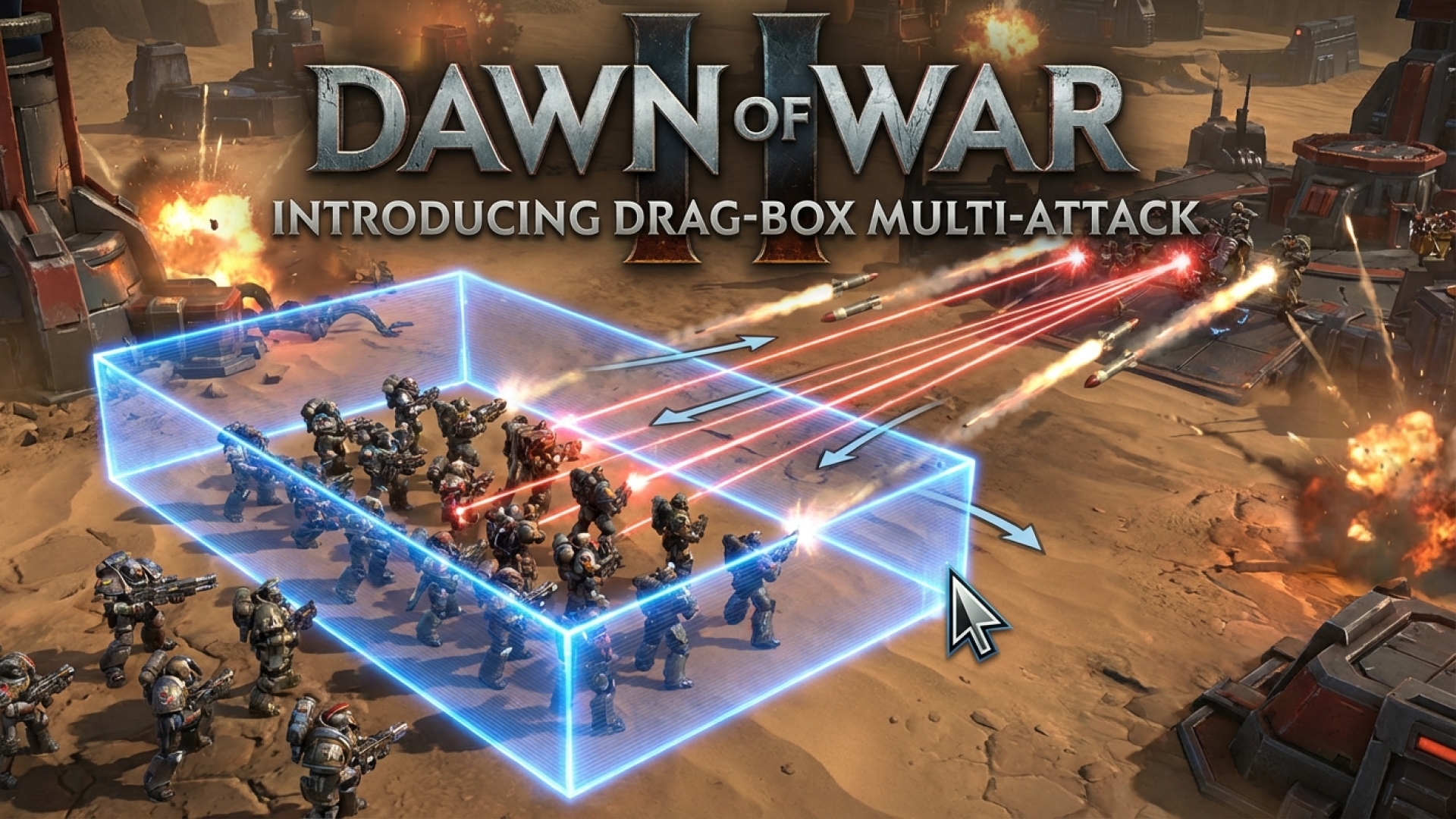
When I recently visited the team at King Art Games, my initial impressions of Dawn of War 4 were immediate: this is a significant step forward in RTS complexity. Compared to previous installments, the game feels notably micromanagement-heavy. Between unit upgrades, the return of reinforcement mechanics, and a much larger scale of unit variety on the field, the cognitive load is high. Here at Digital Tech Explorer, we love seeing how software engineering solves user experience hurdles, and King Art’s solution to this complexity is a masterclass in UI innovation.
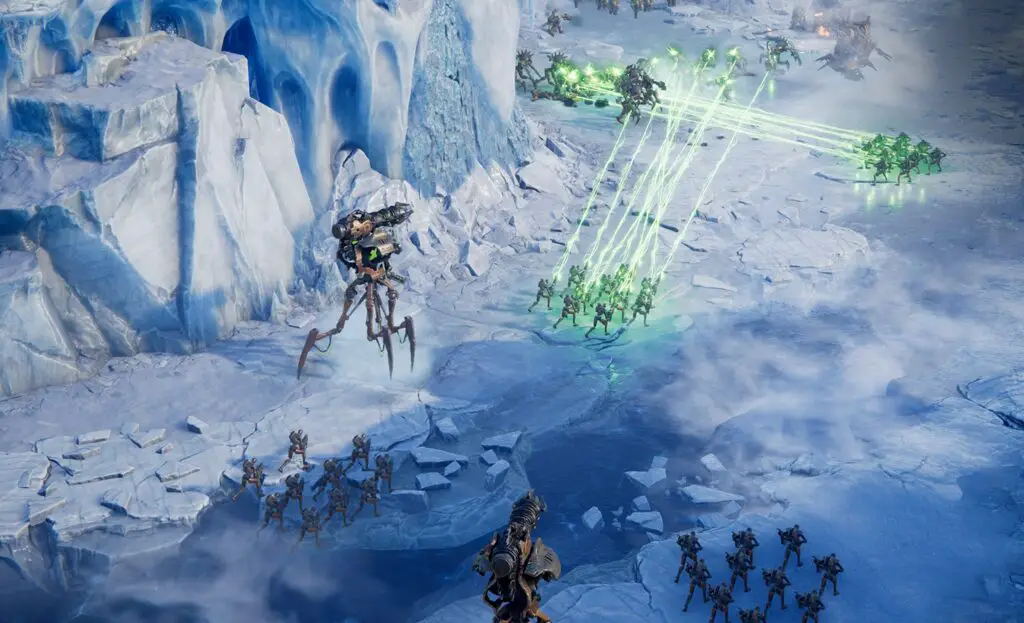
The Multi-Attack Drag Box: A UI Game Changer
“Everyone knows that you can multi-select units with a drag box, but in this sequel, you can also multi-attack enemies by dragging with the right mouse button,” explains Jan Theysen, Game Director. This feature allows players to highlight a group of enemies and let the system intelligently distribute fire. “The system picks somewhat sensible opponents, but you can then go in and optimize—perhaps targeting a specific vehicle with your right flank while the rest hold the line.”
As a tech storyteller, I found this discovery particularly compelling. It addresses the age-old RTS “death ball” problem where a massed force overkills a single target while ignored enemies chip away at your health. By reducing the number of individual clicks required to manage a battlefield, the developers are allowing players to focus on high-level strategy rather than fighting the interface.
Feature Comparison: Modernizing the RTS Experience
To better understand how these changes impact gaming performance and player experience, let’s look at the key quality-of-life upgrades coming to this title:
| Feature | Traditional RTS Mechanics | Dawn of War 4 Innovation |
|---|---|---|
| Unit Selection | Left-click drag to select units. | Right-click drag to assign targets to groups. |
| Reinforcements | Manual clicks required for every lost model. | Toggleable infinite reinforcements per squad. |
| Camera Controls | Edge-panning or arrow keys only. | Full WASD support and customizable mapping. |
| Unit Variety | Standardized rock-paper-scissors units. | High-density variety with unique upgrade paths. |
Enhanced Accessibility for the Modern Era
Beyond the drag-box mechanics, the studio is integrating features that long-time fans have requested for years. This includes the ability to toggle infinite reinforcements before a unit even loses a model. This proactive approach to unit management is a major shift from the reactive clicking of the past.
Theysen also addressed the move to a WASD-based camera system, a standard in modern PC games that was surprisingly absent from earlier iterations. “It drove me insane,” Theysen admits. “In the older versions, having to move your cursor to the edge of the screen was an unchangeable limitation. We’ve ensured our game has all the controls players expect in a modern RTS, fully configurable to suit individual playstyles.”
The Future of Grimdark Strategy
Through the lens of digital innovation, Dawn of War 4 is shaping up to be more than just a sequel; it’s a refinement of the genre. My time exploring the Ork campaign revealed a game that respects the complexity of its predecessors while utilizing smart software solutions to make that complexity manageable.
For more deep dives into AI-driven game mechanics and the latest in hardware testing, stay tuned to Digital Tech Explorer. You can also follow my personal journey through digital storytelling on my author page.
Affiliate Disclaimer: Some of the links on Digital Tech Explorer are affiliate links. This means we may earn a commission if you click through and make a purchase, at no additional cost to you. Our recommendations are based on thorough research and personal experience.