
All content on Digital Tech Explorer is for informational and entertainment purposes only. Some of the links on Digital Tech Explorer are affiliate links. This means we may earn a commission if you click through and make a purchase, at no additional cost to you. Our recommendations are based on thorough research and real-world testing.
At Digital Tech Explorer, we believe every piece of hardware tells a story of innovation, compromise, and craftsmanship. TechTalesLeo here, and today I’m diving into a device that feels like a love letter to typists, even if it leaves some gamers wanting more. The Corsair Vanguard Air 99 Wireless arrives with a premium price tag of $260, promising a “boutique” experience from a mainstream giant. But in a market rapidly pivoting toward Hall Effect technology, does a refined tactile feel justify the investment?
Our Verdict
Corsair has delivered an exceptional build with the Vanguard Air 99, but its value proposition is a bit of a puzzle. While the actuation feel is arguably best-in-class for low-profile enthusiasts, the high cost and omission of adjustable analog switches make it a niche luxury rather than a universal recommendation.
Pros
- Exemplary, rock-solid aluminum construction
- Exceptional “buttery-smooth” optical switch actuation
- High-quality PBT keycaps with crisp legends
- Streamlined, browser-based customization via Web Hub
Cons
- LCD screen offers minimal utility and drains battery
- Lacks Hall Effect (magnetic) switches for adjustable actuation
- Translucent directional and macro keycaps feel out of place
- Premium price point in a highly competitive market
The Corsair Vanguard Air 99 Wireless is designed for a very specific enthusiast—the person who prioritizes the auditory and tactile “thock” of a keyboard above all else. During my testing here at Digital Tech Explorer, it became clear that Corsair’s design team spent a significant amount of time perfecting the “creamy” sound profile. Utilizing a gasket-mounted design with five distinct layers of sound-dampening material, they have managed to make a low-profile board sound as rich as a full-sized custom build.
However, the keyboard landscape in 2026 is evolving. Many of the best gaming peripherals are migrating toward Hall Effect magnetic switches, which allow for “Rapid Trigger” and adjustable actuation points. By opting for traditional (albeit excellent) optical keys, Corsair is asking users to choose sensory pleasure over the raw performance advantages found in modern analog boards.
Technical Specifications
| Feature | Specification |
|---|---|
| Switch Type | Low-Profile Optical (Linear) |
| Layout | 99% (Compact Full-Size) |
| Connectivity | 2.4GHz Slipstream (8K Polling), Bluetooth, USB-C |
| Keycaps | Double-shot PBT |
| Battery Life | Up to 50 hours (RGB on), 200+ hours (RGB off) |
Build and Aesthetics
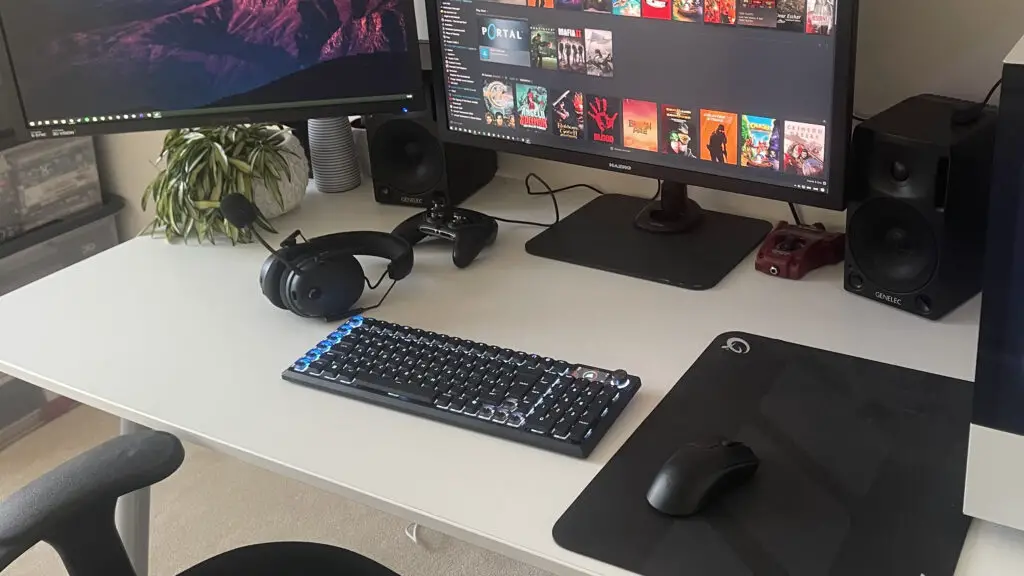
Visually, the Vanguard Air 99 is a triumph of industrial design. The sandblasted aluminum shell provides a weight that ensures the board never slides during a heated session of PC games. It’s a sophisticated look that fits as easily in a developer’s office as it does in a streamer’s setup.
The PBT keycaps are a highlight, offering a textured finish that resists finger oils better than cheaper ABS alternatives. One curious design choice is the inclusion of translucent keycaps for the arrow keys and macro bank. While it makes them pop under RGB lighting, the contrast against the solid PBT caps can be jarring for those who prefer a more uniform aesthetic.
Real-World Performance
From a software engineer’s perspective, the 99% layout is a smart compromise, offering a number pad while saving desk space. However, the low-profile nature does require an adjustment period. My initial typing speeds were slightly lower as I acclimated to the 2.5mm travel distance. Once adjusted, the experience was remarkably fluid.
In terms of performance, the 8K polling rate over 2.4GHz wireless ensures that latency is virtually non-existent. Testing this during Counter-Strike 2 sessions proved that while it lacks analog adjustment, its responsiveness is still top-tier. I also appreciated the move toward the browser-based “Web Hub” for customization. Moving away from the resource-heavy iCUE software is a major win for users who want to keep their system lean and fast.
The LCD Dilemma
One of the more marketed features is the integrated LCD screen. In practice, it feels like a missed opportunity. While it can show system stats or custom GIFs, its primary use ended up being a simple Caps Lock indicator. Given that it contributes to battery drain, I found myself wishing Corsair had opted for a simpler LED indicator and passed those savings on to the consumer or invested more in the battery capacity.
Final Thoughts: A Premium Narrative
Reviewing the Vanguard Air 99 Wireless reminds me that hardware is often about the “feel” as much as the “specs.” If you are a professional who spends eight hours a day typing and wants the most luxurious, low-profile tactile experience available from a major brand, this is your keyboard.
However, for the competitive gamer looking for every technical advantage, the $260 price tag might be better spent on a Hall Effect board. At Digital Tech Explorer, we value transparency: this is a beautiful, well-engineered tool, but it is priced for the enthusiast who values sensation over the latest “meta” features.