

Asus made quite a splash at CES 2026, unveiling a duo of keyboards designed to capture different segments of the market. While the fast-paced, Hall effect ROG Falchion Ace 75 HE caters to the competitive gaming crowd, the ROG Strix Morph 96 Wireless takes a more measured approach. At Digital Tech Explorer, we’ve spent the last two weeks putting this board through its paces to see if it lives up to the enthusiast-grade hype or if it’s simply a familiar face in a new chassis.
Our Verdict
Rating: 3 / 5 Stars (Score: 73/100)
The ROG Strix Morph 96 is a competent, near full-size mechanical keyboard featuring silky smooth switches and impressive web-based software. However, in a crowded market, it struggles to stand out against more affordable rivals—including some from Asus’s own catalog.
Pros
- Highly functional 96 percent layout
- Premium, factory-lubed linear switches
- Streamlined, web-based Gear Link software
Cons
- High price point compared to superior alternatives
- Minor chassis flex under pressure
- ABS keycaps instead of PBT
The Morph 96 is positioned to bridge the gap between “mainstream gaming” and the “enthusiast” niche—a territory Asus previously conquered with the ROG Strix Scope II 96 Wireless. However, in the evolving landscape of hardware innovation, being “good” isn’t always enough to stay ahead of the curve.
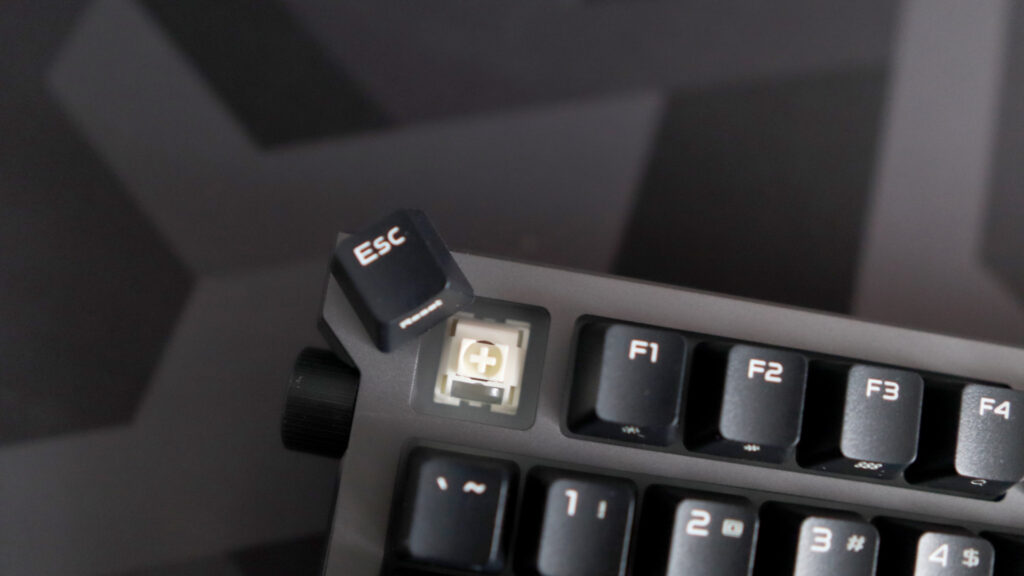
ROG Strix Morph 96 Wireless Specifications
| Feature | Specification |
|---|---|
| Switch Type | Asus ROG NX Snow V2 (Linear) or Storm V2 (Tactile) |
| Keycaps | Doubleshot ABS |
| Lighting | Per-key RGB with side-mounted bars |
| Connectivity | Wired USB-C, 2.4 GHz (Omni Receiver), Bluetooth 5.0 |
| Onboard Storage | 5 Customizable Profiles |
| Weight | 1.125 kg (2.48 lbs) |
| Price | $140 / £135 |
Layout and Design: A Functional Compromise
The 1800 (96 percent) layout remains one of my personal favorites for productivity. It manages to retain the essential number pad and navigation cluster while trimming the excess bulk of a standard full-size board. For users shifting from a traditional setup, the learning curve is practically non-existent.
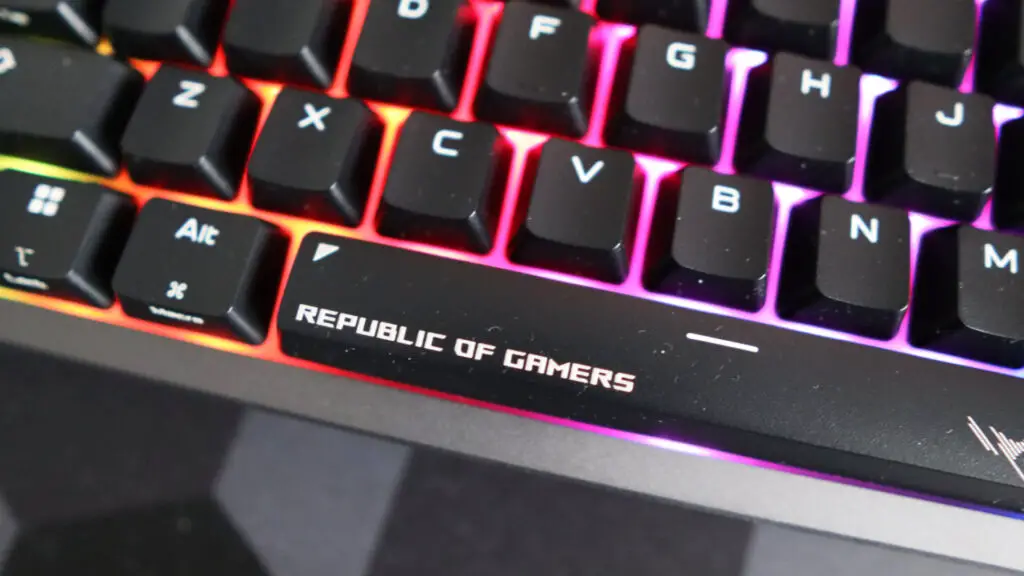
In terms of build quality, the Morph 96 features a metal top plate paired with a plastic base. It feels substantial on the desk, yet I noticed a slight amount of flex when applying pressure to the corners—something we don’t expect at this price point. Furthermore, the inclusion of ABS keycaps is a head-scratcher. While they feature a nice texture, they lack the long-term durability and shine-resistance of PBT keycaps found on the older (and often cheaper) Scope II.
A standout design element is the multi-function dial located on the left side, which offers intuitive control over volume and lighting. The top edge houses the USB-C charging port and a clever magnetic cubby for the Omni receiver, which can conveniently pair with both this keyboard and a compatible ROG mouse to save USB port space.
Performance and Switch Quality
Performance is where the Morph 96 finds its footing. Our review unit featured the ROG NX Snow V2 linear switches, which are a joy to use. These switches are factory-lubed, providing a consistent, scratch-free keystroke. With a 40g actuation force and a shortened travel distance, they offer a snappy response time that feels great for both typing and PC games.
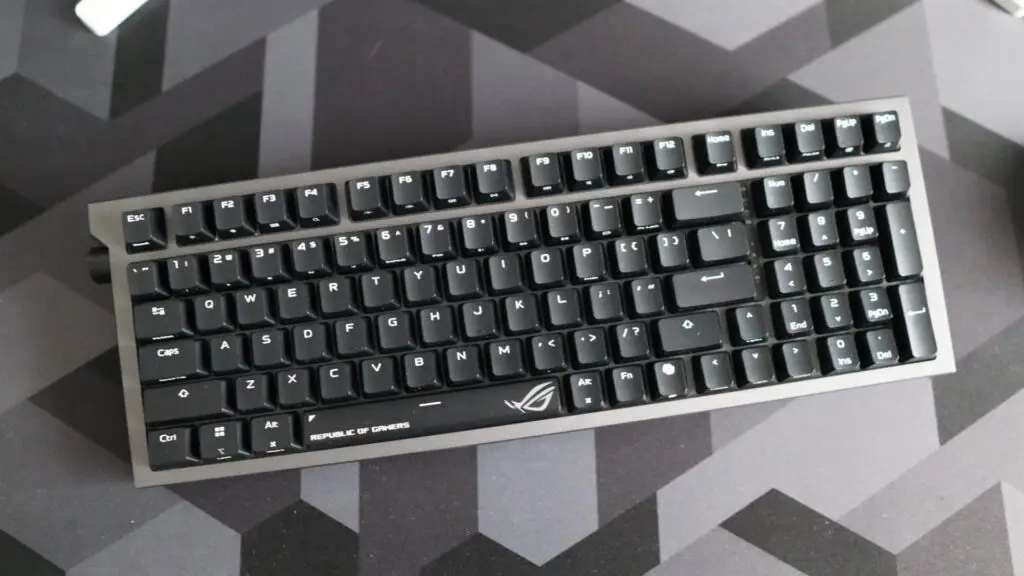
Asus has implemented a gasket-mount system and internal sound-dampening foam, which eliminates the hollow “ping” often found in cheaper mechanical boards. While it includes “Speed Tap” (SOCD) technology for faster directional changes in shooters, it misses out on the magnetic Hall effect sensors that are becoming standard in modern enthusiast acceleration technology.
Software and Battery Longevity
The most significant leap forward isn’t the hardware, but the software. The Morph 96 supports Gear Link, Asus’ new web-based utility. For anyone who has struggled with the resource-heavy Armoury Crate, Gear Link is a revelation. It allows for effortless key remapping and RGB adjustments directly through your browser, aligning with our mission to highlight tools that enhance the developer and enthusiast experience.
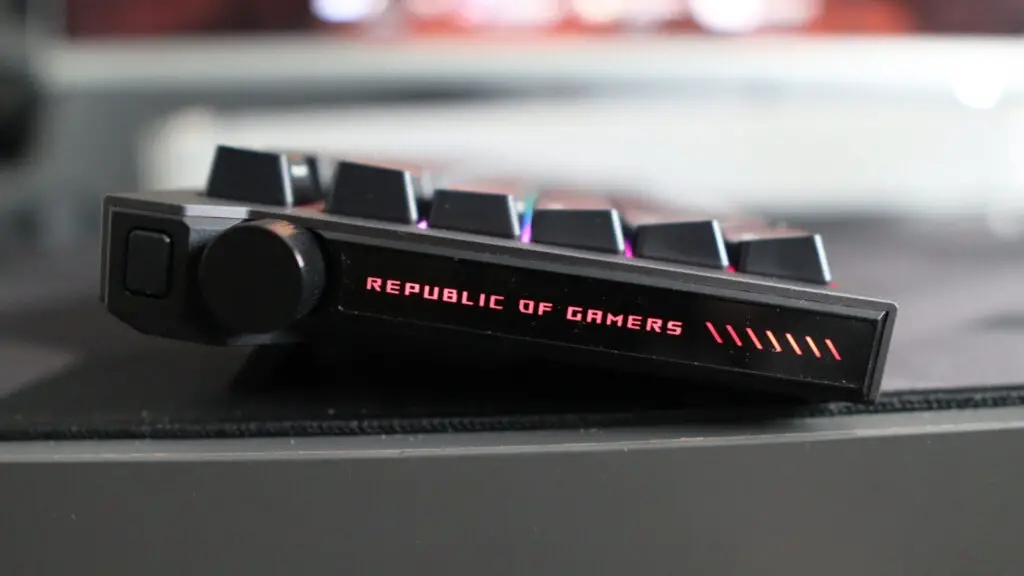
Battery performance is equally impressive. With RGB lighting active, you can expect around 100 hours of use. If you prefer a stealthier look, turning the lighting off extends the life to nearly 600 hours on a single charge. Since the keycaps aren’t shine-through, you aren’t losing much legibility by keeping the LEDs off.
Final Thoughts: Is the Morph 96 Right for You?
Buy it if… You want a reliable, ready-to-go mechanical keyboard with top-tier linear switches and a fantastic web-based software experience.
Skip it if… You are looking for the best value. The ROG Strix Scope II 96 Wireless offers PBT keycaps and a wrist rest for less money, while brands like Keychron offer more advanced “HE” features at a similar price.
The ROG Strix Morph 96 Wireless is an excellent performer that unfortunately finds itself in the shadow of its own lineage. While the typing experience is superb and Gear Link is a massive win for usability, the cut corners on keycap materials and chassis rigidity make it a tough sell at full MSRP. It remains a solid choice for Asus ecosystem loyalists, but we recommend waiting for a sale.
Disclaimer: All content on Digital Tech Explorer is for informational and entertainment purposes only. We do not provide financial or legal advice.
Affiliate Disclosure: Some of the links on Digital Tech Explorer are affiliate links. This means we may earn a commission if you click through and make a purchase, at no additional cost to you. Our recommendations are based on thorough research and personal experience.