
Diving into the slippery, high-stakes world of penguin brawling, Roblox Knockout! offers a chaotic and entertaining experience where the goal is simple: shove your friends out of the arena. At Digital Tech Explorer, we love a good mechanical challenge, and this game delivers just that with its physics-based combat. To help you stand out in the snow, we’ve rounded up the latest Knockout codes to secure free Ice and Spins for your feathered fighter.
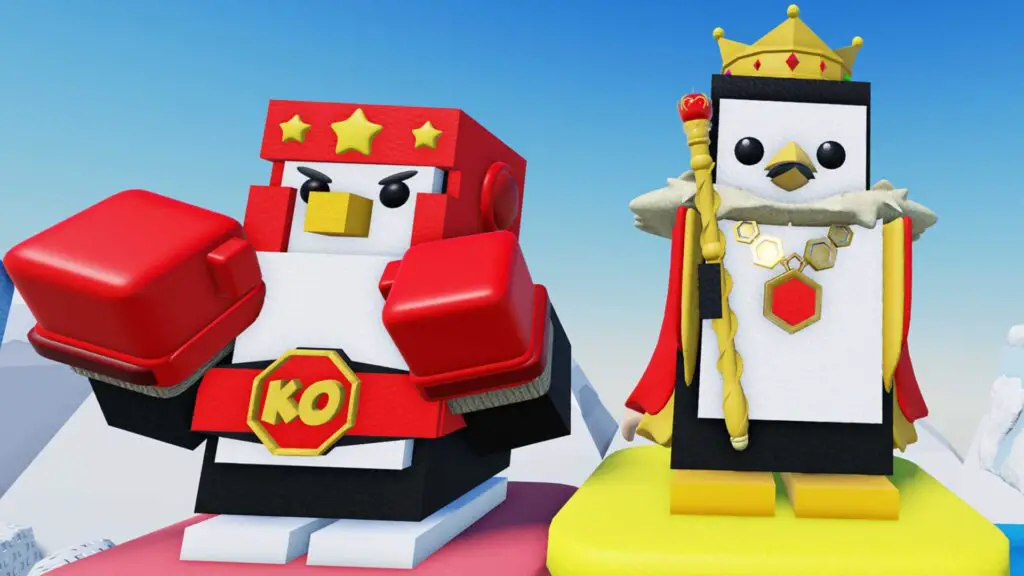
As a storyteller in the digital space, I, TechTalesLeo, find that these small boosts can truly change the trajectory of your gameplay. Whether you are hunting for a rare skin or just need more Ice to flex on the competition, these rewards are essential for any aspiring penguin king.
Active Knockout Codes
Below are the currently active codes verified by our team. Be sure to redeem them quickly, as these limited-time offers can expire without notice.
| Code | Reward |
|---|---|
| CIRCUSEVENT | 5x Free Spins |
Expired Knockout Codes
If you’ve missed out on these, don’t worry—new codes are released frequently. These are the codes that have recently moved to the “frozen” archive:
CRABRAVE – 750x IceHAPPYEASTER – 3x SpinsSOCIALHUB – 350x IceFOLTYNADMINABUSE – 500x IceSPRING – 5x SpinsPUNCHMONKEY – Punchy skinSTEAK – 750x IceSORRYQUESTS – 5x SpinsHOTPOTATOMODE – 3x SpinsPOOLMAP – 500x IceSTPATRICKS – 25x ShamrockTEMPLETILES – 5x SpinsDOOMSDAY – 25x Magma CrystalsLAVA – 750x IceBOOGIE – 3x SpinsDISCO – 50x Disco ballsLUNAR – 5x SpinsADMINABUSE – 500x IceSORRYVALENTINES – 40x HeartsVALENTINES – 750x IceTEAMS – 5x SpinsLIKES – 500x IceSORRY – 300x IceLOVE – 3x SpinsCOLD – 3x Spins100k – Redeem for rewards
How to Redeem Knockout Codes
At Digital Tech Explorer, we believe technology should be accessible. The redemption process in Knockout! is refreshingly simple, requiring no external groups or complicated steps. Follow this guide to claim your loot:
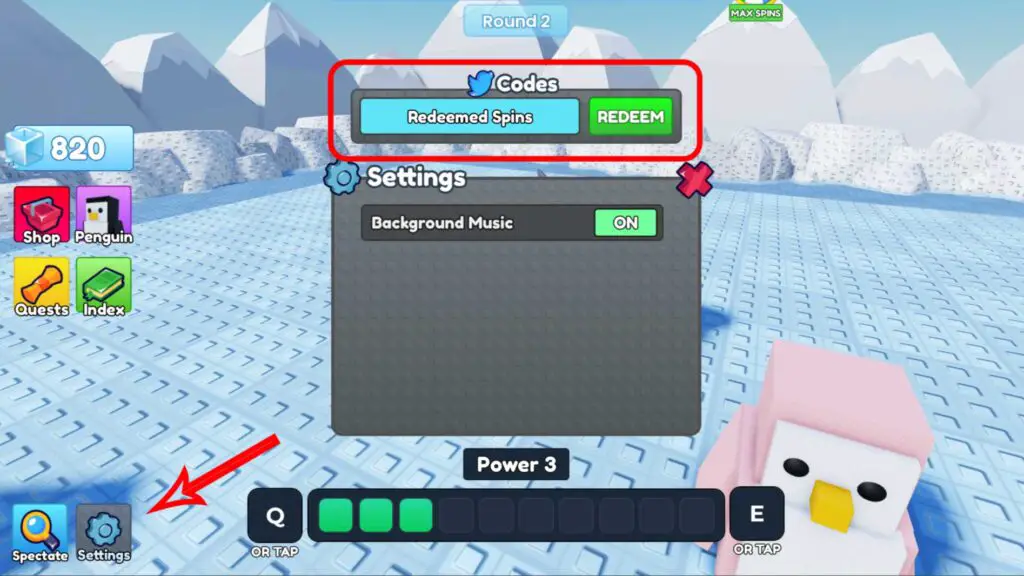
- Launch Knockout! on Roblox and enter the main lobby.
- Locate and click the Settings (Gear Icon) button in the bottom left corner of your screen.
- Find the code input field in the pop-up menu.
- Copy an active code from our list and paste it into the box.
- Hit Redeem to instantly add the rewards to your inventory.
Pro tip from the Digital Tech Explorer team: codes are case-sensitive, so using copy-and-paste is the best way to ensure they work on the first try. Stay tuned for more gaming updates and tech insights as we continue to track the latest trends in the AI and software landscape.