
Affiliate Disclaimer: Some of the links on Digital Tech Explorer are affiliate links. This means we may earn a commission if you click through and make a purchase, at no additional cost to you. Our recommendations are based on thorough research and personal experience.
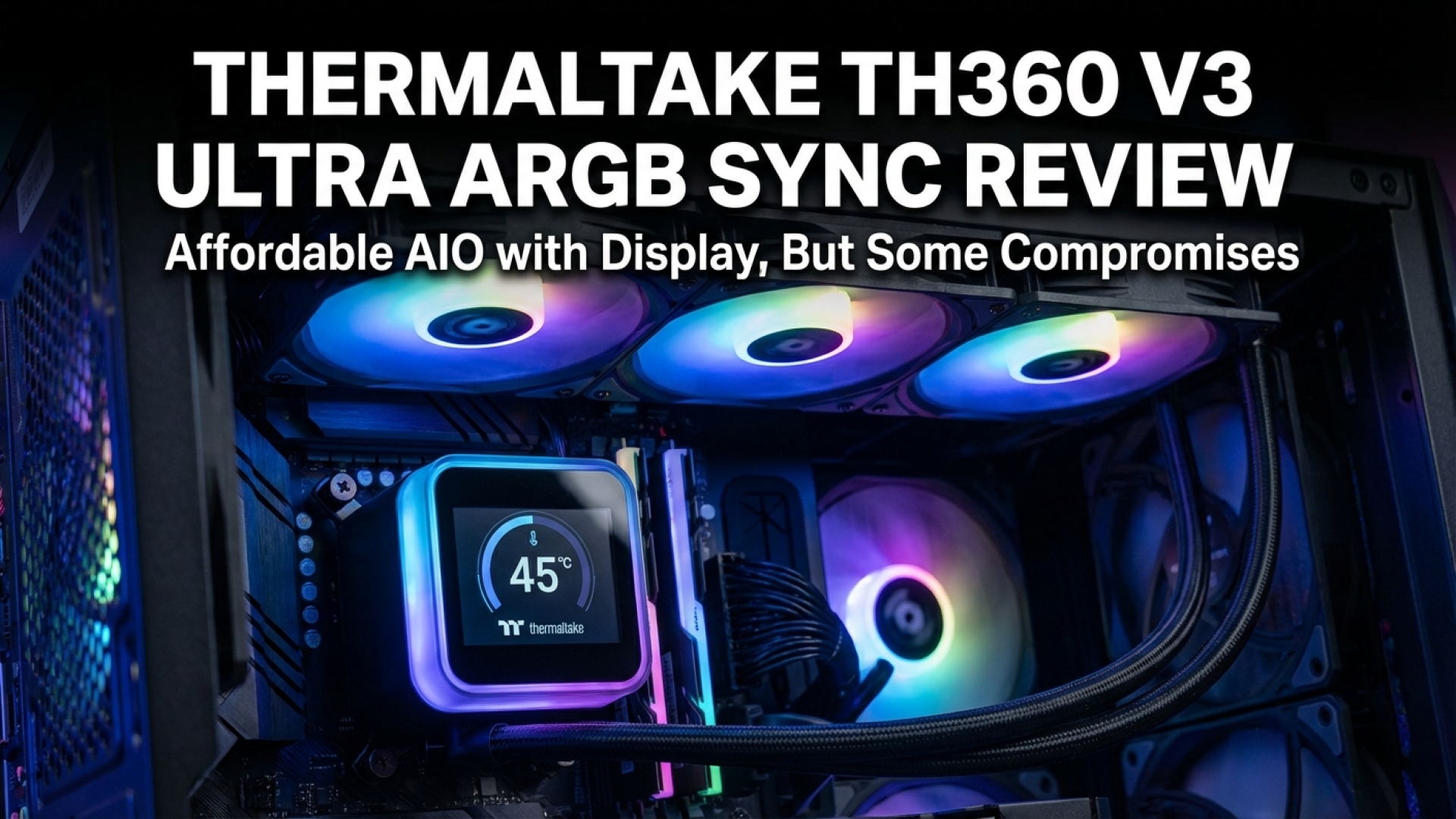
In an era where “premium” often feels like a synonym for “unreachable,” it is rare to find a product in the custom PC space that genuinely disrupts the pricing status quo. Here at Digital Tech Explorer, we’ve seen plenty of hardware promise the world for a hefty price tag. But today, we’re looking at something different: the Thermaltake TH360 V3 Ultra ARGB Sync. Despite the mouthful of a name, this all-in-one (AIO) liquid cooler is doing something radical—making luxury LCD displays affordable for the average builder.
Our Verdict
Rating: 4 out of 5 stars (88/100)
The Thermaltake TH360 V3 Ultra is likely the most affordable 4-inch display-based AIO on the market today. With impressive thermal performance and wide-ranging compatibility, it is a compelling choice for those wanting that high-end aesthetic without the high-end tax. While the limited warranty and unpolished software are notable drawbacks, the value proposition here is hard to ignore.
Pros
- Extra-long 460mm tubing for versatile mounting
- Clean, modern design with minimal cable clutter
- Incredibly competitive pricing for an LCD AIO
Cons
- Limited warranty compared to industry standards
- Software interface feels unpolished
- High noise levels at maximum fan speeds
Let’s be clear: the TH360 V3 Ultra isn’t trying to reinvent the wheel with radical design or boutique materials. Instead, it focuses on democratization. It takes the “cool factor” of a massive pump-block screen—previously reserved for $300+ coolers—and brings it down to a much more palatable $140 US (£125).
Technical Specifications
| Feature | Specification |
|---|---|
| Socket Compatibility | Intel: LGA1851, 1700, 1200, 115X, 2066, 2011; AMD: AM5, AM4 |
| Radiator Dimensions | 397 x 120 x 27 mm (Aluminum) |
| Tubing Length | 460 mm |
| Pump Speed | 800 – 2500 RPM |
| Fans | 3x 120 mm Single Frame ARGB setup |
| LCD Display | 3.95-inch TFT LCD, 720 x 720 resolution |
| Warranty | 3-years (US), 2-years (UK) |
| MSRP | $140 / £125 |
Design and Features
The centerpiece is undoubtedly the 3.95-inch TFT-LCD screen. While it doesn’t boast the OLED blacks of more expensive rivals, its 720×720 resolution is surprisingly sharp for the price point. The display is entirely customizable via software, allowing for system stat monitoring or custom GIFs. Physically, the AIO is a breeze to work with; the 460mm tubes are among the longest we’ve tested at Digital Tech Explorer, making it ideal for massive full-tower hardware configurations.
The fans utilize a single-frame design, which is a godsend for cable management. Rather than wrestling with three separate fan cables and three RGB headers, the integrated setup keeps your build looking professional and tidy. However, there is a trade-off: the warranty. While competitors like NZXT or Corsair often offer 6-year coverage, Thermaltake provides 3 years in the US. For the price, this is an understandable cut, but one longevity-minded builders should note.
Real-World Performance
In our gaming and productivity benchmarks, we pushed the TH360 V3 Ultra using an Intel Core i7-14700K. In a room with a 26°C ambient temperature, the cooler maintained a respectable 86°C during a grueling CineBench R23 multi-core loop. For daily tasks and gaming sessions—like exploring the dense environments of Baldur’s Gate 3—the temperatures sat comfortably at 71°C.
Acoustics, however, are where you’ll notice the “budget” nature of the fans. At full load, the fans hit a loud 63.4 dB. For context, that is significantly louder than the Kraken Plus 360 RGB. If you are sensitive to noise, you will definitely want to spend some time in your BIOS or software tuning a custom fan curve to keep the decibels in check during lighter workloads.
The Software Experience
Thermaltake’s software ecosystem remains a bit fragmented. You’ll find yourself alternating between TT RGB Plus 3.0 and the TT LCD Screen software. While the MineCube interface is functional for monitoring stats, it feels basic. The RGB Plus software offers more automated features, including some curious AI-generated background options, but the user interface lacks the polish seen in competitors’ ecosystems.
Final Thoughts: Should You Buy It?
As TechTalesLeo, I love a story where the underdog challenges the status quo. The Thermaltake TH360 V3 Ultra ARGB Sync is that challenger. It brings the premium 3D gaming aesthetic of an LCD-equipped AIO to a price point that was previously unthinkable.
Buy it if: You want a high-performance 360mm AIO with a massive, customizable screen but are working within a strict budget. Its thermal performance is top-tier for the price.
Skip it if: You demand a whisper-quiet system or want the peace of mind provided by a 6-year industry-standard warranty. For those builders, the extra $100 for a premium brand might be worth the investment.
Ultimately, for $140, Thermaltake has delivered a visually stunning, high-performing cooler that makes high-end tech accessible to everyone. Just remember to set those fan curves!
For more in-depth reviews and the latest in PC hardware, stay tuned to Digital Tech Explorer. Check out our 2024 Release Guide for more top-rated gear.