
If you’re signed up for Steam client betas, you might have noticed that the storefront looks a little fresher today. Here at Digital Tech Explorer, we’re always tracking how major platforms iterate on their user experience. Valve is currently testing significant updates to the Steam store home page. The goal is simple: making it easier to discover your next favorite title in the massive world of PC games.
The core objective of this Steam storefront refresh is to create a more cohesive feel across the platform. Valve aims to provide distinct tools and information for each section without overwhelming the user, balancing functionality with a modern aesthetic.
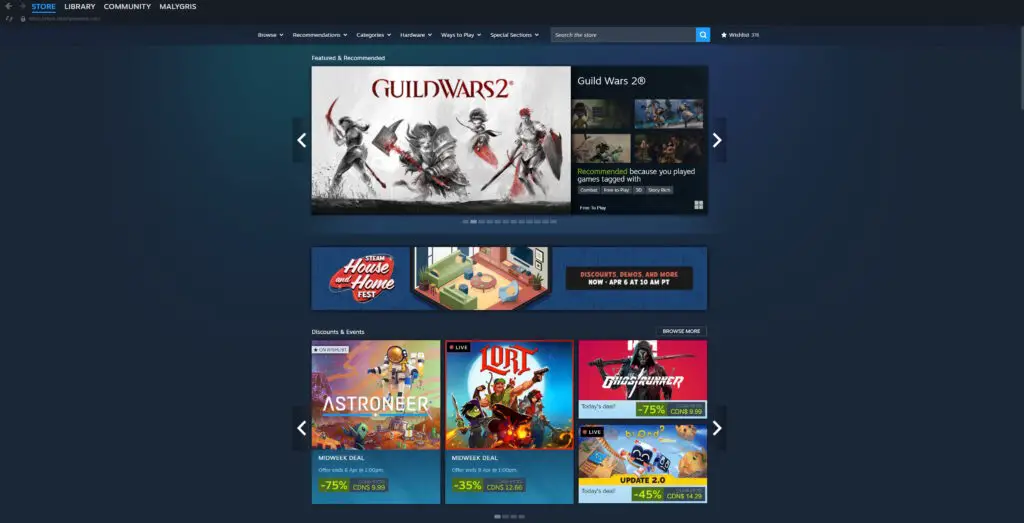
Key Improvements in the Redesign
As a storyteller in the tech space, I find the narrative of “usability” just as important as the code behind it. This update focuses on two main pillars: how you find games and how those games look on your hardware.
Enhanced Navigation and Discovery
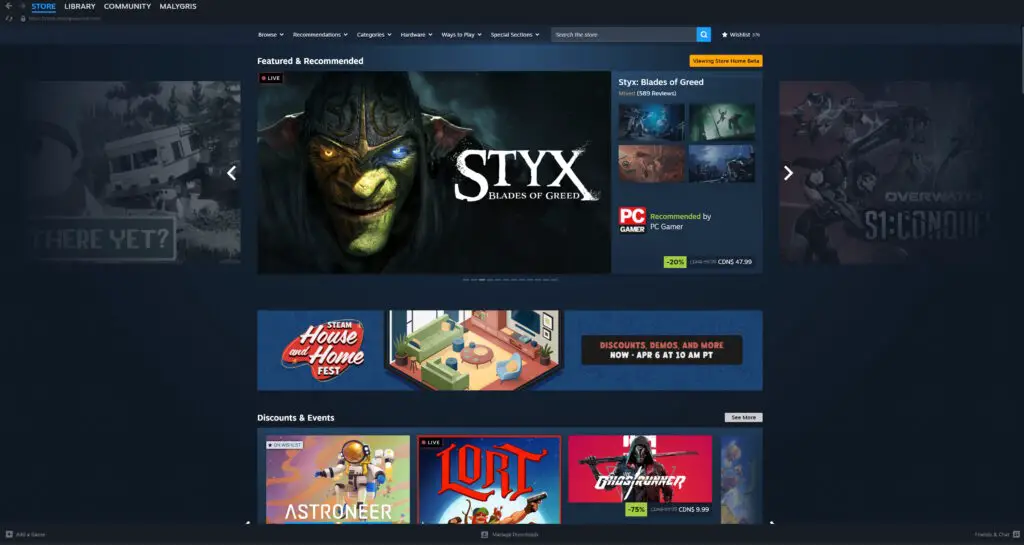
The “Featured and Recommended” section has been overhauled to provide more context. Instead of a generic list, it now displays detailed information on why a particular game is being recommended for you, alongside a helpful user review roundup. For those who enjoy a quick preview, hovering over a game’s cover art now triggers a micro-trailer (which can be toggled off in settings).
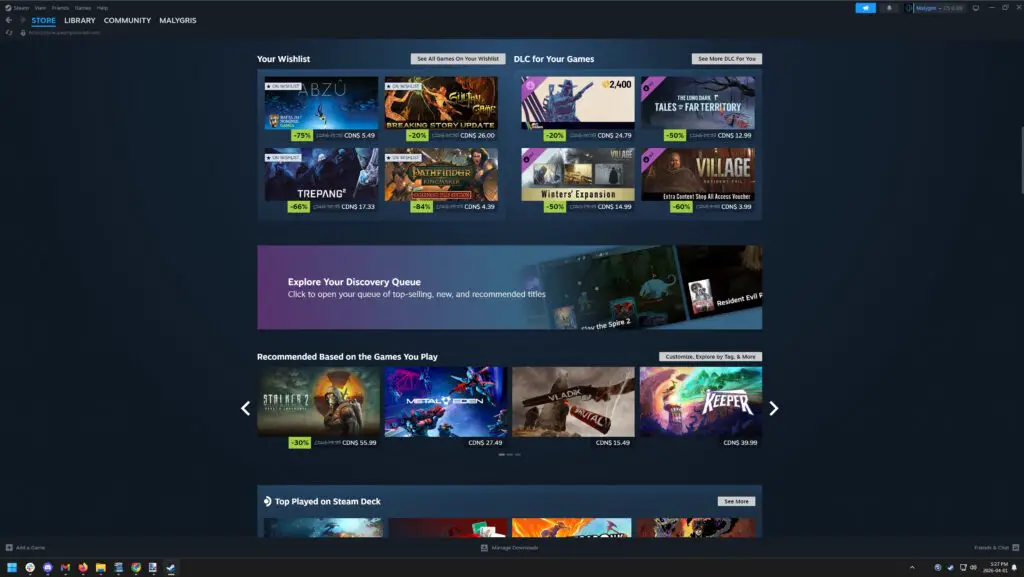
Additionally, the Discovery Queue now operates as a transparent overlay. This allows for quicker browsing without losing your place on the main page. Valve has also introduced dedicated sections for your wishlist and DLC for games already in your library, all supported by a new infinite scroll feature.
Visual and Performance Upgrades
For enthusiasts pushing 4K resolution or ultrawide setups, the Steam storefront now utilizes higher-resolution game art. The layout is more responsive, effectively filling the space on larger displays rather than leaving empty margins. While these changes may seem subtle, they represent a significant leap in modernization for the aging client.
| Feature | Old Storefront | New Beta Update |
|---|---|---|
| Discovery Queue | Redirects to a new page | Transparent overlay on home |
| Game Previews | Static images/manual clicks | Hover-activated micro-trailers |
| Navigation | Paginated sections | Infinite scroll and dedicated DLC/Wishlist rows |
| Visual Quality | Standard resolution assets | High-resolution art with responsive widths |
How to Access the New Steam Storefront Beta
Valve has not yet announced a firm date for when this design refresh will roll out to the general public, as it depends heavily on user feedback during the beta testing phase. If you want to jump in and see the future of gaming platforms for yourself, the process is straightforward.

To opt into the Steam client beta, follow these steps:
- Open your Steam client and navigate to the Settings menu.
- Select the Interface tab.
- Look for Client Beta Participation and select “Steam Beta Update” from the dropdown menu.
- Restart your client when prompted.
The beta will download and install automatically. If you encounter bugs or prefer the classic look, you can revert by following the same steps and selecting “No Beta” from the dropdown. Keep exploring with us at Digital Tech Explorer for more updates on software trends and digital innovation!