
In the evolving landscape of high-performance hardware, reports of graphics card power connectors melting have become a significant concern for the PC gaming community. To address the vulnerabilities of the 12VHPWR standard, manufacturers are shifting from reactive fixes to proactive digital innovation. Here at Digital Tech Explorer, we prioritize transparency and real-world testing, which is why the latest update to the iconic MSI Afterburner caught our attention.
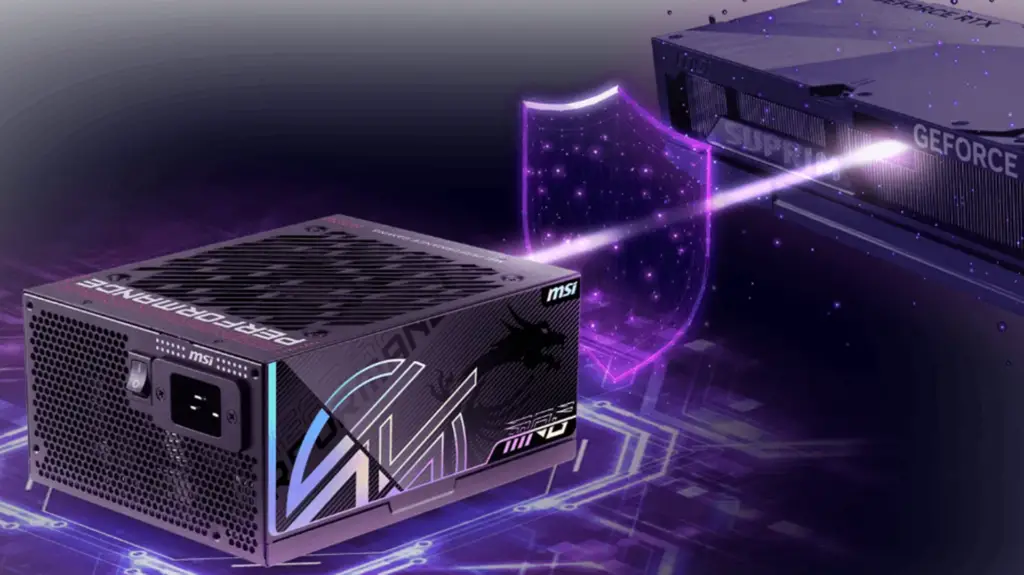
MSI Afterburner Introduces Advanced PSU Monitoring
Developed by the veteran creator Unwinder, the latest beta version of MSI Afterburner integrates a crucial feature designed to warn users about abnormal loads or power supply instability. This is powered by a new PSU.dll plugin, which transforms the utility from a simple overclocking tool into a comprehensive hardware diagnostic suite.
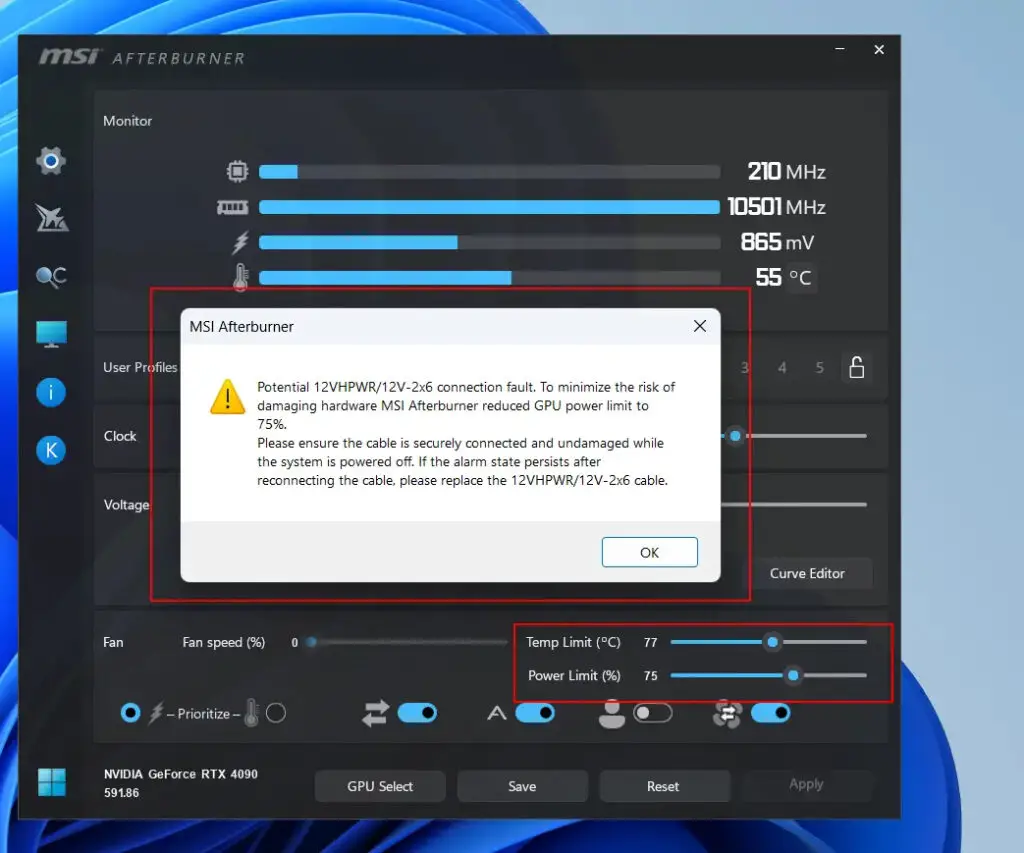
The plugin provides deep-dive analytics into standard PSU 12V, 5V, and 3.3V voltages, along with output power, efficiency, and thermal metrics. For enthusiasts using the latest hardware, it offers per-pin current monitoring for 12VHPWR and 12V-2×6 connectors. Users can now set custom thresholds that trigger alarms for overcurrent or current imbalance. These alerts can be configured to play a sound, display on the On-Screen Display (OSD), or even trigger an “emergency power brake”—instantly slashing the power limit by 25% or initiating a full system shutdown to prevent a catastrophic failure.
Compatible Hardware and Safety Features
While MSI Afterburner is a universal tool, the most granular features are currently locked to specific MSI hardware designed with these digital safeguards in mind. As a storyteller in the tech space, I find the integration between hardware sensors and software alerts to be the most intriguing development for DIY builders this year.
| PSU Series | Key Safety Feature | Monitoring Capability |
|---|---|---|
| MPG Ai1x00TS Series | GPU Safeguard+ | Per-pin current monitoring for 12VHPWR connectors. |
| MEG Ai1x00 Series | GPU Safeguard | Real-time voltage and efficiency reporting via Afterburner. |
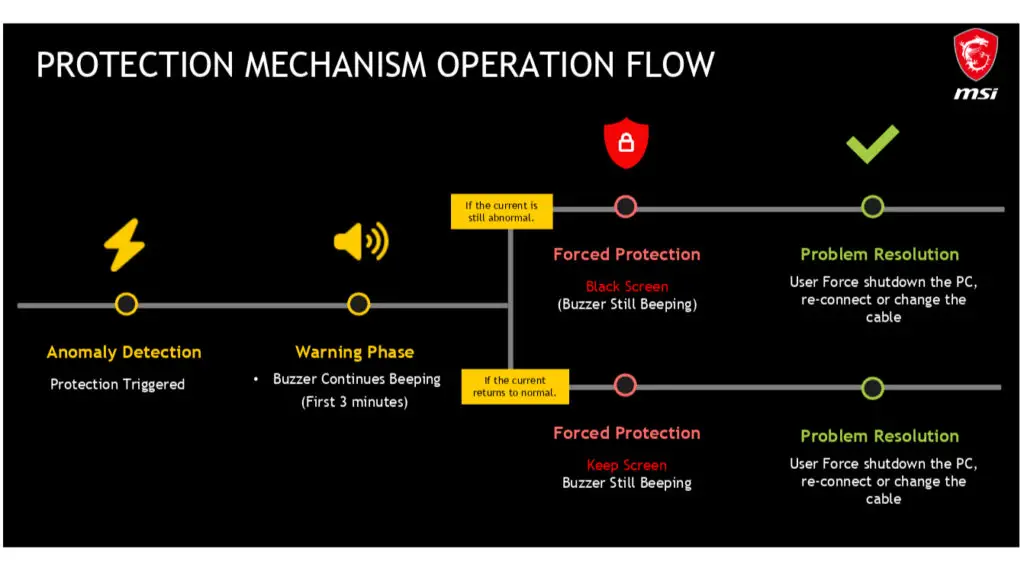
The GPU Safeguard+ technology, showcased at CES 2026, utilizes an integrated hardware buzzer. If a fault is detected, the PSU emits an audible alert and may trigger a black screen to halt power draw immediately. Alongside these software fixes, MSI has introduced a practical physical solution: dual-color yellow 12VHPWR connectors. This simple visual cue allows builders to see at a glance if the cable is not fully seated—the primary culprit behind melted connectors.
Industry-Wide Context and Future Considerations
At Digital Tech Explorer, we track how these innovations ripple across the industry. While MSI’s approach focuses on software-monitored cables, other brands are taking different paths. ASUS, for instance, has pioneered BTF (Back-to-the-Future) cards that eliminate cables entirely in favor of a dedicated high-power slot on the motherboard. Meanwhile, ASRock has integrated thermal sensors directly into their PSU connectors.
As modern GPUs frequently exceed 300W—and sometimes touch 600W—the burden of safety is shifting. While utilities like MSI Afterburner provide essential tools for the tech-savvy professional, the long-term goal for the industry must be inherently safe power delivery that doesn’t require specialized monitoring software to prevent damage. For now, we recommend all high-end enthusiasts keep their monitoring tools updated and their connectors firmly seated.
Affiliate Disclosure: Some of the links on Digital Tech Explorer are affiliate links. We may earn a commission if you make a purchase through these links, which helps us continue to provide in-depth tech reviews and coding scripts at no additional cost to you.