
PC gaming has always been an expensive hobby, even if you stick to entry-level hardware. At Digital Tech Explorer, we’ve seen enthusiasts navigate these price hikes by upgrading systems piecemeal—swapping a GPU here or a CPU there. But if you were hoping to build a fresh rig or move to a modern platform this year, the current state of the DRAM market—what many are calling the “RAMpocalypse”—is making that transition incredibly difficult.
To put things in perspective, back in July 2025, a 32 GB kit of DDR5-6000 with a CAS latency of 30 cycles was a steal at under $90. For AMD Ryzen users, that was the “sweet spot.” Today, that same kit might set you back $480 on Amazon. If you want the flair of RGB lighting or premium branding from Corsair or G.Skill, the price climbs even higher. This financial barrier is forcing builders to look at budget alternatives, such as 4,800 MT/s kits with higher latencies. But does saving $100 on RAM come at the cost of your gaming experience?
The Test Bench Setup
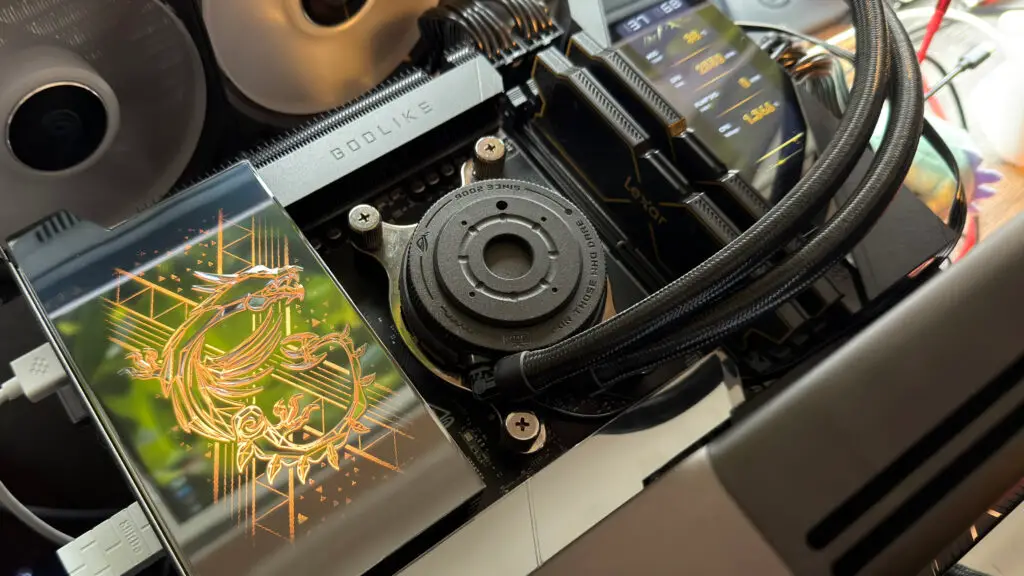
In the spirit of our commitment to real-world testing and transparency, I put a high-end system to the test to see exactly how much “slow” RAM holds back modern hardware. Our test bench utilized the following specifications:
| Component | Specification |
|---|---|
| CPU | AMD Ryzen 9 9900X |
| Cooler | Asus ROG Strix LC III 360 AIO |
| GPU | Nvidia GeForce RTX 5090 FE |
| Storage | 2 TB Samsung 990 Evo Plus SSD |
| PSU | Thermaltake ToughPower PF3 1050 W |
| OS | Windows 11 25H2 |
To simulate the budget experience, I used a Lexar Thor OC DDR5-6000 CL32 kit. By disabling EXPO, it defaulted to 4,800 MT/s CL40—mimicking the “entry-level” DDR5 currently flooding the discount market. I tested seven titles across 1080p, 1440p, and 4K resolutions using maximum graphics settings.
GPU-Bound Games: The “Don’t Care” Category
For gamers who prefer visually stunning, single-player experiences, the news is good. Titles like Cyberpunk 2077, Black Myth: Wukong, and Stalker 2 showed almost zero sensitivity to RAM speed. Because these games are heavily reliant on the GPU, even the raw power of an RTX 5090 wasn’t enough to shift the bottleneck to the system memory. Performance differences were within a 3-5% margin of error, meaning you won’t notice the difference between expensive and budget RAM while wandering Night City.

DRAM-Sensitive Titles: Where the Stutter Lives
The narrative changes when we look at games that stream massive amounts of data or rely on heavy CPU calculations. Microsoft Flight Simulator 2024 showed inconsistent frame delivery with slower RAM, as the engine struggled to stream real-time world data efficiently.
Similarly, competitive shooters like Counter-Strike 2 (CS2) saw a 7% performance dip at 1080p. While 7% might not sound like much, for a professional player chasing the highest possible refresh rates, that could be the difference between a smooth experience and a micro-stutter during a flick shot. Interestingly, as the resolution increased to 4K, the RAM-related performance gap disappeared as the load shifted back to the GPU.
The Impact on Minimum Frame Rates
The most significant findings appeared in Spider-Man Remastered and Hogwarts Legacy. While the average frame rates remained respectable on DDR5-4800, the “1% lows”—the metric that determines how smooth a game actually feels—took a hit. In Hogwarts Legacy, the minimum frame rates dropped significantly when using slower memory.
When I tested a more mid-range GPU, the RTX 3060 Ti, the impact was even more pronounced at medium settings. When the CPU isn’t being held back by a top-tier GPU, it relies more heavily on fast memory access to keep the engine fed. If you are using a mid-range card and aim for high frame rates on lower settings, slow RAM will absolutely become your bottleneck.

The TechTalesLeo Verdict
Is slow DDR5 ruining the gaming experience? Not necessarily. If you are a 4K gamer or someone who pushes ultra-high settings in cinematic titles, your GPU will almost always be the limiting factor. In these cases, spending an extra $200 on premium RAM is a poor investment when that money could have gone toward a better graphics card.
However, if you are a competitive gamer or someone who enjoys open-world titles that stream data constantly, you might see up to a 20% drop in your minimum frame rates. For the majority of users navigating the “RAMpocalypse,” opting for a “slow” 4,800 MT/s kit is a viable way to save money without breaking the core gaming experience. Just be prepared for the occasional stutter in the most demanding open worlds. Stay savvy, keep an eye on those timings, and remember: technology is about making the best of the hardware you have.
For more in-depth hardware reviews and coding insights, stay tuned to Digital Tech Explorer.