Mastering the best VIP work in GTA Online remains one of the most reliable ways to bolster your virtual bank account. While it may not reach the massive payouts of a complex heist, it offers a low-barrier, high-reward cycle that is perfect for solo players. Here at Digital Tech Explorer, we prioritize efficiency, and VIP work is the gold standard for “no-fuss” grinding, especially when Rockstar rolls out those lucrative 4x cash and RP bonuses.
Whether you are a seasoned criminal mastermind or a newcomer looking to fund your first high-end apartment, understanding how to trigger these missions and which ones offer the best return on investment is key to staying ahead of the curve.
Maximizing your hourly earnings in GTA Online requires a strategic approach to VIP Work.
How to Start VIP Work in GTA Online
To unlock the world of VIP work, you must first establish yourself as a leader in the Los Santos business world. The most effective way to do this is by purchasing an executive office. Navigate to the “Dynasty 8 Executive” website via your in-game phone. TechTalesLeo Pro-Tip: The Maze Bank West property is often available for free or at a significant discount for players with certain editions of the game; grab it, head to the location, and log into your CEO terminal.
Once you own an office, you can register as a CEO at any time through the Interaction Menu:
Open the Interaction Menu (Press ‘M’ on PC).
Select “Register as a Boss.”
Choose “SecuroServ CEO.”
Select “Start an Organization.”
Your CEO terminal is the gateway to the city’s most profitable underground ventures.
If you find that the session is already full of CEOs, simply navigate to the “Online” tab in the pause menu and select “Find New Session.” Once registered, go back to the Interaction Menu, select “SecuroServ CEO,” and then “VIP Work” to view the available missions.
Top-Rated VIP Work Missions
While there are numerous jobs available, efficiency is paramount. To maximize your time, focus on the following two missions. They provide the best balance of speed and payout without the need for a full crew.
Mission Name
Primary Objective
Best Tool for the Job
Strategy
Headhunter
Eliminate 4 stationary or moving targets.
Buzzard Attack Chopper / Oppressor Mk II
Launch in Los Santos city limits to keep targets closer together.
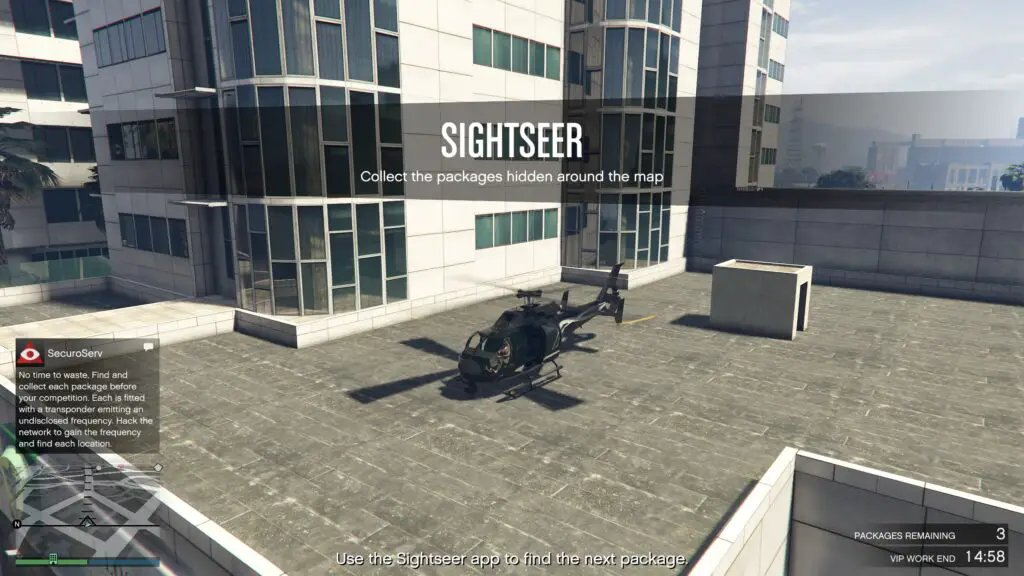
Sightseer
Collect 3 packages revealed via hacking.
Frogger (Free) or any fast aircraft.
Use the Sightseer app to solve quick hacking puzzles and fly directly to waypoints.
Headhunter: This assassination mission is a fan favorite for a reason. If you have access to a vehicle with homing missiles, you can clear all four targets in under five minutes. For the best results, start the mission while you are in the city of Los Santos; this prevents the game from spawning targets in the far reaches of Blaine County, saving you significant travel time.
Sightseer: If you prefer a non-combat route, Sightseer is your best bet. You simply need to complete a hacking minigame on your phone to reveal the location of a package. Digital Tech Explorer recommends using the Frogger helicopter, which can be claimed for free from the Elitas Travel website for many players, to navigate between locations quickly.
The Sightseer app allows players to locate high-value packages across the map.
Maximizing Your Profit Loop
VIP Work missions typically have a 10-minute cooldown once a specific mission is completed. However, there is only a 5-minute cooldown between *different* VIP missions. To optimize your earnings, we recommend alternating between Headhunter and Sightseer.
By rotating these tasks, you minimize downtime and ensure a steady stream of income. Keep an eye on weekly Rockstar events—if you are working as an Associate or Bodyguard and reach the $100k earning threshold during bonus weeks, you can often secure additional rewards and exclusive cosmetic items. Stay tuned to Digital Tech Explorer for more gaming guides and tech-driven strategies to dominate your favorite titles.
Staying informed on GTA Online updates is vital for maintaining your criminal empire.