
At Digital Tech Explorer, we believe that staying ahead of digital trends means more than just knowing about the latest hardware; it’s about navigating the web safely. Even for seasoned developers and tech enthusiasts, the lines between a legitimate system update and a malicious trap are becoming increasingly blurred. Recently, a sophisticated scam has surfaced, leveraging the buzz around 2024 releases like Windows 11 version 24H2 to trick users into installing dangerous, password-stealing malware.
The Deceptive “Cumulative Update” Narrative
The scam begins with a highly polished external support page that mimics Microsoft’s official documentation. It promotes a “cumulative update” for “Windows Update version 24H2,” complete with a convincing KB article number. For users eager to test the latest features in 2024 releases, the “Download the update” button is a tempting click. However, clicking this link initiates the download of a Windows Installer package that cybersecurity firm Malwarebytes identifies as a gateway for Stealc malware. Once executed, this script is designed to exfiltrate sensitive data, including browser-stored passwords, session cookies, and payment information.
How the Malware Evades Modern Detection
As a software engineer, I find the technical execution of this scam particularly alarming. The malicious file, ‘WindowsUpdate 1.0.0.msi,’ is built using the WiX Toolset, a legitimate open-source framework. By spoofing “Microsoft” as the author and filling metadata fields with plausible-sounding logic, the attackers successfully bypass initial human suspicion.

Beyond human deception, the malware is engineered to slip past automated defenses. During initial analysis, the executable showed zero detections across 69 engines on VirusTotal. This stealth is achieved by wrapping the malicious payload in an Electron shell—a framework commonly used for legitimate desktop applications. Because standard security software often views the Electron layer as benign, the internal password-stealing script remains undetected until it’s too late. This highlights why relying solely on AI-accelerated threat detection isn’t always enough; manual vigilance is still our strongest tool.
Real vs. Fake: Identifying the Red Flags
To help you stay informed and protect your data, we’ve broken down the key differences between the fraudulent site and the official Microsoft resources.
| Feature | Fake Support Page | Official Microsoft Support |
|---|---|---|
| Domain Name | microsoft-update[.]support | support.microsoft.com |
| Update Delivery | Direct download of .msi or .exe | Integrated Windows Update Settings |
| Author Metadata | Spoofed “Microsoft” text | Verified Digital Certificate |
| External Links | Suspicious redirects | Links to official microsoft.com subdomains |
Safeguarding Your Development Environment
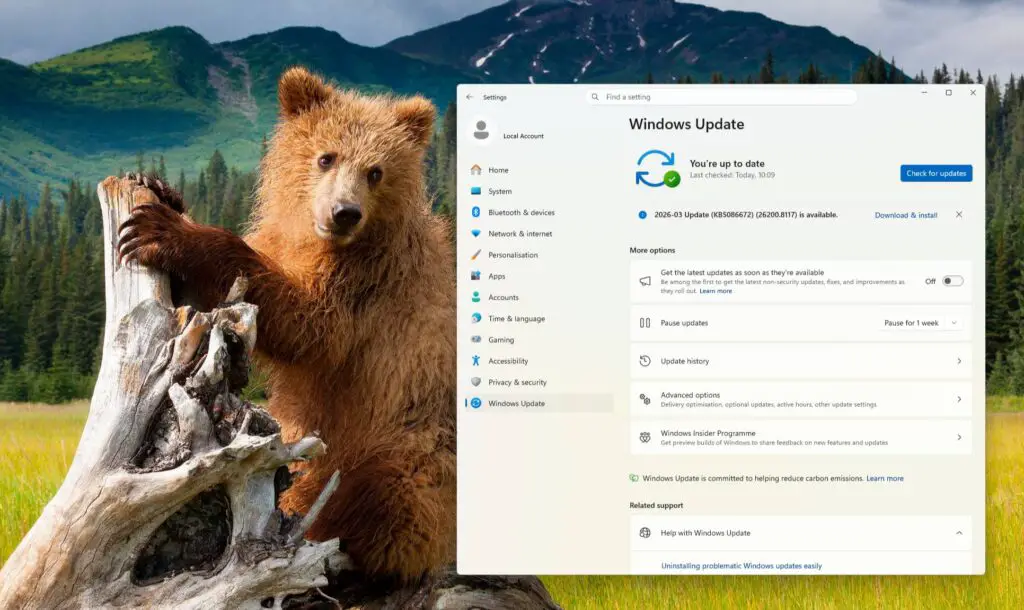
Our mission at Digital Tech Explorer is to help you bridge the gap between complex tech and everyday usability. To keep your system secure, always utilize the native “Windows Update” feature found within your operating system’s settings. Microsoft rarely, if ever, hosts critical cumulative updates on external “.support” domains. Instead, they utilize the internal Settings menu or the official Microsoft Update Catalog.
If you fear you’ve already interacted with this malicious site, run a full system scan with updated security software immediately. As threats evolve, our commitment to thorough research and real-world testing ensures you have the insights needed to keep your digital life secure.
Disclaimer: All content on Digital Tech Explorer is for informational and entertainment purposes only. We do not provide financial or legal advice. Some of the links on Digital Tech Explorer are affiliate links. This means we may earn a commission if you click through and make a purchase, at no additional cost to you. Our recommendations are based on thorough research and personal experience. Visit my author page for more tech stories and digital insights.