
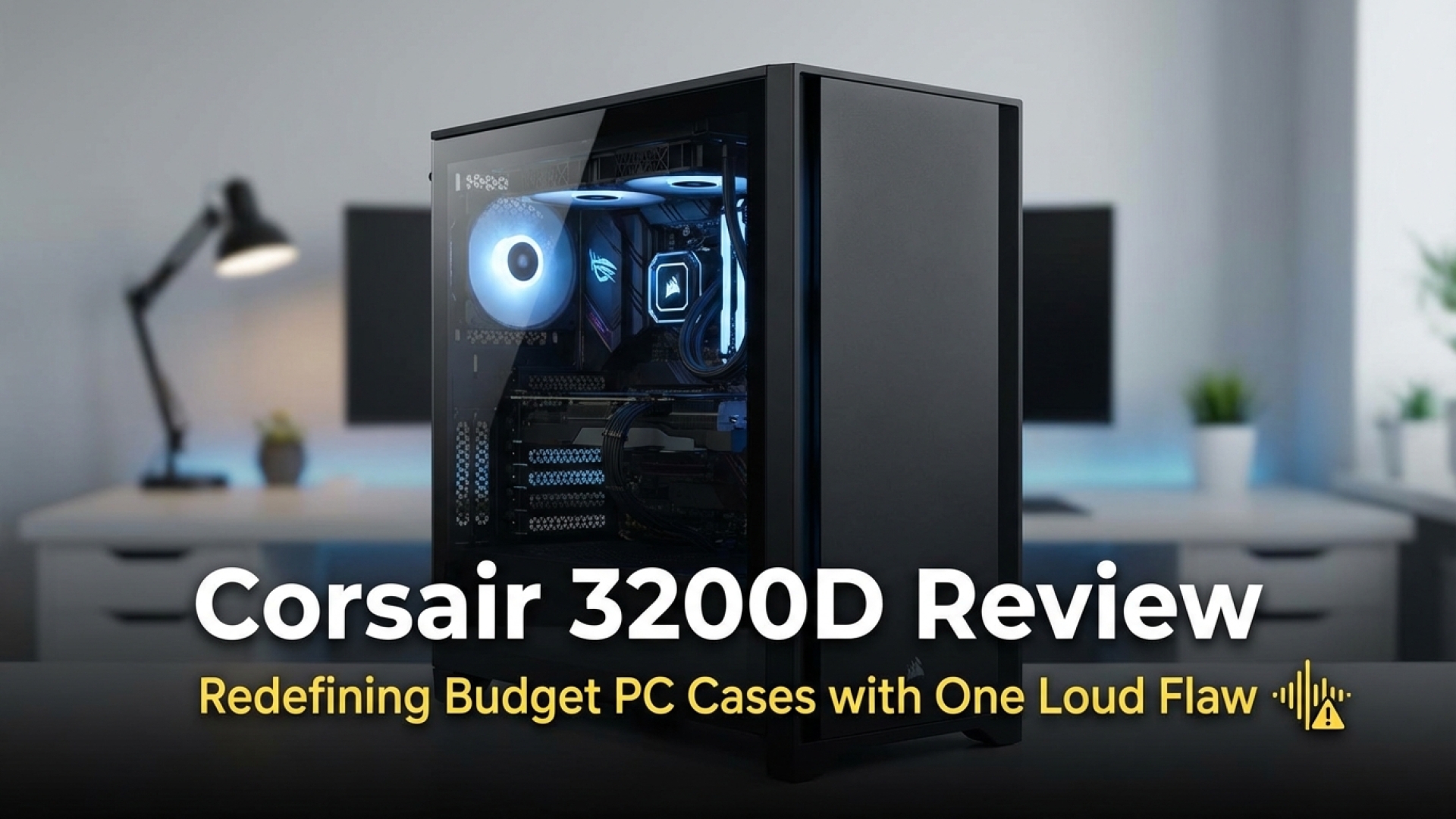
At Digital Tech Explorer, we believe that building a high-performance machine shouldn’t always require a premium price tag. Choosing a budget-friendly PC case is a classic strategy to save money for core components like your GPU or CPU. However, the risk is often a compromise in thermal performance or build quality. With the Corsair 3200D, the balance shifts in favor of the builder. While it has its quirks—most notably its noise levels—the overall value and engineering quality at this price point are genuinely impressive.
The Digital Tech Explorer Verdict
The Corsair 3200D redefines what we expect from a budget case. It manages to deliver a premium aesthetic and a sturdy feel for just $80. The primary trade-off is acoustic; the included RS120 fans are efficient but can become quite loud when pushed to their limits.
Pros
- Highly competitive price point
- Modern, professional aesthetic
- Compact yet versatile interior
- USB 3.2 2×2 Type-C front panel support
- Compatible with a wide range of hardware
Cons
- Fans are audible at high RPMs
- No rear exhaust fan included
Pricing and Market Value
In the current hardware landscape, finding a quality mid-tower for $80/£70/€80 is a win for enthusiasts. While entry-level alternatives like the Thermaltake S100 TG exist for around $70, they often come with a single fan. The 3200D justifies its slight premium by including three RS120 fans. If you want a bit more flair, Corsair offers a version with RS120 ARGB fans for only $10 more—a steal for those focused on gaming aesthetics.
Design and I/O Connectivity
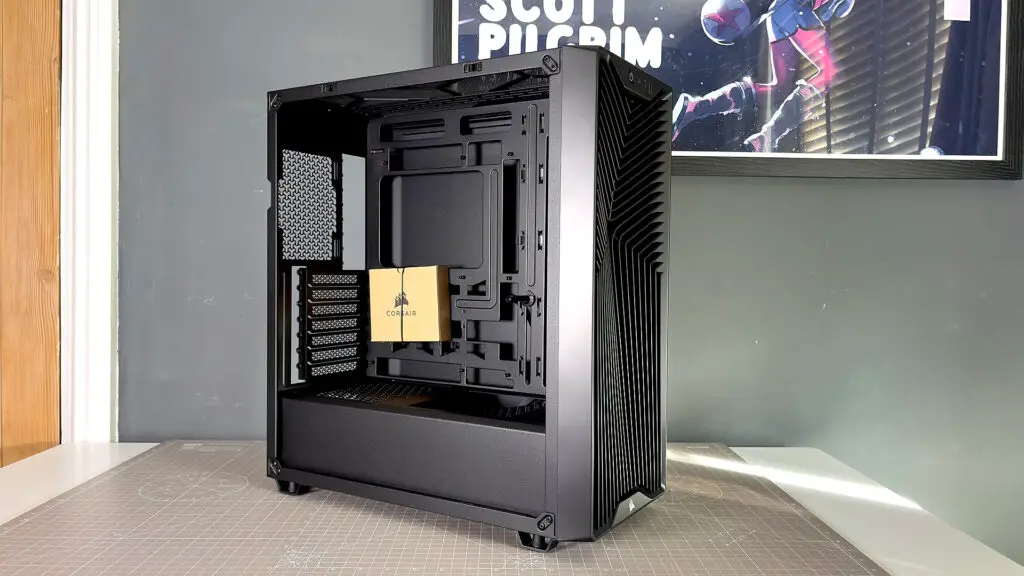
The first thing TechTalesLeo noticed during the unboxing was the distinctive “Y” shape grooved front panel. It is a signature look for Corsair’s latest lineup, providing a sophisticated texture that doesn’t feel like typical “budget” plastic. The panel curves outward at the edges, giving the chassis a unique profile that stands out in a sea of flat-box designs.
Connectivity is another highlight. The top I/O panel includes a USB 3.2 Gen 2 Type-C port capable of 20 Gbps speeds. This is a massive boon for developers and creators who frequently use high-speed external storage. You also get two USB 3.2 Gen 1 Type-A ports and a standard 3.5 mm combo jack.
Corsair 3200D Technical Specifications
| Feature | Detail |
|---|---|
| Size | Mid-tower |
| Motherboard support | Mini-ITX, M-ATX, ATX, Reverse (305 x 277mm) |
| Dimensions | 495 x 219 x 458 mm |
| Maximum GPU length | 370 mm |
| Radiator support | Up to 360 mm (top, front) |
| Fan support | 3x 120 mm (top/front) OR 2x 140 mm; 1x 120 mm (rear); 2x 120 mm (PSU shroud) |
| Fans included | 3x 120mm RS120 (Standard) OR 3x 120mm RS120 ARGB |
| Storage bays | 2x 3.5-inch / 4x 2.5-inch |
| Front panel I/O | 1x USB 3.2 Gen 2 Type-C, 2x USB 3.2 Gen 1 Type-A, 1x 3.5 mm Audio |
| Price (RS120) | $80/£70/€80/AU$120/CA$110 |
Cooling Efficiency and Airflow Performance
Maintaining optimal airflow is vital for any gaming PC case. The 3200D features magnetic dust filters on the top and front for easy maintenance, while a clip-in filter protects the PSU. In our real-world testing, the front filter showed very little resistance, with only a 0.3 m/s drop in air velocity when applied. This suggests the intake design is highly efficient.
The standard configuration places three fans at the front. While this creates positive pressure, the lack of a rear exhaust fan is something builders should address for peak performance. There is also room for two 120 mm fans on the PSU shroud to feed air directly to the GPU. For those using large air coolers, the 165 mm height clearance is generous, fitting even enthusiast-grade units like the Noctua NH-D15 G2 (with minor adjustments).
Thermal Testing Results
Testing conducted at an ambient temperature of 24 °C using Metro Exodus Enhanced Edition at 4K Ultra settings.
| Fan Configuration | CPU ΔT (Delta Over Ambient) | GPU ΔT (Delta Over Ambient) |
|---|---|---|
| Default (Standard Curve) | 38 °C | 45 °C |
| Bottom + Rear Added (Standard Curve) | 38 °C | 45 °C |
| Default (100% RPM) | 32 °C | 45 °C |
| Bottom + Rear Added (100% RPM) | 30 °C | 45 °C |
Our data shows that while GPU temperatures remained impressively stable, CPU thermals improved by 6-8 °C when the fans were dialed up. This highlights that the stock fans are capable, but you’ll need to balance that performance against the noise they produce.
Noise Considerations
The acoustic profile is the one area where the “budget” nature of the fans becomes apparent. Above 70% speed, the RS120 fans produce a noticeable hum. At full throttle, the case reaches approximately 58 dB—significant enough to be heard through headphones. However, under a typical gaming load and a standard fan curve, the levels hover around a much more tolerable 48 dB.
Build Quality and Cable Management
Despite its price, the 3200D includes premium touches like replaceable expansion slot covers and support for “Back-connect” motherboards. For cable management, Corsair provides Velcro straps and multiple tie-down points, making it easy to achieve a clean look. The chassis itself feels robust, using thicker steel than we’ve seen on some of Corsair’s older entry-level frames, which helps minimize vibration.
Is the Corsair 3200D Right for You?
Buy this case if: You want a sturdy, professional-looking chassis that supports modern high-speed I/O without spending over $100. It’s an ideal choice for both first-time builders and seasoned pros looking for value.
Skip this case if: You are an “acoustic purist.” If you demand a near-silent operation or plan to keep the PC on your desk right next to your ear, the fan noise at high loads might be a distraction.
Final Thoughts
The Corsair 3200D is a testament to how far budget hardware has come. It offers the build quality and feature set that were exclusive to $150 cases just a few years ago. With a Digital Tech Explorer score of 86, it stands as one of the best budget PC cases currently on the market. If you can manage the fan curves or eventually swap in some quieter exhaust fans, you have a foundation for a truly world-class build.