
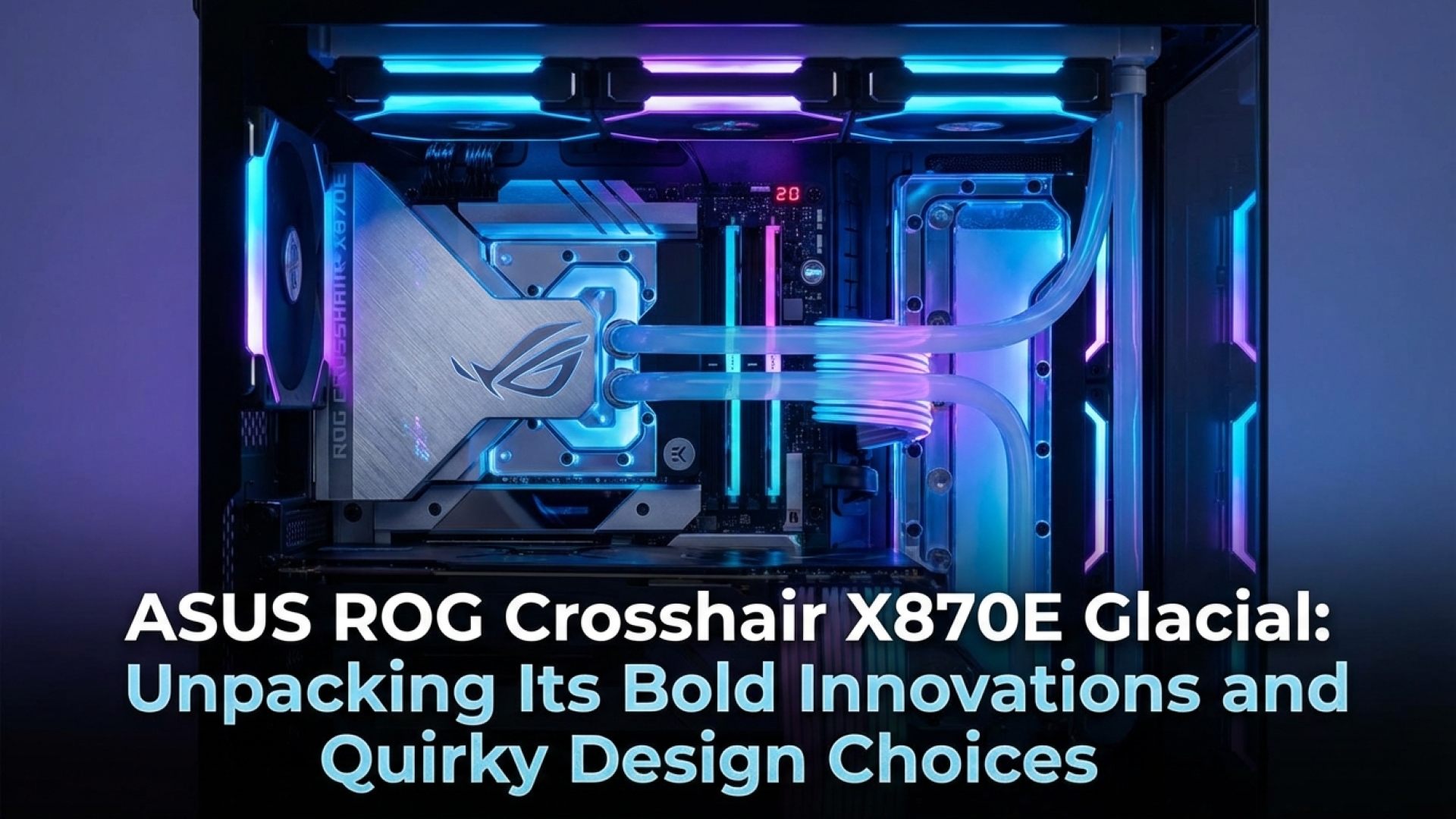
Hidden PCIe Slots and Magnetic Innovations: The Asus ROG Crosshair X870E Glacial Review
In an era where hardware iterations often feel like incremental steps rather than giant leaps, the Asus ROG Crosshair X870E Glacial arrives as a bold statement of intent. Here at Digital Tech Explorer, we have seen countless hardware releases that prioritize numbers over nuance. However, this motherboard aims to bridge the gap between high-performance engineering and user-centric storytelling, offering a blend of innovative features that demand a closer look.
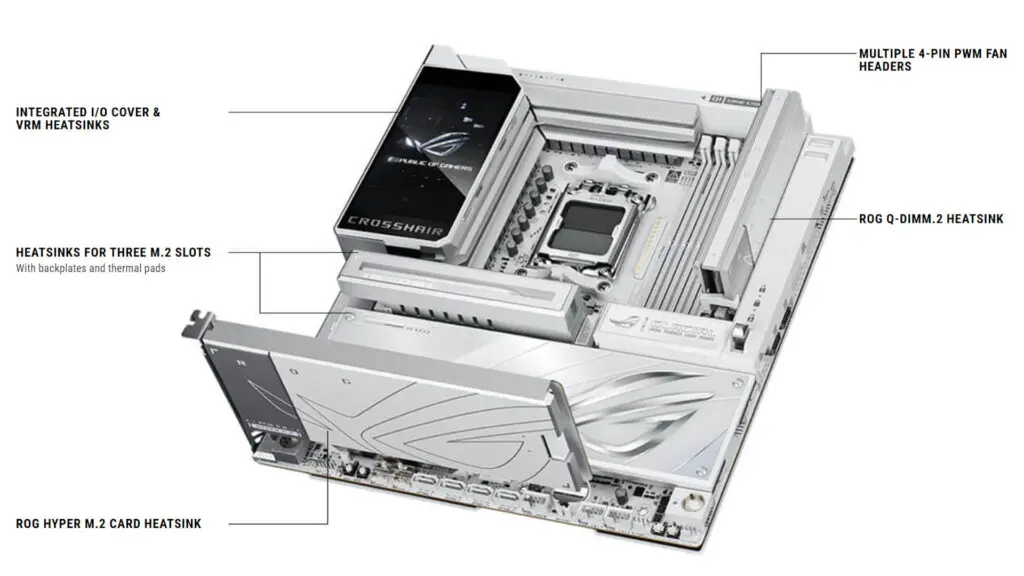
Initially, the most practical detail might be the pre-installed Wi-Fi drivers—a small but significant quality-of-life improvement for any builder. Yet, as we peel back the layers of this premium board, we find a narrative of design that is as curious as it is ambitious. This is a top-tier, enthusiast-grade model equipped with multiple M.2 slots, massive heatsinks, and a striking five-inch LCD panel that serves as the centerpiece of your rig.
Streamlining the Build: EZ PC DIY Features
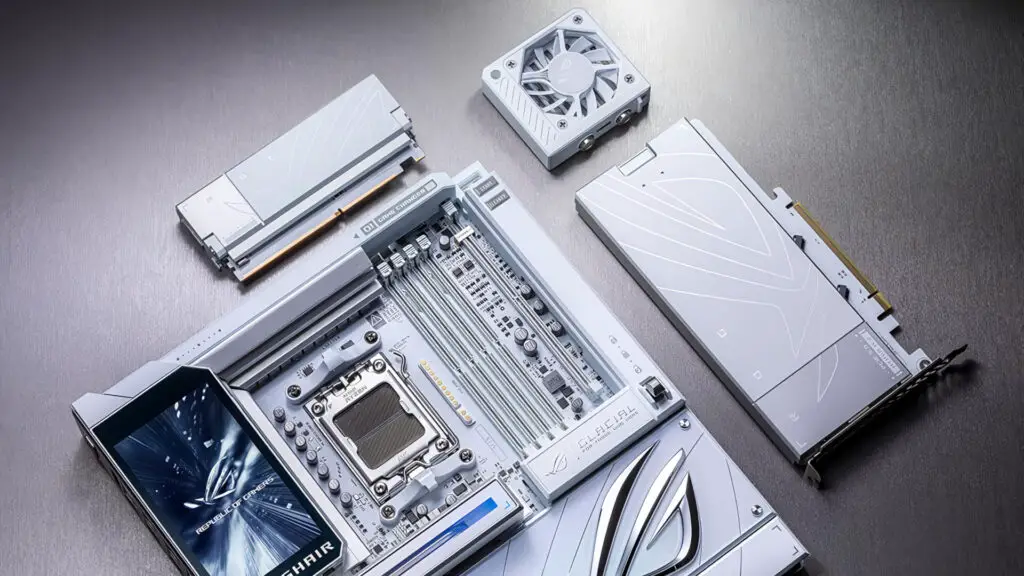
For the modern developer or gaming enthusiast, the “EZ PC DIY” suite represents a genuine shift in how we interact with our components. Asus has introduced robust, tactile locks for the PCIe slots, which eliminate the frustration of fumbling with tiny plastic tabs during a GPU swap. Similarly, the M.2 slots now feature quick-release mechanisms, allowing for tool-less SSD installation that feels remarkably intuitive.
Perhaps the most talked-about innovation is the proprietary connector designed for AIO liquid coolers. While the tech industry often views proprietary solutions with skepticism, this integrated port offers a streamlined alternative to the usual “cable spaghetti” of PWM and USB headers. It currently aligns exclusively with Asus’ cooling ecosystem, but it highlights a commitment to cleaner, more efficient digital builds.
Cooling the Memory: The ROG Memory Q-Fan
The ROG Memory Q-Fan is an intriguing addition to the Glacial’s cooling arsenal. This fan attaches magnetically to the motherboard, directing airflow directly across the DRAM modules. In the world of extreme overclocking, keeping memory temperatures stable is vital, and this magnetic design allows for a cleaner setup than traditional bracket-based solutions.
However, from a storytelling perspective, its utility for the average user remains a point of discussion. Positioned near the graphics card, the fan could potentially intake ambient heat from the GPU. Unless you are pushing your system to the limits with AI acceleration tasks or heavy 8K rendering, active memory cooling might be more about aesthetic flair than thermal necessity.
The Mystery of the Hidden PCIe Slots
Visually, the most striking element of the X870E Glacial is its “hidden” PCIe slots. By default, the slots are concealed beneath magnetically attached plates that blend seamlessly into the board’s icy aesthetic. Asus suggests these covers can be used as decorative elements on other magnetic surfaces once removed.
While this provides a stunningly minimalist look for a showcase build, it does present a practical quirk: to install a GPU, the largest cover must be removed and stored. It’s a design choice that favors form, perhaps slightly over function, but it certainly helps this board stand out in a crowded market of 2024 releases.
Storage Without Limits (Mostly)
For those managing massive data sets or extensive game libraries, the inclusion of the ROG Hyper M.2 card and the Q-DIMM.2 accessory is a major win. These expansion cards allow the board to host a staggering number of NVMe SSDs.
| Feature | Description |
|---|---|
| Chipset | AMD X870E |
| Socket | AM5 |
| Max M.2 Slots | Up to 7 (with expansion cards) |
| Connectivity | USB4, Wi-Fi 7 Ready |
| Display | 5-inch Onboard LCD Panel |
However, users should be aware of the inherent PCIe lane limitations of the AM5 platform. Utilizing the Hyper M.2 card in the bottom slot will share bandwidth with the primary graphics slot, potentially dropping it to x8 mode. While having the capacity for seven NVMe drives is impressive, the technical trade-offs mean users must plan their lane allocation carefully to avoid throttling their GPU performance.
Final Thoughts
The Asus ROG Crosshair X870E Glacial is more than just a motherboard; it is a premium showcase of engineering and digital innovation. At Digital Tech Explorer, we appreciate when a manufacturer takes risks, and the Glacial’s mix of magnetic aesthetics and streamlined DIY features is certainly a risk that pays off for the right enthusiast.
With an expected price point hovering around $1,200, this is a luxury product for those who demand the cutting edge of hardware design. Whether you are building a workstation for machine learning or a top-tier gaming rig, the Glacial offers a unique narrative in a world of silicon uniformity.
Affiliate Disclaimer: Some of the links on Digital Tech Explorer are affiliate links. This means we may earn a commission if you click through and make a purchase, at no additional cost to you. Our recommendations are based on thorough research and personal experience. All content is for informational and entertainment purposes only.