
If you’re looking to conquer the high seas in the pirate survival hit Windrose, you’ll quickly realize that a standard session isn’t enough for a true buccaneer’s legacy. To build a lasting pirate fortress, master the sprawling skill tree, and keep your ship afloat while sailing with friends, a 24/7 world is essential. At Digital Tech Explorer, we know that performance is king, and for a seamless experience, that means setting up a dedicated server.
As a developer and storyteller, I, TechTalesLeo, have dived into the game’s current infrastructure to see how you can best manage your crew. One immediate hurdle for many PC gaming enthusiasts is the current state of management tools. To save you the troubleshooting time: there are currently no Windrose admin commands available in-game. While this limits real-time moderation, you can still customize your journey through backend configuration.

Setting Up Your Windrose Dedicated Server
While official hosting is available through Nitrado, many in our gaming community prefer the control of hosting on their own hardware. However, be aware that Windrose is currently in early access, and its server tools are still evolving. Early reports from Steam users highlight a few technical hurdles:
- Windows Only: The server software is built for Windows; Linux users will need the Wine compatibility layer.
- Resource Intensity: High CPU usage has been noted even during idle periods.
- Stability: Some users experience crashes during the initial startup phase.
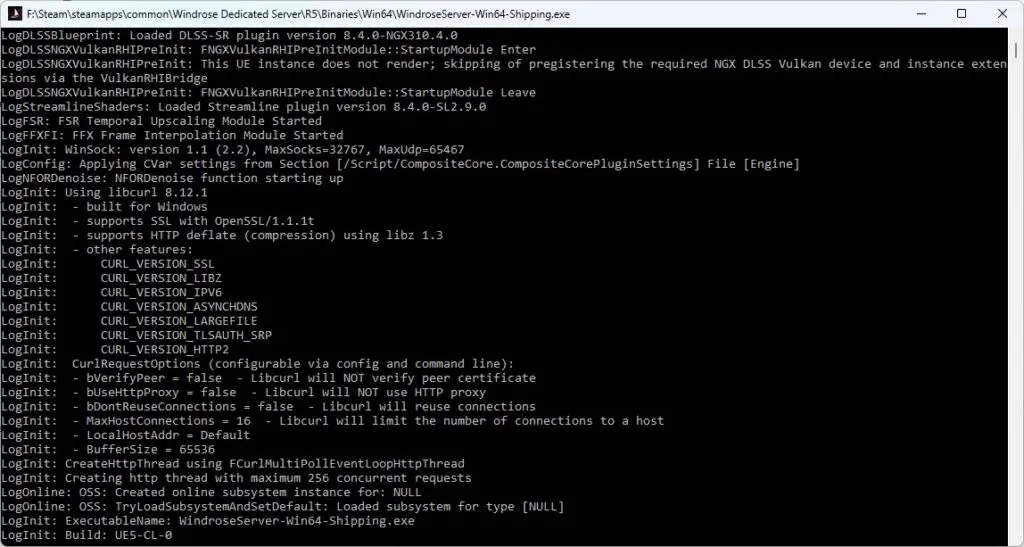
To start your own server on a Windows PC, navigate to your Steam library, toggle the “Games” dropdown to “Tools,” and install Windrose Dedicated Server. Once installed, right-click the entry, select Manage > Browse local files, and run StartServerForeground.bat. This will generate the necessary configuration files and allow you to monitor logs for any troubleshooting needs.
Configuring Server Settings and Admin Controls
Because the dev console lacks active admin commands for kicking or banning players, all management must be done via JSON files. To link your game client to your server, go to the R5 subfolder and open ServerDescription.json with a text editor like Notepad++. Look for the InviteCode—this is what you and your friends will use to connect via the “Connect to Server” menu in-game.
ServerDescription.json Options
This file handles the “lobby” aspects of your server. Here are the key fields you can modify:
- ServerName: The name that appears to players.
- InviteCode: A custom 6-digit alphanumeric code.
- IsPasswordProtected: Set to
trueorfalse. - MaxPlayerCount: Adjust based on your hardware capabilities.
WorldDescription.json: Tuning the Experience
To truly customize the AI difficulty and world mechanics, you need to edit WorldDescription.json, typically located at: R5/Saved/SaveProfiles/Default/RocksDB/Worlds/WorldDescription.json.
| Setting | Description | Default (Range) |
|---|---|---|
| MobHealthMultiplier | Adjusts enemy HP levels. | 1.0 (0.2 – 5.0) |
| MobDamageMultiplier | Defines how hard enemies hit. | 1.0 (0.2 – 5.0) |
| ShipHealthMultiplier | Adjusts enemy ship durability. | 1.0 (0.4 – 5.0) |
| ShipDamageMultiplier | Adjusts enemy ship firepower. | 1.0 (0.2 – 2.5) |
| BoardingDifficultyMultiplier | Number of sailors to defeat in boarding actions. | 1.0 (0.2 – 5.0) |
| Coop_StatsCorrectionModifier | Scales enemy health based on player count. | 1.0 (0.0 – 2.0) |
| CombatDifficulty | Overall aggression and boss difficulty. | Normal (Easy, Normal, Hard) |
At Digital Tech Explorer, we anticipate that Windrose will eventually implement more robust admin commands as it moves through its development cycle. For now, these manual tweaks are the best way to tailor your pirate adventure. Stay tuned to our AI and gaming updates for further patches and performance tips.
Affiliate Disclaimer: Some of the links on Digital Tech Explorer are affiliate links. This means we may earn a commission if you click through and make a purchase, at no additional cost to you. Our recommendations are based on thorough research and personal experience.
For more Windrose survival insights, explore our latest guides:
- Mastering Fast Travel in Windrose
- Where to Find Lamp Oil
- The Best Locations for Clay
- Crafting Gunpowder for Your Cannons
About the Author: TechTalesLeo is a storyteller and tech enthusiast dedicated to making complex software and digital innovation accessible to everyone. Explore more stories at the author page.