


How to Unlock the Cat Ears in Resident Evil 4 Remake
To secure the legendary cat ears accessory, you must navigate the most grueling path the game offers: completing the main story on Professional difficulty with an S+ rank. Our real-world testing confirms that this is no small feat, but the reward is transformative. Once you’ve achieved this milestone, head to the Extra Content Shop in the main menu and purchase the accessory for 2,000 Completion Points (CP). Equipping these feline accessories grants Leon the Infinite Ammo perk for nearly every weapon in his arsenal, effectively turning the survival horror experience into an exhilarating power trip.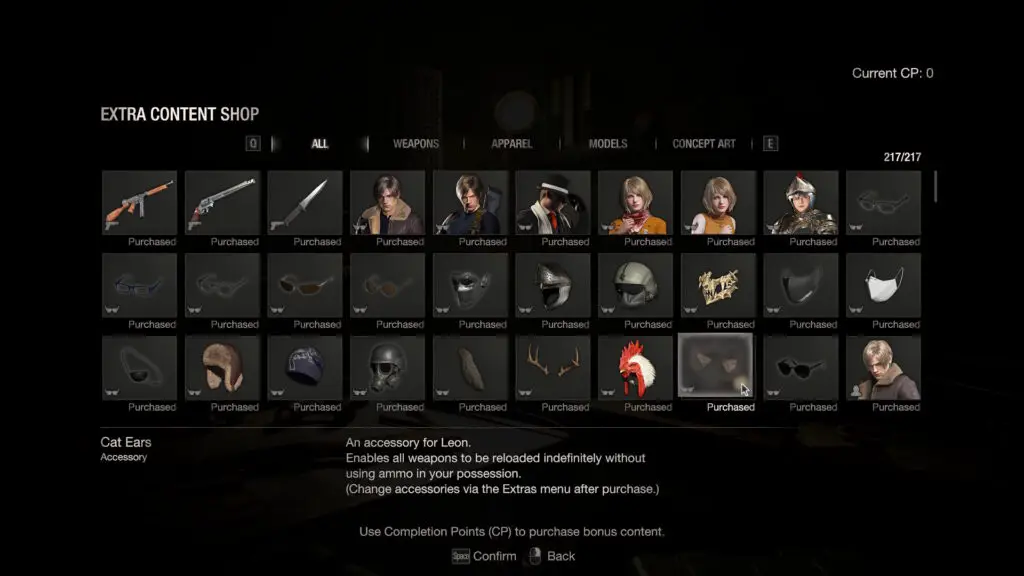
| Requirement Category | Criteria for S+ Rank |
|---|---|
| Total Playtime | Under 5 hours and 30 minutes (5:30:00) |
| Save Constraint | Maximum of 15 manual saves |
| Game Mode | Must be a New Game (New Game+ is ineligible) |
| Difficulty | Professional |
Strategic Preparation: Hardware for the Task
While the task seems daunting, Digital Tech Explorer recommends a “work smarter, not harder” approach. Professional difficulty is unforgiving—enemies hit harder, parries must be frame-perfect, and resources are scarce. However, you can leverage specific hardware (in-game items) to tip the scales in your favor. Before attempting your S+ run, we suggest unlocking these three vital assets:- The Chicken Hat: Reduces damage taken significantly. Unlock this by completing a Hardcore run with an S+ rank.
- The Chicago Sweeper: A high-capacity submachine gun. Unlock this by completing a Professional run in under seven hours (New Game+ is allowed here, so use that infinite Rocket Launcher!).
- The Handcannon: A devastating magnum. The most efficient way to get this is by achieving an S-Rank on all three stages of the Mercenaries Mode, a much faster alternative than the traditional campaign unlock.

Technical Tips for an Efficient Run
As a storyteller who loves the technical nuances of gaming, I have two critical pieces of advice to prevent your timer from spiraling out of control:- Avoid the “Continue” Button: In Resident Evil 4 Remake, if you die and hit “Continue,” the time spent during your failed attempt is added to your total playtime. To keep your run within the 5.5-hour limit, always Quit to the Main Menu and load your save manually.
- Manage Your Saves: With only 15 saves allowed, space them out. Prioritize saving before difficult segments like the Water Room or the final Krauser encounter.
How to Equip the Cat Ears
Once you have conquered the Professional challenge, equipping your reward is simple. Navigate to the Main Menu or Pause Menu, select Extras, and find the Cat Ears under Leon’s accessory list. Once equipped, every gun (except the Bolt Thrower and Rocket Launcher) will have infinite reserve ammo.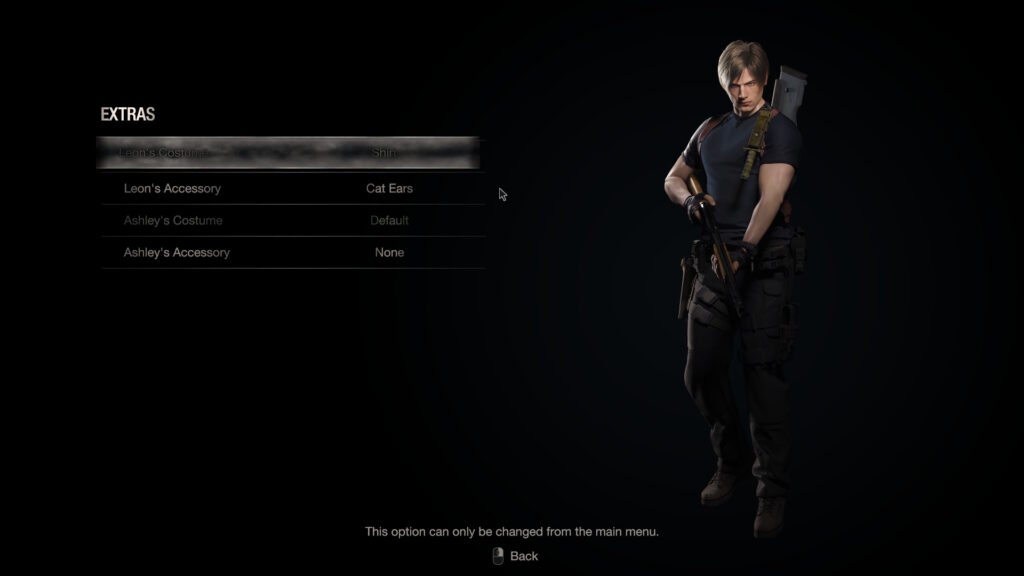
Disclaimer: All content on Digital Tech Explorer is for informational and entertainment purposes only. We do not provide financial or legal advice. Affiliate Disclaimer: Some of the links on Digital Tech Explorer are affiliate links. This means we may earn a commission if you click through and make a purchase, at no additional cost to you.