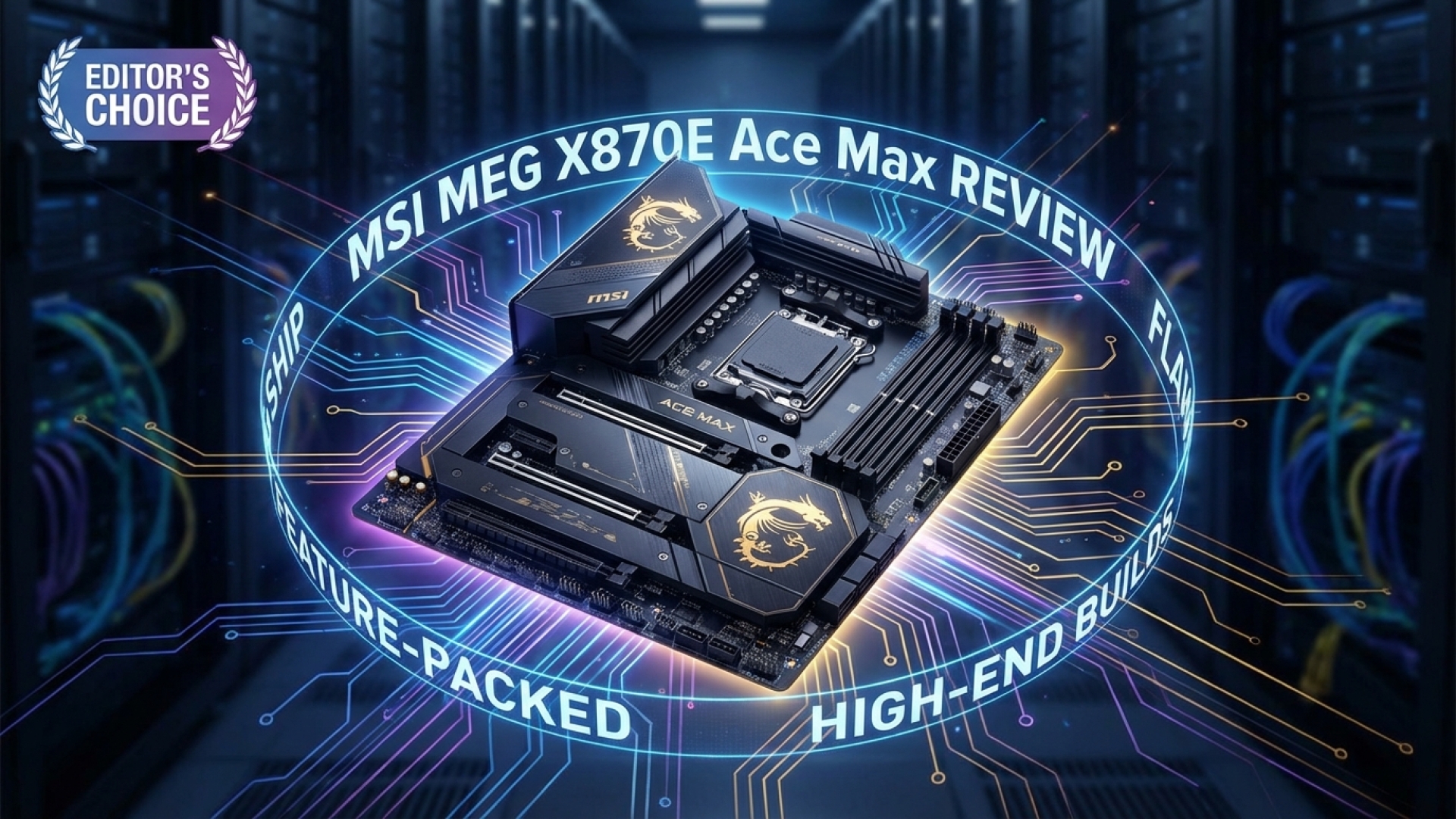
At Digital Tech Explorer, we are always on the lookout for hardware that pushes the boundaries of performance and digital innovation. The MSI MEG X870E Ace Max is a prime example of this evolution, positioning itself as a titan in the high-end hardware market. As TechTalesLeo, I’ve seen many boards come and go, but this particular entry bridges the gap between MSI’s enthusiast Carbon series and the ultra-premium Godlike range with remarkable poise.
The MSI MEG X870E Ace Max ready for testing on the Digital Tech Explorer bench.
Unleashing the Power of AMD’s Latest Chipset
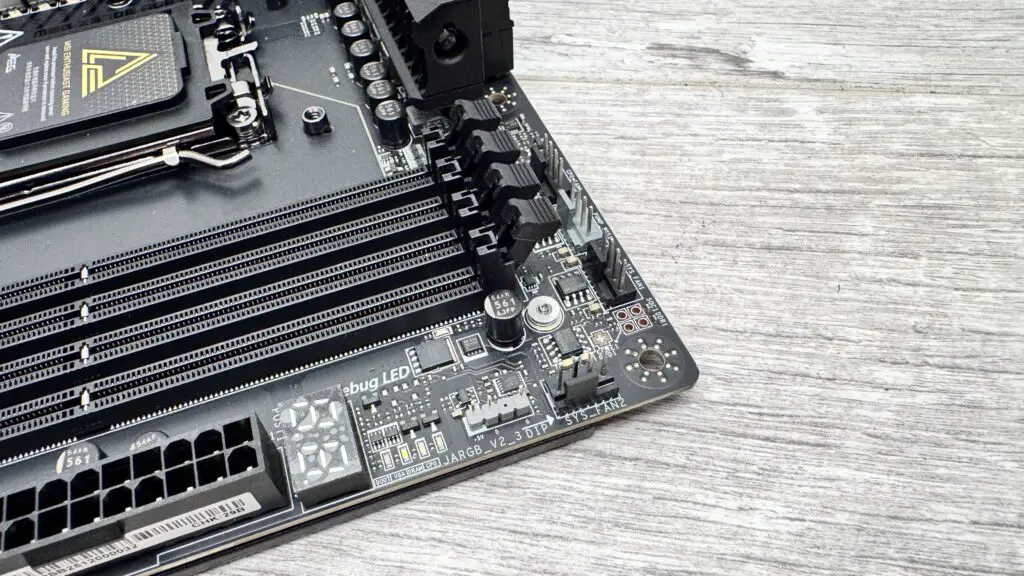
This board finally brings the prestigious “Ace” nomenclature to AMD’s latest high-end X870E chipset. It isn’t just a refresh; it’s a powerhouse designed for those who refuse to compromise. As part of the 2024 releases, it features a massive 64 MB BIOS that ensures long-term CPU support and extensive tweaking options. For the overclocking community, MSI has included independent base clock frequency adjustments via physical jumpers, allowing for real-time performance tuning that enthusiasts crave.
Technical Specifications at a Glance
Feature
Specification
Chipset
AMD X870E
Networking
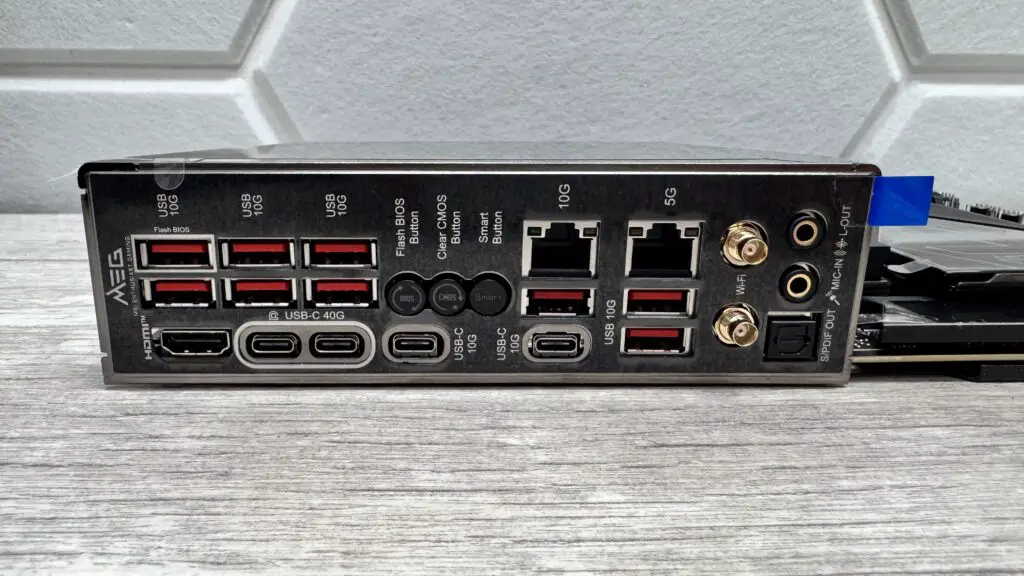
Marvell 10Gbps LAN + Wi-Fi 7
USB Connectivity
2x USB4 (40Gbps), 11x USB 3.1 (10Gbps)
Storage
5x M.2 Slots (Dual PCIe 5.0 support)
Power Delivery
18+2+1 Duet Rail Power System
Audio
Realtek ALC4082 + ESS DAC
Connectivity and Professional-Grade Design
Connectivity is where the MSI MEG X870E Ace Max truly shines. The rear I/O is packed with a pair of USB4 Type-C ports and a staggering nine USB 3.1 Type-A ports. For creators and power users, the front panel USB 3.2 Gen 2×2 port supports 60W Power Delivery, allowing you to fast-charge laptops or peripherals directly from your rig—provided you connect the additional PCIe power header.
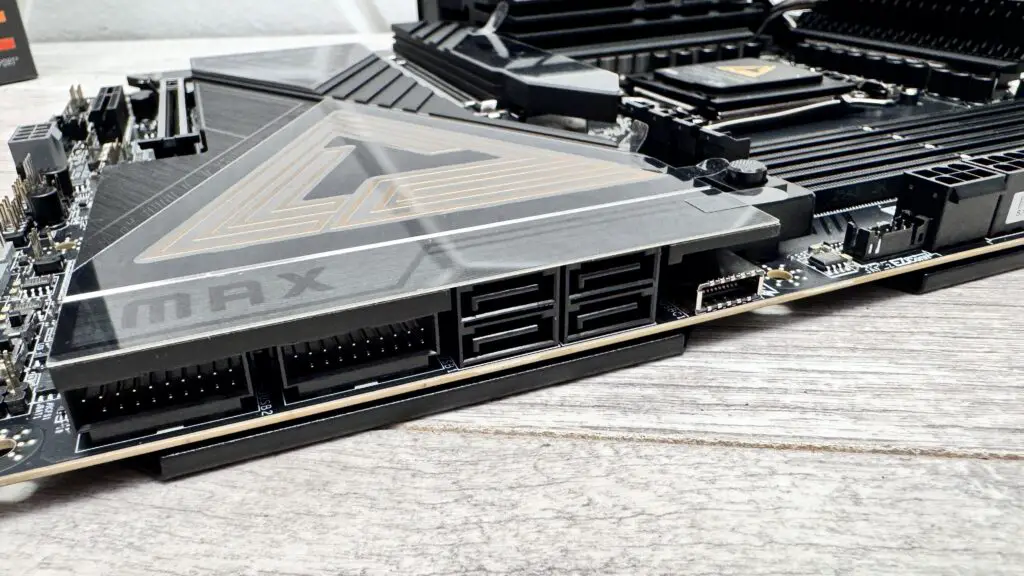
Massive VRM cooling ensures stability during intense coding or gaming sessions.
Storage enthusiasts will appreciate the five M.2 slots, including dual PCIe 5.0 capabilities. However, a word of transparency: activating the second PCIe 5.0 slot does require some trade-offs with USB4 bandwidth. To keep these blazing-fast drives cool, MSI has utilized double-sided M.2 Shield Frozr heatsinks, ensuring your data speeds don’t throttle under pressure.
Performance Benchmarks
During our rigorous testing at Digital Tech Explorer, the Ace Max proved its thermal mettle. Using an AMD Ryzen 9 9900X, the VRM temperatures never crossed 60°C on our open-air bench. This suggests incredible headroom for those looking to push AI acceleration tasks or heavy workstation loads.
In gaming scenarios, the board maintained a consistent 120W CPU package power. While you won’t see a massive frame rate boost at stock settings compared to mid-range boards, the value lies in the stability and the incredibly low SSD temperatures (averaging 68°C), which prevent the performance dips common in lesser motherboards during long sessions.
The Verdict: A Masterclass in Enthusiast Engineering
The MSI MEG X870E Ace Max is a premium beast built for the future. It offers 10 Gbps Ethernet and Wi-Fi 7, making it a dream for developers and gamers who need high-speed data transfer. While the price point is significant, the suite of “DIY-friendly” features—like the tool-free M.2 installation and the GPU release button—make the building experience as premium as the performance.
The Highs
Stunning aesthetic with customizable RGB lighting.
Ultra-fast 10 Gbps Ethernet for professional networking.
Comprehensive USB4 and high-speed USB-A array.
Robust thermal management for high-end GPUs and SSDs.
The Lows
Premium pricing that targets a specific niche.
Bandwidth sharing between some M.2 and USB4 ports.
Software suite is still catching up to the excellence of the EFI.
Who is this for?
Buy this if you are building a top-tier workstation or gaming rig and need the fastest networking and storage available today. It is one of the most cost-effective ways to get 10GbE and 60W charging in a single package.
Skip this if you aren’t planning to use high-end peripherals or multiple Gen 5 drives. If your budget is tight, those funds are better spent on a faster graphics card or a larger 3D gaming monitor.
At the end of the day, MSI has delivered a visually striking and technically proficient motherboard that holds its own against the likes of the ASUS ROG Crosshair. For the enthusiast who wants it all, the Ace Max is a winning hand.
***
Disclaimer: All content on Digital Tech Explorer is for informational and entertainment purposes only. We do not provide financial or legal advice.Affiliate Disclaimer: Some of the links on Digital Tech Explorer are affiliate links. This means we may earn a commission if you click through and make a purchase, at no additional cost to you. Our recommendations are based on thorough research and personal experience.
Learn more about the author at TechTalesLeo’s profile.