
At Digital Tech Explorer, we’ve been tracking the evolution of open-world RPGs, and few have captured our attention quite like Crimson Desert. While its combat is undeniably flashy and over-the-top, players are quickly discovering that survival requires more than just quick reflexes. Whether you are controlling Kliff or exploring the vast landscapes, the game’s difficulty spikes can be punishing. Fortunately, the latest Crimson Desert Twitch Drops offer a strategic advantage, providing essential gear and consumables to keep you in the fight.

As TechTalesLeo, I’ve navigated many digital landscapes, and these rewards are a perfect example of how developers are bridging the gap between community engagement and in-game progression. Below is everything you need to know to secure these limited-time items.
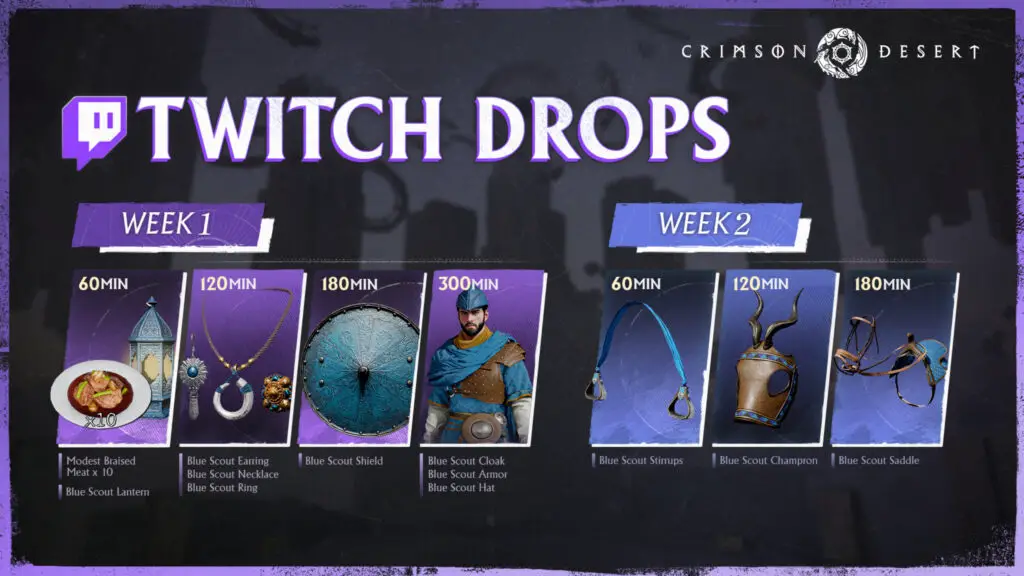
Crimson Desert Twitch Drops Schedule & Rewards
The campaign is split into two distinct phases. Unlike the typical purple-themed Twitch items we often see, these rewards feature a sleek blue aesthetic that fits perfectly with the gaming world’s visual style.
| Campaign Period | Reward Focus | End Time (UTC) |
|---|---|---|
| Week 1: March 19 – March 26 | Early-game essentials for Kliff and mount enhancements. | 23:59 PM |
| Week 2: March 26 – April 2 | Advanced gear sets and high-tier consumables. | 23:59 PM |
How to Claim Your Rewards
The redemption process for these hardware-agnostic drops differs slightly depending on your platform. To begin, tune into any participating Crimson Desert Twitch stream. Look for the “Drops Enabled” tag to ensure your viewing time is being counted.
- Watch & Earn: Monitor your progress in the Twitch overlay. Once the time requirement is met, claim the item from your Twitch Inventory.
- Account Linking: Visit the official Crimson Desert Twitch Drops page and log in with your Twitch credentials.
- Redeem Code: Generate your unique redemption code and select your specific platform (Steam, Epic Games, or Console).
Platform-Specific Redemption Steps
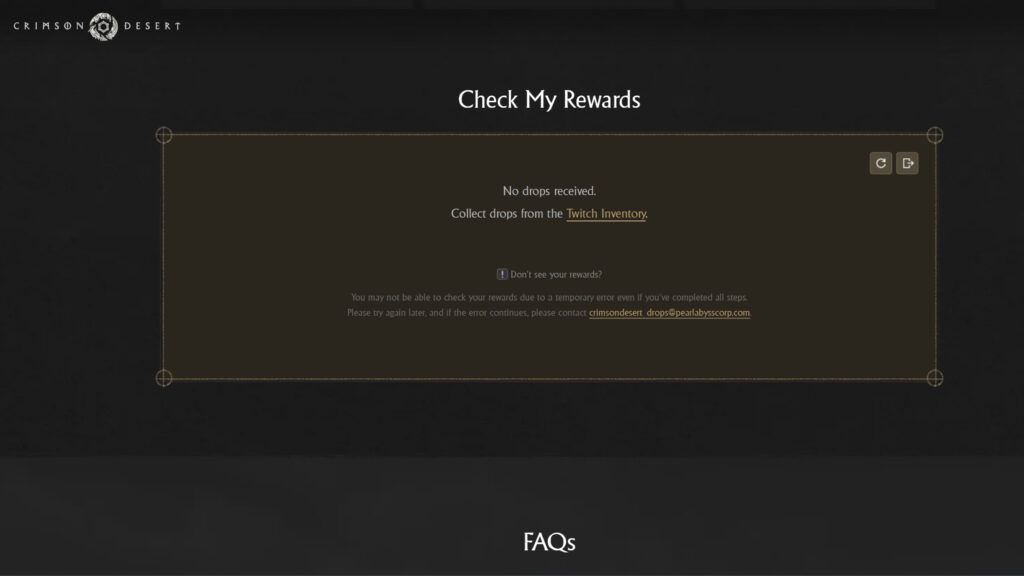
For Steam users, the process is automated; once the accounts are linked, items should appear in your inventory. However, if you are playing on Epic Games or Consoles, follow these extra steps:
- Copy the code provided by the Pearl Abyss event site.
- Enter the code in your platform’s store (e.g., “Redeem Code” on the PlayStation Store or Microsoft Store).
- Once redeemed at the platform level, launch the game and navigate to Menu > Others > Options > Add-Ons to finalize the claim.
Staying ahead in Crimson Desert requires a mix of skill and the right equipment. For more technical deep-dives into the latest AI-driven gaming tech or GPU performance optimization for upcoming titles, keep it locked to Digital Tech Explorer.
Disclaimer: This guide is for informational purposes. Digital Tech Explorer is not affiliated with Pearl Abyss, though we may earn commissions through affiliate links on our site.