
As Discord implements global age assurance through ID checks and facial scanning, the community’s response has been characteristically inventive. At Digital Tech Explorer, we’ve tracked these developments closely—from the user who bypassed checks using a 3D model of Norman Reedus from Death Stranding to the latest, more accessible browser-based solutions. Today, a new tool has emerged that allows users to navigate these restrictions without the need for high-end gaming hardware.
The Rise of the Browser-Based Discord Bypass
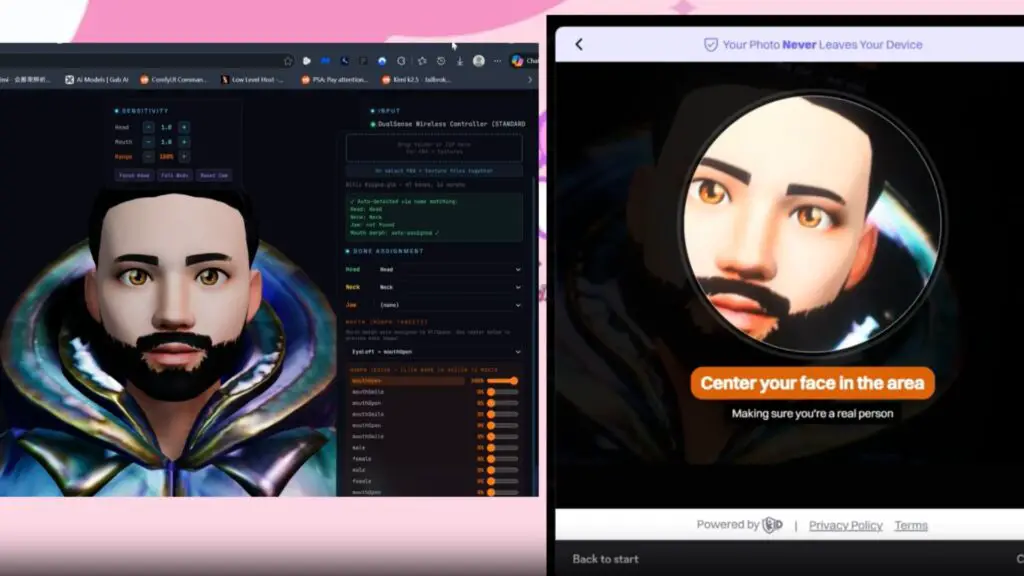
A recent GitHub repository from developer PromptPirate has gained traction in tech circles. Dubbed a “verified tool that works on any potato computer,” this solution simplifies the bypass process by moving it directly into the web browser. For the developers and AI enthusiasts we serve here at Digital Tech Explorer, this represents a fascinating—if controversial—intersection of web tech and privacy advocacy.
How the 3D Avatar Tool Functions
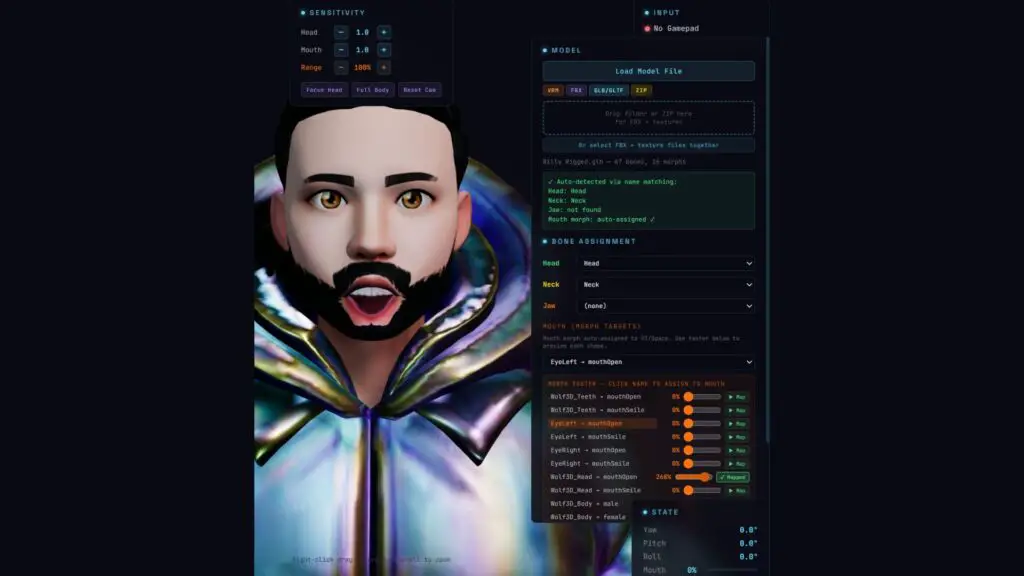
The technical architecture of the tool is straightforward. It utilizes a browser-based application where users import a 3D model—the repository even provides a demo model to get started. By opening the index.html file locally, users can use a standard controller to rotate and position the avatar. This allows them to mimic the head movements required by Discord’s automated facial scanning systems.
The creator has also committed to future-proofing the script. Should Discord implement “liveness” tests, such as requiring the user to blink, PromptPirate intends to update the tool with a dedicated blinking toggle to maintain its effectiveness.
Privacy Concerns and Discord’s Data History
While Discord maintains that facial scans and IDs aren’t required for everyone—often relying on existing account data—the push for more personal information has raised red flags. As TechTalesLeo, I’ve seen how digital security lapses can impact users. In October 2023, a security breach reportedly exposed hardware-level data and 70,000 ID photos, alongside names, emails, and credit card details. This history of vulnerability is a primary driver behind the adoption of bypass tools.
When is Verification Actually Required?
For the average user chatting about PC games or Minecraft, these hurdles may never appear. Discord primarily triggers these checks when a user attempts to access “NSFW” or adult-designated servers. If your account history already establishes your age group, you likely won’t be prompted for a scan.
Exploring Discord Alternatives
If you are looking to move away from centralized platforms with strict data requirements, several gaming and communication alternatives exist. Here is a breakdown of how they compare:
| Platform | Primary Focus | Privacy Level | Ideal For |
|---|---|---|---|
| TeamSpeak | Low-latency Voice | High (Self-hosted) | Competitive Gaming |
| GameVox | Community Chat | Moderate | Group Coordination |
| IRC | Text-only Chat | Very High | Developers & Purists |
| Matrix/Element | Decentralized Messaging | High (End-to-End) | Privacy Enthusiasts |
At Digital Tech Explorer, we believe in staying ahead of the curve. Whether you’re a developer exploring blockchain security or a gamer looking for the best GPU for 4K streaming, understanding how these verification tools work is essential for navigating the modern web. Always remember that while bypass tools offer a temporary solution, the best defense is a platform that respects your data from the start.