Xbox Full Screen Experience Expands to All Windows 11 PCs: A Game-Changer for Tech Enthusiasts
Breaking news for Windows 11 users and gaming enthusiasts alike! What began as an exclusive feature for specific gaming handhelds is now expanding its horizons. The much-anticipated Xbox Full Screen Experience (FSE), once primarily for devices like the ASUS ROG Ally, is officially in preview for a wider array of Windows 11 PC form factors, including laptops, desktops, and tablets. This tailored expansion promises a console-like interface designed to elevate your PC gaming, helping our community at Digital Tech Explorer stay ahead of trends and make informed decisions about their gaming setups.
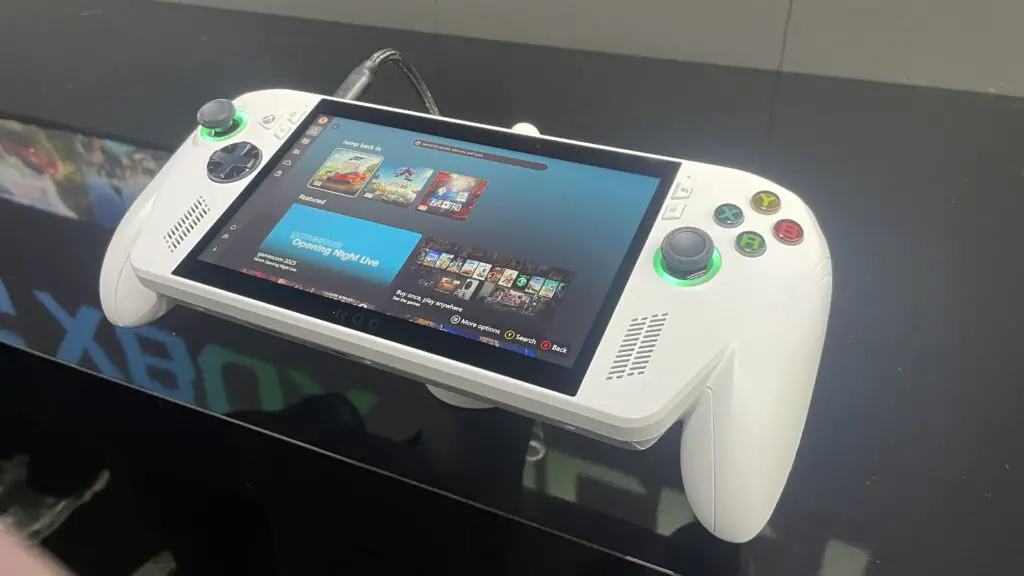
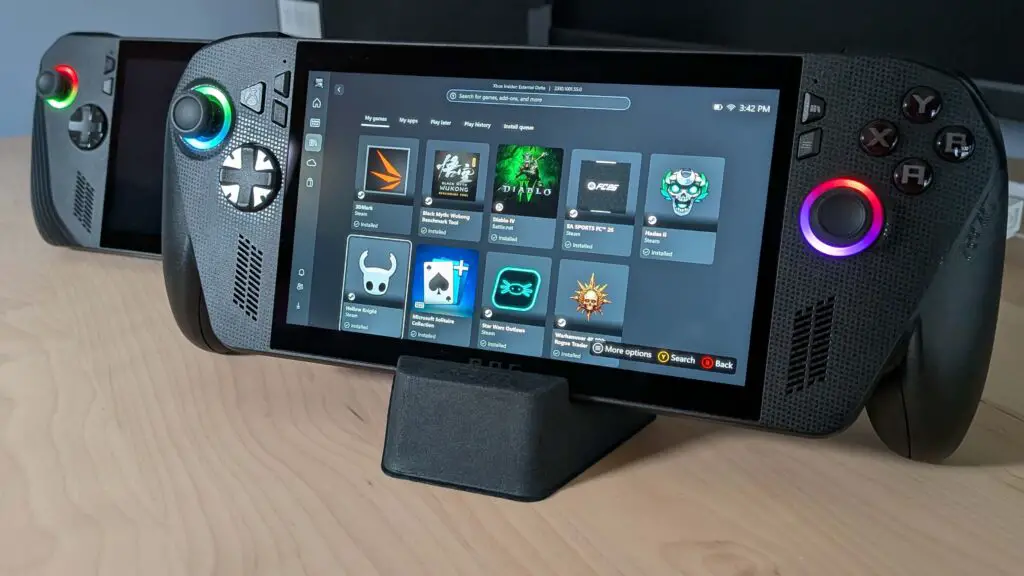
Originally crafted for the ROG Ally and its successor, the ROG Ally X, the Xbox FSE brought a console-inspired UI to handheld gaming. This optimized environment allowed users to seamlessly launch titles from various platforms, offering a significantly smoother and more responsive gaming experience compared to navigating the standard Windows desktop. It truly captures the essence of tech storytelling by bringing complex functionality into an accessible, engaging format.
Once available on your Windows 11 PC, activating the Xbox Full Screen Experience is straightforward: use the Win + F11 shortcut, or hover over the Task View icon (or press Win + Tab) and select Xbox full screen experience. It essentially creates a dedicated virtual desktop, much like its seamless operation on the ROG Ally X, transforming your interaction with games.
To be among the first to explore this feature, users need to be running the Windows Insider Preview Build 26220.7271. As a gradual rollout, patience is key. For those eager to dive in, community-driven workarounds, like utilizing ViVeTool, have emerged for devices such as the Legion Go S. However, our rigorous real-world testing and reports indicate that these unofficial methods can lead to control issues on devices like the OneXPlayer tablet and various laptops, highlighting the importance of awaiting official releases for optimal performance.
Notably, MSI has announced official support for Xbox FSE across its Claw devices, indicating optimized integration for their users and aligning with our focus on in-depth tech news and product analysis.
At its core, the Xbox Full Screen Experience delivers an immersive, controller-navigable UI, transforming your Windows 11 PC into a console-like gaming hub. This gaming-first environment empowers players to effortlessly browse and launch titles from diverse game libraries, including popular PC storefronts. The integrated Task Switcher ensures smooth transitions between games and applications, enhancing overall usability. While clearly a boon for couch gaming setups connected to a TV, its utility for traditional desk-based PC gaming with a controller warrants consideration, given the distinct advantages a mouse offers in such scenarios. This expansion helps developers and tech enthusiasts make informed decisions about their optimal gaming setup.
This marks a significant and positive stride for Microsoft, echoing the streamlined, game-centric approach lauded in platforms like SteamOS. As we eagerly anticipate the broader and accelerated rollout, Digital Tech Explorer believes this feature will empower more gamers and tech enthusiasts to unlock the full potential of their Windows 11 devices, staying ahead of trends and enhancing their digital experiences.