

PC hardware trends often capture our imagination, evolving from niche innovations to widespread phenomena before sometimes fading into obscurity. While elements like striking case windows, vibrant RGB lighting, and meticulous cable management have become enduring fixtures in custom builds, a more recent trend is pushing the boundaries of practicality: integrating screens onto components that frankly don’t need them. At Digital Tech Explorer, where we champion informed decisions and cutting-edge insights, we’re diving deep into this curious design choice.

Screens on CPU Coolers: A Blend of Utility and Extravagance
To be fair, the concept of screens on certain components isn’t entirely without merit. For many builders, CPU temperature is a critical metric, given how modern chips can throttle performance when hitting thermal limits. With case windows now standard, a small screen directly on a water block, offering at-a-glance CPU temperature readings, presents a practical convenience. It certainly beats disrupting your game or workflow to check a software overlay.
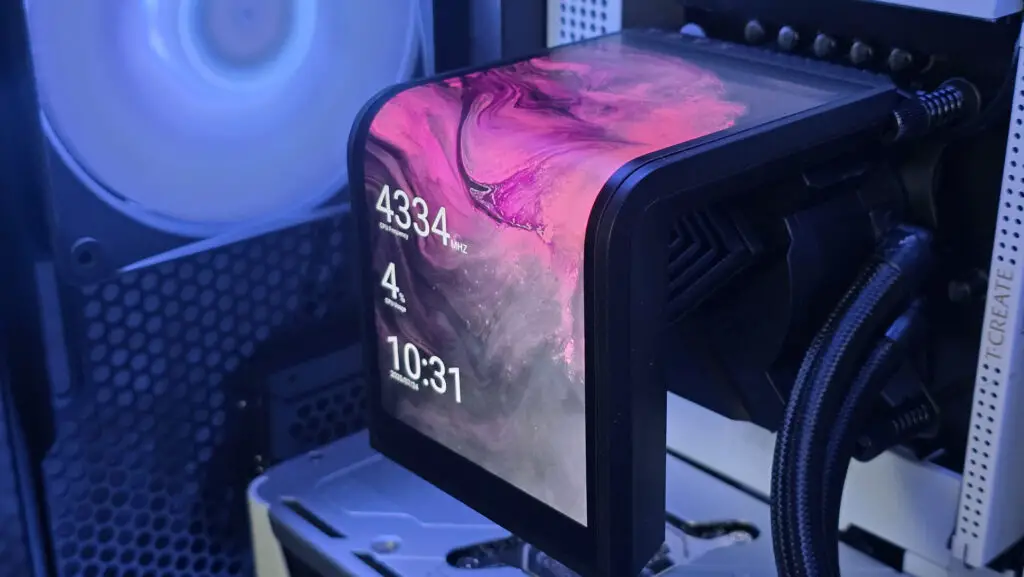
However, the line between functional elegance and outright excess is frequently crossed. Consider the Lian Li Hydroshift II LCD Curve, featuring a curved, motorized screen playing an anime video. While undeniably a showstopper at tech expos, its steep $269 price tag raises serious questions about value. When a top-tier, screenless cooler like the Arctic Liquid Freezer III Pro delivers exceptional cooling performance for under $100, shelling out nearly $200 extra for what is essentially a motorized gadget feels less like innovation and more like an indulgence. As TechTalesLeo, I believe in practical insights, and this certainly leans towards the latter.
For those who desire a display for essential system metrics without the premium price, a smarter compromise exists. The standard Lian Li Hydroshift II 360 CL liquid cooler offers the same cooling capacity and a static, customizable screen, all while being nearly $100 cheaper. It perfectly balances practical utility with a touch of aesthetic flair, aligning with Digital Tech Explorer’s focus on smart tech choices.
Keyboards with Screens: An Ergonomic Mismatch
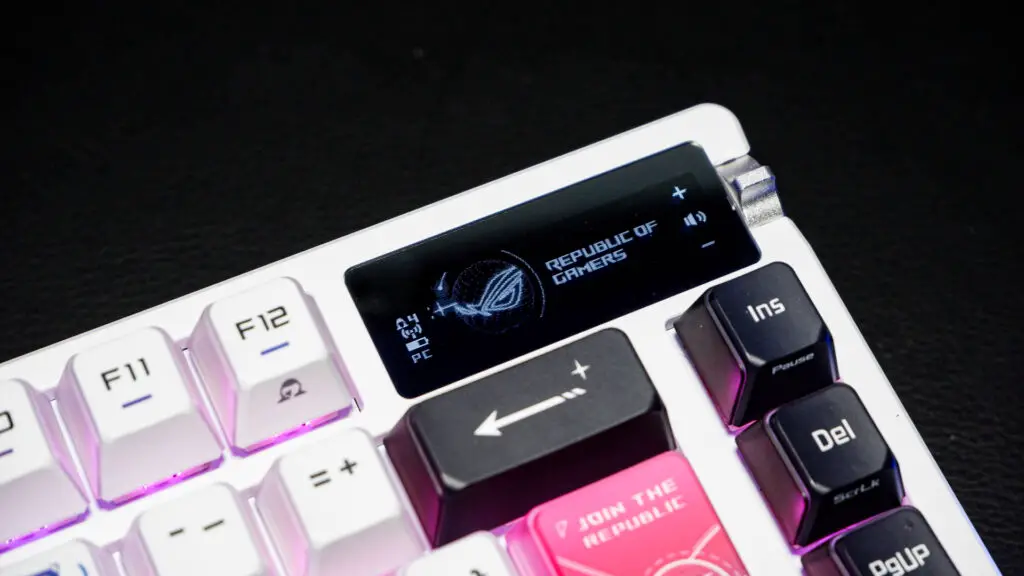
The screen trend extends beyond cooling solutions. Take, for instance, a screen integrated into your keyboard, exemplified by the premium Asus ROG Azoth X gaming keyboard. While it promises customization—displaying GPU frequencies, system temperatures, or even your current Spotify track—this information is inconveniently positioned. Glancing at the top right of your keyboard requires you to break your focus and crane your neck away from your primary display. How often will you genuinely utilize a screen placed there for crucial, real-time data? For most users, the answer is likely never, making it an ergonomic misstep in practical terms.
Mice with Screens: A Distraction, Not a Feature
The notion of a screen on a mouse ventures into even more impractical territory. The SteelSeries Rival 710 gaming mouse features an OLED display where your thumb rests—a location that actively hinders visibility during use. This feature serves little to no practical purpose, yet this wired mouse commands a $170 price tag, comparable to some of the best wireless gaming mice on the market. From Digital Tech Explorer’s perspective on product reviews and value, this simply doesn’t add up, presenting a clear case of diminishing returns for an unnecessary embellishment.
RAM Modules with Screens: The Pinnacle of Pointlessness
Perhaps the most perplexing manifestation of this trend is the V-Color XFinitiy+ DDR5 kit. These memory modules sport tiny OLED displays on their sides, showcasing RAM speeds, voltages, and profiles. The challenge? Actually seeing them. Viewing these minute screens requires contorting yourself to peer around cables, coolers, and other internal components—all to access information that is rarely, if ever, needed for real-time monitoring and is far more easily accessible via software. It’s a prime example of technological “innovation” for innovation’s sake, rather than for genuine user benefit.
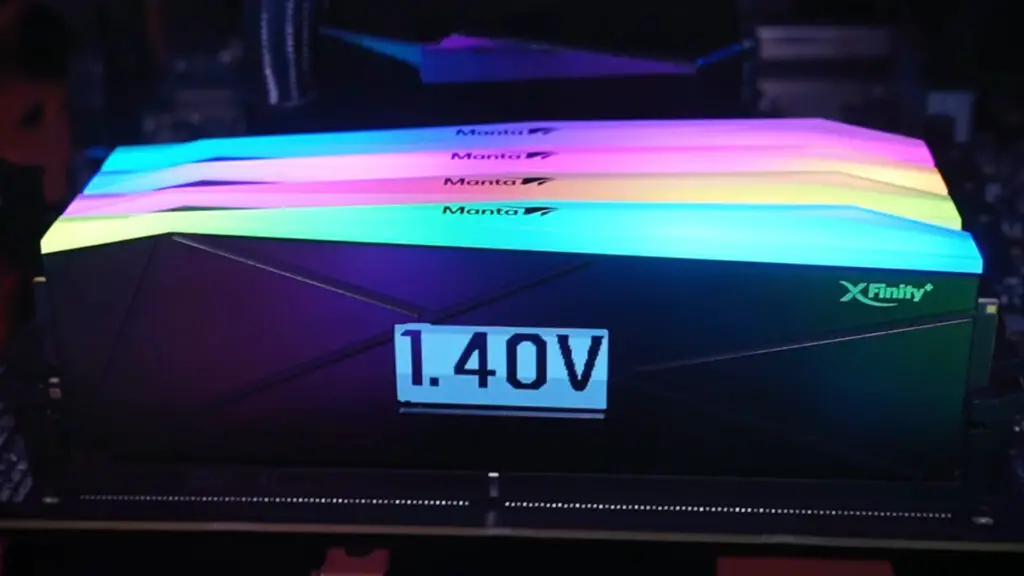
While the technical prowess to embed miniature screens in unexpected places is impressive, their practical utility remains minimal at best. What is undeniable, however, is the manufacturer’s ability to command a higher price for products adorned with these displays. PC enthusiasts and gamers, often drawn to the cutting-edge, the visually striking, and the uniquely backlit, become prime targets for these novelties. In an era where true, game-changing innovation can be elusive, the prevailing ethos appears to be: “When in doubt, add a screen.” It’s a guaranteed way to grab attention and justify a premium, even if it adds little functional value.
Ultimately, we all operate in front of a large, high-resolution display, perfectly positioned to deliver any and all information we could possibly need. Fragmenting that data onto tiny, awkwardly placed screens that beam into our peripheral vision is a questionable value proposition. At Digital Tech Explorer, we believe in making informed decisions, and often, simplicity and core performance outweigh flashy, yet impractical, additions. While tech trends are cyclical, and this might just be a passing fad, any future gaming headset that lands on my desk with a side-screen will need to present an extraordinarily compelling case to justify its existence and its price. As TechTalesLeo, I’ll be here to tell that story with candid analysis and practical insights.