
TechTalesLeo’s Hands-on Experience: Performance in the Real World
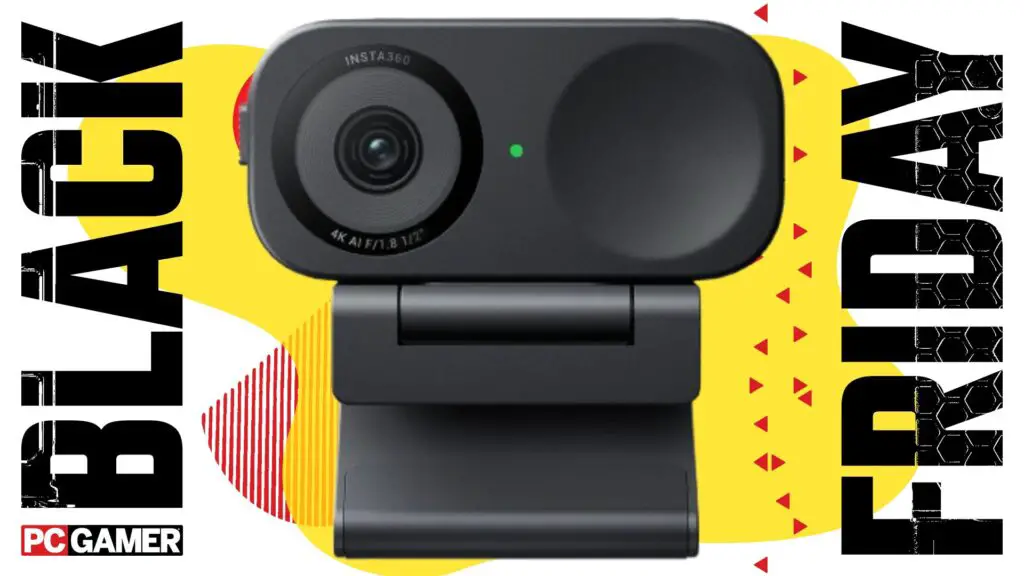
As TechTalesLeo, I can attest that since the Insta360 Link 2C arrived at my desk, it has become my primary webcam for all communication needs. From routine daily meetings to lively Discord calls and even capturing nuanced facial expressions during immersive gaming sessions (like my recent deep dive into “Goodnight Universe,” where eye movements are key), this camera performed admirably. It consistently tracked my face, even when lighting was less than ideal. The only minor personal challenge I faced with its blink functionality was due to light glare from my glasses – a testament to its sensitivity, and easily remedied with slight adjustments to my setup, not a fault of the camera. Setting up the Link 2C was super easy, a simple plug-and-play experience. Its strong magnetic stand securely grips any monitor, staying perfectly stable even through accidental bumps. While the overall video quality offers excellent clarity, delivering a great image, I noted it provided slightly less minute detail compared to the Emeet Pixy. However, where the Insta360 Link 2C truly shines is in its light handling, consistently producing a far more flattering and professional image for those crucial online meetings.
Software, AI Features, and Practical 4K Considerations
In the spirit of Digital Tech Explorer‘s commitment to transparency and thorough analysis, I must address the Insta360 Link 2C‘s accompanying software. It proved to be quite finicky during my testing, occasionally crashing upon initial launch and offering makeup and filter presets that felt more uncanny than enhancing. While it suffices for basic adjustments and driver updates, I found extended interaction with the software itself to be less than ideal. Similarly, the AI gesture features were somewhat cumbersome. Gestures for zooming and camera adjustments often failed to register reliably, leading to frustration if I over-zoomed. Ultimately, the Link 2C shines brightest when used as a straightforward, point-and-shoot webcam, excelling in delivering high-quality video simply by being mounted and powered on. For those considering a 4K webcam, it’s vital to assess your genuine need for high-resolution recording. Not all platforms fully support 4K, and services like Discord, for instance, require a premium subscription to enable 4K webcam streaming. This is a practical consideration Digital Tech Explorer always emphasizes to help tech enthusiasts make informed decisions. However, for users committed to recording or streaming in 4K who desire a quick, easy-to-use device that performs its core function exceptionally well, the Insta360 Link 2C remains an outstanding choice, having been my reliable companion for well over a month.Explore More Tech Deals and Webcam Discounts
Inspired by TechTalesLeo’s insights and looking for more ways to enhance your digital setup? Don’t miss out on other fantastic savings! For a comprehensive list of current discounts, explore all of Amazon’s latest webcam deals here.Digital Tech Explorer’s Top Picks: Best PC Gaming Gear for 2025
At Digital Tech Explorer, we rigorously test and review the latest hardware to bring you the most informed recommendations. Here are our current top picks for the ultimate PC gaming setup, reflecting our commitment to thorough research and real-world testing.- BEST GAMING CHAIR: Secretlab Titan Evo
- BEST GAMING DESK: Secretlab Magnus Pro XL
- BEST GAMING HEADSET: HyperX Cloud Alpha
- BEST GAMING KEYBOARD: Asus ROG Strix Scope II 96 Wireless
- BEST GAMING MOUSE: Razer DeathAdder V3 HyperSpeed
- BEST PC CONTROLLER: Xbox Wireless Controller
- BEST STEERING WHEEL: Logitech G Pro Racing Wheel
- BEST MICROPHONE: Shure MV6
- BEST WEBCAM: Elgato Facecam MK.2
For a deeper dive into each of these recommendations and more, explore our full guide: The Best PC Gaming Gear 2025 on Digital Tech Explorer.