
For tech enthusiasts and gamers alike, selecting the perfect gaming mouse is crucial. The choice often hinges on your preferred playstyle—be it the pixel-perfect precision required by a pro sniper or the rapid-fire command execution demanded by an MMO gamer. Here at Digital Tech Explorer, we put the Corsair Scimitar Elite Wireless SE through its paces. While its numerous buttons clearly signal its MMO heritage, our in-depth review, as TechTalesLeo details, uncovers a peripheral so versatile it’s ready for nearly any digital challenge you throw its way.
Product Overview and Physical Design
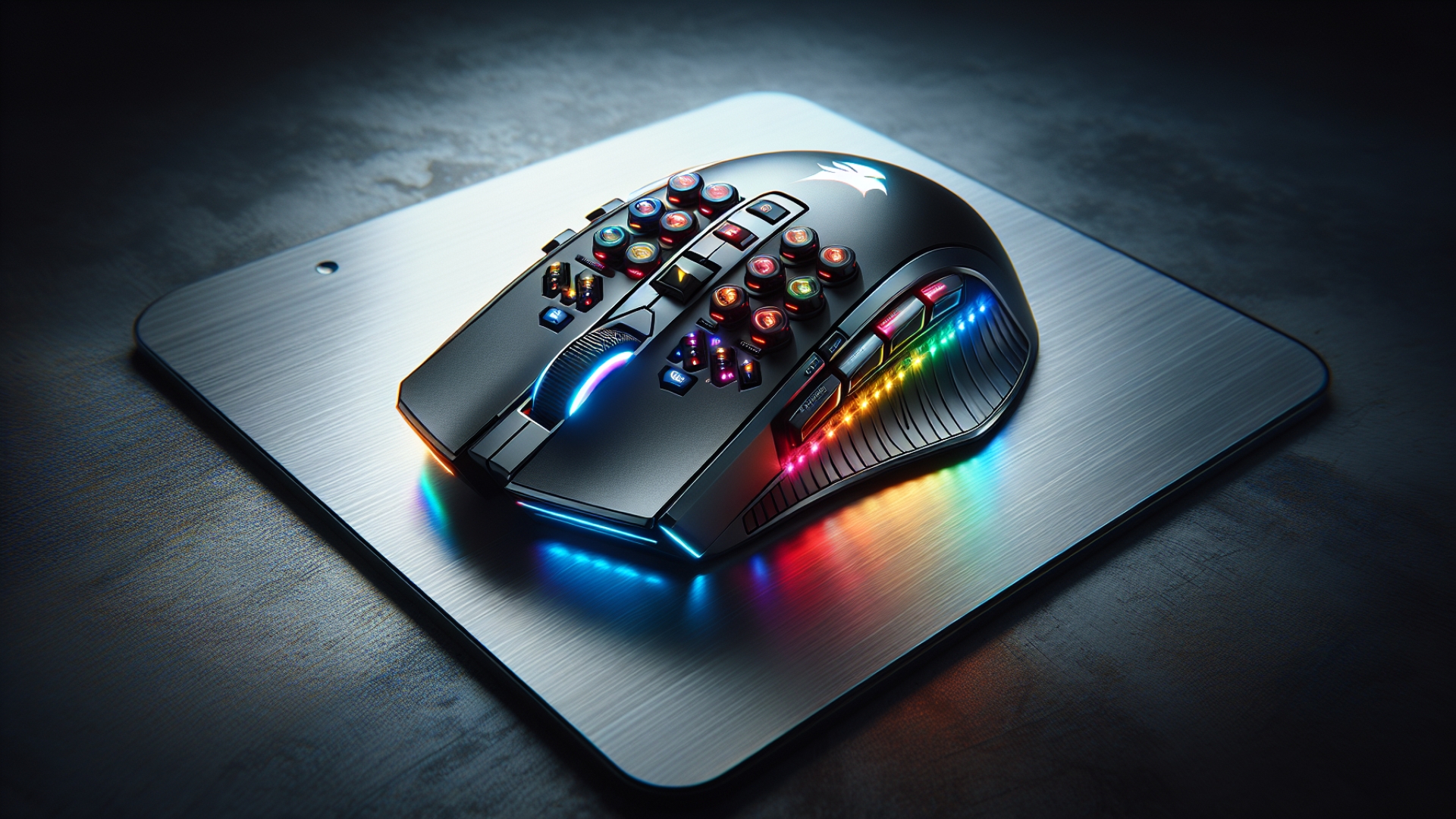
The Scimitar Elite SE from Corsair is an asymmetrical wireless mouse, robustly designed and packed with features. Visually, it presents as a substantial MMO mouse, yet its ergonomic arch welcomes your hand comfortably, and at 161 g, it feels well-balanced rather than cumbersome. Standard features include the essential left and right clicks, a responsive scroll wheel, and a dedicated DPI button, all complemented by an RGB-lit Corsair logo gracing the palm rest. The true innovation lies on its left flank: a twelve-button (four by three) grid of programmable buttons, opening up a world of customization possibilities.
This innovative side panel offers adjustable comfort; it can be slid back and forth and locked securely with a screw located on the mouse’s underside. Also on its belly, you’ll find a switch to toggle between Corsair’s ultra-fast Slipstream wireless technology and a standard Bluetooth connection, alongside a clever storage pocket for the USB Type-A receiver, ensuring it’s always on hand. For charging, a convenient USB Type-C port is positioned at the front of the mouse.
Software Configuration and Specifications
Corsair’s iCue software is the brains behind this brawn, enabling comprehensive configuration of lighting, DPI settings, and most importantly, key assignments. This latter feature truly unlocks the Scimitar Elite’s potential, extending far beyond typical gaming hotkeys. While you can certainly program buttons for standard keyboard functions, iCue also provides robust options for creating complex macros, text input, media controls, and much more, allowing users to tailor their experience for both work and play.
For a quick overview of its capabilities, here are the key specifications:
| Feature | Specification |
|---|---|
| Programmable Buttons | 16 |
| Sensor | 33K Optical |
| Connectivity | Corsair Slipstream 2.4 GHz, Bluetooth, USB Type-C |
| Polling Rate | 1,000 Hz |
| RGB LEDs | Yes |
| Onboard Profiles | 3 |
| Weight | 161 g |
Gaming and Macro Testing
In our real-world testing, we started with a straightforward assignment: linking the side buttons to number keys for quick slot swapping in Fortnite. After disabling the RGB lighting and saving these changes to one of the mouse’s onboard profiles, the Scimitar performed flawlessly even without iCue actively running. Thumb-actuated switches from a pickaxe to a slurp juice were seamless, eliminating the need to scroll through items—a clear advantage in fast-paced gaming. The mouse proved highly responsive, and its optical switches delivered a satisfyingly crisp click. For this fundamental scenario, the Scimitar handled it with impressive ease.
Moving beyond basic key binds, we explored the mouse’s macro capabilities. Recording multi-key press actions, such as chaining a jump into a crouch slide, was remarkably straightforward. With minimal configuration, a complex in-game maneuver became a single thumb press. While there’s an initial learning curve to build muscle memory, the distinct separation, varied textures, and grid layout of the side buttons make it intuitive to navigate the panel by feel alone.
Stream Deck Integration and Use Cases
While button assignments and macros are expected, the true innovation of this versatile peripheral lies in its Stream Deck integration. Given that Corsair is the parent company of Elgato, this synergy is seamless. The Scimitar Elite Wireless SE stands out for its unique ability to essentially transform into a Stream Deck, right at your fingertips. With the necessary software, you can configure the entire side panel to function as its own Stream Deck, offering unparalleled mouse-based control. This dual-device functionality significantly enhances its value proposition, making its price point surprisingly reasonable.
We tested this integration with OBS, programming buttons to manage a live stream—from launching OBS and initiating/ending the stream to swapping scenes and adjusting audio levels. The result? You no longer need to move your hand away from the mouse, making every action appear smoother and more professional to viewers. While it requires some initial setup and practice, integrating these actions into your muscle memory can make your content creation process feel incredibly natural and efficient.
Through its exceptional Stream Deck integration and an abundance of programmable buttons, the Corsair Scimitar Elite Wireless SE truly distinguishes itself from other gaming mice. TechTalesLeo’s analysis confirms it achieves this comfortably while maintaining high-level gaming performance with excellent polling rates and responsiveness. While it might not outpace ultra-light, FPS-optimized esports mice in sheer speed, its true power lies in its capacity as a productivity and streaming powerhouse—a testament to its design as a champion for both work and play. Discover more insightful tech reviews and enhance your digital skills right here on Digital Tech Explorer!