

Here at Digital Tech Explorer, we’re always fascinated by the boundaries of digital innovation and what dedicated developers can achieve. One such visionary, NTDev, has a knack for meticulously crafting incredibly compact versions of the Windows OS. Their latest project, nano11, is another testament to this skill, dramatically shrinking a Windows 11 Insider build ISO file from a hefty 7.04 GB down to a mere 2.29 GB. This remarkable feat is accomplished by retaining only “all the essentials, none of the fluff,” offering a glimpse into ultra-lightweight system configurations.
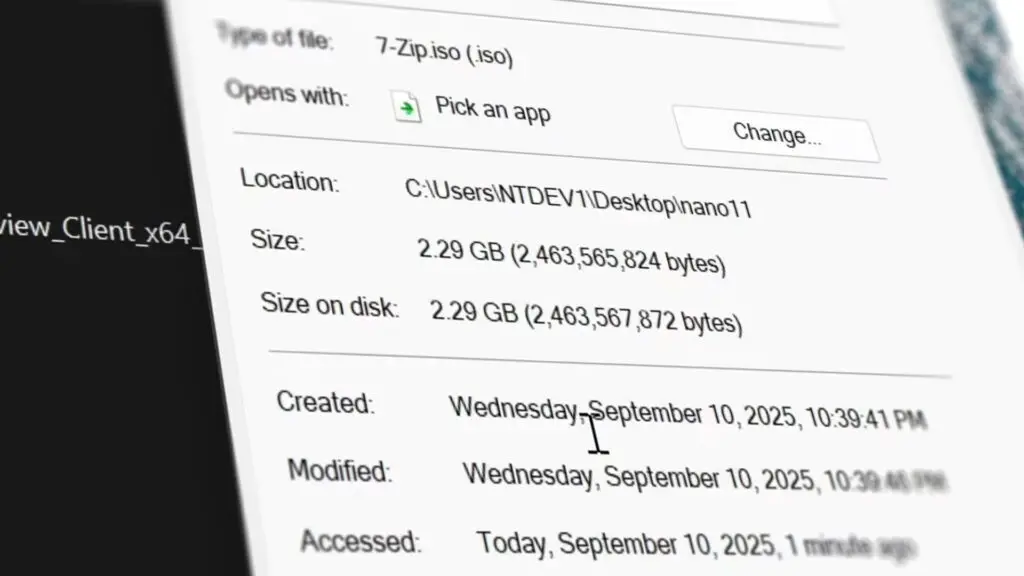
To achieve this significantly reduced footprint, NTDev systematically removes a vast array of components commonly perceived as bloatware. The extensive list of exclusions includes features like Xbox, Weather, Office, Solitaire, Windows Update, Windows Defender, most drivers, Bitlocker, Search, biometrics, accessibility tools, audio drivers, Microsoft Edge, and even Internet Explorer. It’s crucial for tech enthusiasts to understand that once these elements are removed, they cannot be re-integrated into the software installation.
Nano11: An Experimental Bed for Developers
Before considering nano11 for personal use, it’s vital to grasp its core philosophy. As stated on its GitHub page, this project is “an extreme experimental script designed for creating a quick and dirty development testbed.” Its minimal size is a direct result of stripping away virtually everything possible, including the Windows Component Store (WinSxS) and many core services. While highly experimental, this approach offers practical uses, particularly for developers seeking to create lightweight VMs with extremely limited functionality or for specialized legacy system builds where resources are at a premium. Its open-source nature further empowers users to customize and adapt it to their unique coding or testing requirements. A notable convenience is its ability to bypass Microsoft Account requirements during the initial setup process, streamlining deployment in specific scenarios.
Comparing Footprints: Nano11’s Place in Extreme OS Optimization
To truly appreciate the engineering behind nano11, let’s put its size into perspective. A standard SteamOS ISO file clocks in at 2.9 GB, and a popular Linux gaming OS like Bazzite stands at 7 GB. NTDev’s ability to compress a Windows 11 installation to just 2.29 GB is a remarkable feat of software optimization. This isn’t their first venture into ultra-compact Windows. Previous projects captivated the Digital Tech Explorer community, including an iteration of Windows 11 running on a mere 184 MB of RAM, and an even more extreme 100 MB text-only version without a graphical interface.
Another significant contribution from NTDev is tiny11, which also focused on creating a minuscule ISO file for the modern OS. A further streamlined version, tiny11 core, took similar steps to nano11 by removing features like Windows Defender. For users serious about trimming down the OS for more practical, everyday scenarios, the tiny11 builder is generally considered a more balanced and usable option.
As TechTalesLeo often explores, projects like nano11 and tiny11 core highlight a fascinating aspect of digital innovation: while shrinking Windows 11 can be an exhilarating experiment for developers and tech enthusiasts, there’s a threshold where the operating system, due to the extensive removal of core components, becomes largely unrecognizable and practically unusable for general purposes. These projects serve as insightful testbeds, pushing the boundaries of what’s possible in software optimization and offering valuable lessons in system architecture.