(Image credit: Microsoft)
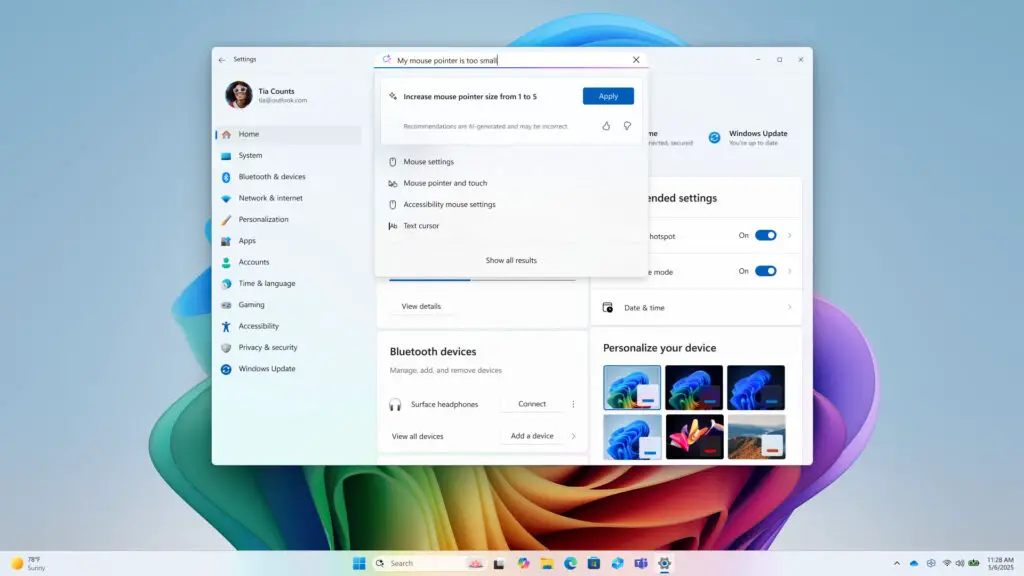
As a platform dedicated to exploring digital innovation, Digital Tech Explorer has keenly followed the evolution of Microsoft Copilot. Early iterations often left tech enthusiasts, including our own TechTalesLeo, wishing for deeper integration with core Windows functionalities. That sentiment is poised for a significant shift, however, with the latest Windows Insider build. This update introduces the highly anticipated ability for users to directly request changes to their PC settings via Copilot, marking a pivotal step towards a more intuitive user experience. The Copilot app update 1.25095.161 is already rolling out across all Windows Insider channels, enabling commands like “make my screen easier to read” or “help me focus by reducing distractions,” which will guide users to the relevant Windows settings page with a brief summation of how to enact the desired changes.
Practical Implications and User Benefits
This advancement subtly acknowledges what many users and tech experts at Digital Tech Explorer have long observed: Windows settings can often be intricate and challenging to navigate. For the average user, this Copilot feature delivers on a promise of true utility that previous versions sometimes missed. As TechTalesLeo often highlights in making technology accessible and intriguing, imagine the relief for those who frequently play “tech support” for family and friends. Copilot could significantly streamline the process of locating and adjusting settings within Windows 11’s often-complex interface, empowering even the less tech-savvy. While Microsoft hasn’t provided further examples, the expectation is that this functionality will continue to expand, offering substantial benefits for a wide range of users.
Microsoft advises that this is a gradual rollout, meaning not all Insiders will receive the update immediately. To access this new feature, users must be part of the Windows Insider program. Enrollment can be completed either through the Windows Update page within the Settings menu or by visiting Microsoft’s dedicated Windows Insider page. While Copilot’s capabilities continue to expand, TechTalesLeo at Digital Tech Explorer reminds us that the nuanced insights and real-world testing from human experts will always be crucial in deciphering technology’s full potential and bridging the gap between complex features and everyday usability.
(Image credit: Microsoft)