
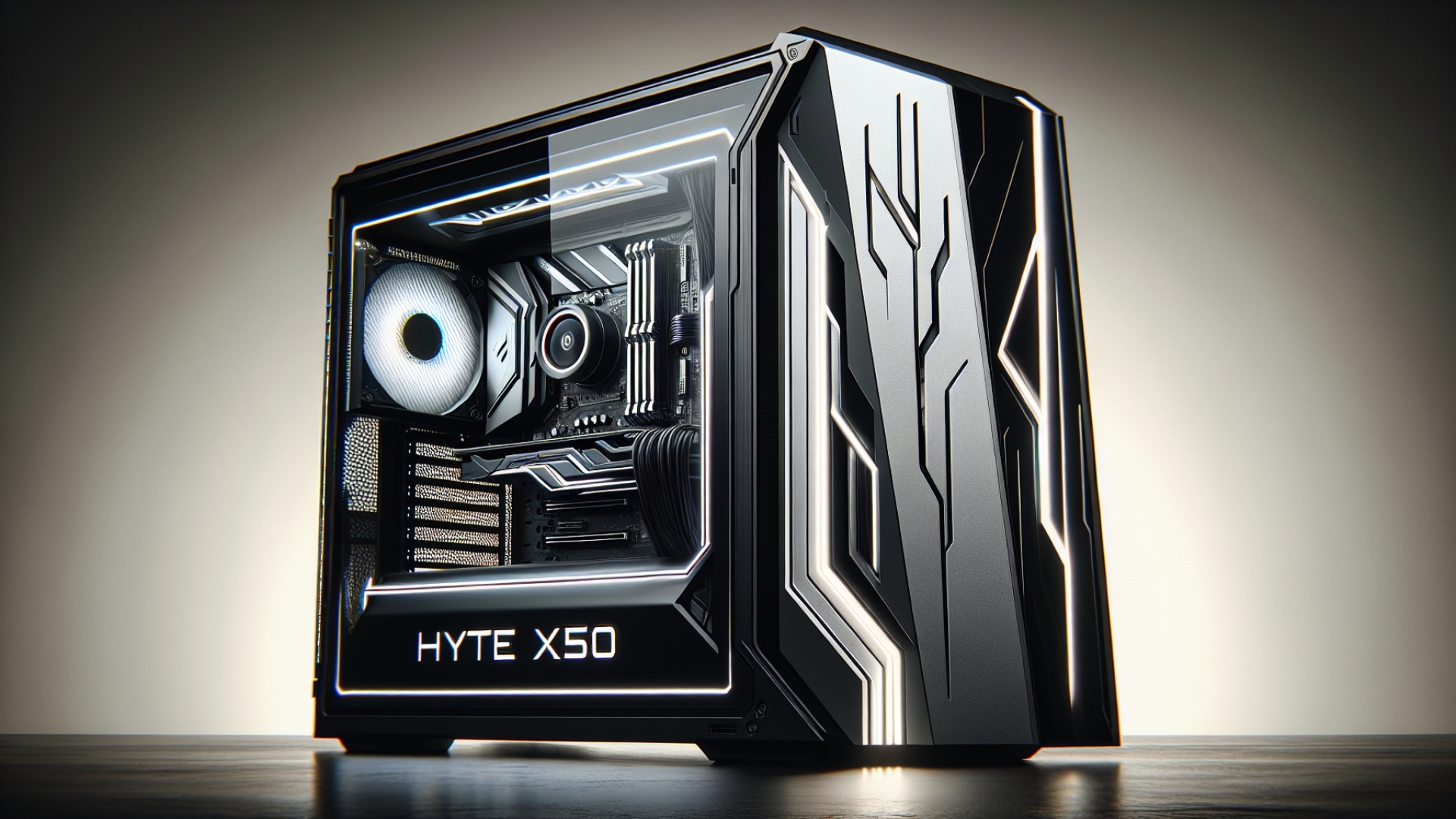
The Hyte X50 dares to do something different. It won’t be for everyone, and while its unique style is a bold choice, it offers a refreshing option for those looking to create a bright and brave PC build. It successfully combines its eye-catching form with functional design, housing powerful PC components without compromise, making it a noteworthy contender for any tech enthusiast on Digital Tech Explorer.
For
- Bright and unique design
- Offers something different from standard cases
- Plenty of options for cooling
- Lots of customisation potential
Against
- Aesthetic may not appeal to all users
- Top-mounted PSU design is dated
- Basic cable management features
- No fans included for the price
Introducing the Hyte X50: Design and Aesthetics
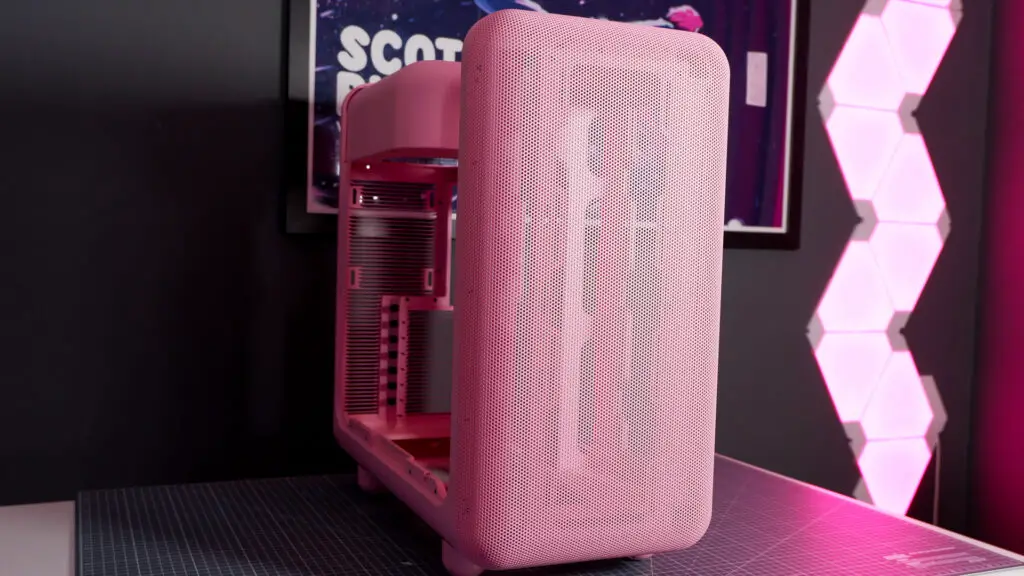
From a company known for its bold designs, the X50 is perhaps its most ostentatious PC case yet. It boasts a strong look that truly calls for an equally flashy build inside. Yet, as TechTalesLeo always emphasizes, there’s more than just aesthetics to this case; it’s well-suited to housing a powerful PC, all wrapped in its distinctive, captivating shell.
The Hyte X50 is available in a variety of vibrant colors, including Snow White, Pitch Black, Wild Cherry, Taro Milk (purple), Strawberry Milk (pink), and Matcha Milk (green). To further complicate your choice, it comes in two variants: the standard X50 with a glass side panel and the X50 Air with a perforated side panel. The “milk” color options feature charming little round feet, while the other colors come with long, flat feet, adding another layer of decision-making to the process for builders looking to express their unique style.
Pricing and Value Analysis
Priced at $160 in the US, the Hyte X50 is not the cheapest mid-tower case, especially considering the lack of any included fans. The price is slightly lower outside the US due to tariff-related price disruptions. The X50 Air variant is more affordable, coming in at $130 in the US ($120 equivalent worldwide) for its perforated side panel that matches the front.
For those looking to make informed decisions, the X50 isn’t highly price competitive against other chassis in its size class. Many comparable cases, such as the Lian Li Lancool III or the NZXT H7 Flow, come with pre-installed fans, adding to their value. Other options like the Phanteks Eclipse G400A at $110 and the Asus ProArt PA401 at $130 both include fans for less. For those who don’t need fans, the Corsair Frame 4000D offers a similar blank slate for a much lower price of $95.
To complete the look, you can purchase color-matched Hyte FA12 fans, which are available in a four-pack for $40. These fans deliver great airflow across their RPM range, allowing them to be tuned for quiet operation. However, our thorough testing indicates they can be quite loud at their top speed of 1500 RPM.
Hyte X50 Technical Specifications
| Feature | Specification |
|---|---|
| Form factor | Mid-tower |
| Dimensions (H x W x L) | 51.3 x 25.7 x 51.7 cm |
| Motherboard support | Up to E-ATX |
| Max GPU length | 430 mm |
| Max CPU cooler height | 170 mm |
| Fan support | Front: Up to 3x 140 mm Side: Up to 3x 120 mm Bottom: Up to 3x 120 mm Rear: Up to 1x 120 mm |
| Front I/O | 2x USB 3.2 (5 Gbps) Type-A ports 1x USB 3.2 (20 Gbps) Type-C port Audio jack |
| Storage support | 2x 2.5-inch drives 1x 3.5-inch drive |
| Price (US) | $160 (X50) $130 (X50 Air) |
Exterior Features and Build Quality
The Hyte X50 is a fairly small chassis by today’s standards, measuring 51.3 x 25.7 x 51.7 cm (H x W x L). Its compact, desktop-friendly size makes it ideal for being displayed in plain view, a fitting characteristic for such an eye-catching case. As TechTalesLeo often highlights, the visual appeal of hardware plays a significant role in a builder’s experience.
A gorgeous curve on the windowed side panel extends from the side up and over two-thirds of the case top, reaching the I/O panel. This panel, which features two USB 3.2 Type-A ports and a single USB 3.2 Type-C port, slides up and off for easy access, keeping the exterior free of screws. The rear panel works the same way, though you’ll want to keep a cloth handy to wipe fingerprints off the glass.
The front panel has a perforated finish and feels solid, a quality shared by the rest of the case thanks to clever ‘Louvered Blade Ventilation’ on the rear I/O. This front panel also functions as a dust filter, collecting dust on its outer surface for easy wipe-downs, though there is no secondary filter underneath.
Airflow, Fan Support, and Cooling Performance
The perforated front panel reduces airflow by around 0.6 m/s, a noticeable but not unusual amount. This same reduction applies to the rear side panel, which is an important consideration if you plan to mount fans next to the motherboard. Despite this, the case offers plenty of room for fans, with space for up to three 120/140 mm fans in the front, three 120 mm fans on the side, three 120 mm fans on the bottom, and one 120 mm fan in the rear for exhaust, demonstrating robust cooling potential through real-world testing.
Our real-world testing revealed that various fan configurations yielded nearly identical cooling results, meaning you can’t go wrong when optimizing for thermal performance. For the best aesthetics, a layout with three intake fans at the bottom, three on the side, and one exhaust in the rear is recommended. It’s a shame Hyte does not sell reverse-blade versions of its FA12 fans, as their backside is rather plain for a case so focused on looks—a detail that a dynamic storyteller like TechTalesLeo can’t overlook.
For liquid cooling, there is no room for a radiator in the top of the case, as that space is occupied by the power supply. The best option is to mount a radiator to the side of the motherboard, with fans exhausting out of the back panel. Given the case’s compact dimensions, most AIO liquid coolers should have no trouble reaching this position, allowing for high-end component compatibility.
Power Supply Mounting and Cable Management
Hyte’s decision to use a top-mounted PSU feels retro, which aligns with the case’s overall character, but it’s not without its drawbacks. This placement blocks a significant portion of the windowed side panel and feels slightly out of place above the motherboard.
The primary issue with this design, as we discovered during our build, is cable length. Using a Corsair RM850x PSU, the native 12V-2×6 connector only just reaches the graphics card after being routed around the back of the case. This makes achieving a secure, straight connection difficult, which is crucial for modern high-power GPUs. Such practical tips are vital for any tech enthusiast tackling a new build.
For cable management, Hyte includes plenty of velcro straps, but the approach is minimal compared to modern cases with dedicated channels. Cables are hidden by excellent color-matched rubber grommets, but the cutout below the motherboard is left exposed, which looks a bit unfinished.
Final Assessment and Recommendations
The Hyte X50 might be cutesy and compact, but it provides wide compatibility for high-end components and cooling solutions. It truly proves that it is not a case of form over function. While its appearance is subjective—it may not appeal to every builder—it undeniably stands out in a market saturated with plain black boxes. Its unique charm might be exactly what some tech enthusiasts are looking for, a testament to digital innovation in design.
In a world of PC cases that often rely solely on RGB lighting for personality, the Hyte X50 carves its own path with a bright, colorful, retro, and rounded design. It is a perfect base for modding and further personalization, ideal for creating a cozy, themed desktop setup. While many builders may prefer conventional options, those who are drawn to its distinct appeal will find a truly special chassis to enhance their coding and gaming experience.
Buy if…
- ✅ You can’t stand a boring black box: This case stands out with color and personality, no RGB required.
Don’t buy if…
- ❌ You want the best value: With no fans included, you can find more budget-friendly, albeit more conventional, options.
Overall Score: 75/100
In summation, the Hyte X50 is a PC case that boldly defies convention. While its unique aesthetic and design choices certainly carve out a niche, it offers a compelling alternative for those seeking a departure from the typical. As TechTalesLeo, I appreciate the sheer audacity of its design and the refreshing choice it provides for builders looking to infuse personality into their next system.