The Gigabyte Gaming A16 arrived at Digital Tech Explorer for review, presenting a compelling package with its elegant design and robust core hardware. However, as our rigorous testing by TechTalesLeo reveals, it stumbles significantly due to a crucial performance bottleneck. The included
Nvidia RTX 5060 graphics card is severely limited by an 85W Total Graphics Power (TGP), causing a noticeable drop in gaming frame rates – to the extent that it performs more like an
RTX 5050. This compromise, we believe, significantly impacts the gaming experience for tech enthusiasts expecting peak performance from their hardware investments.
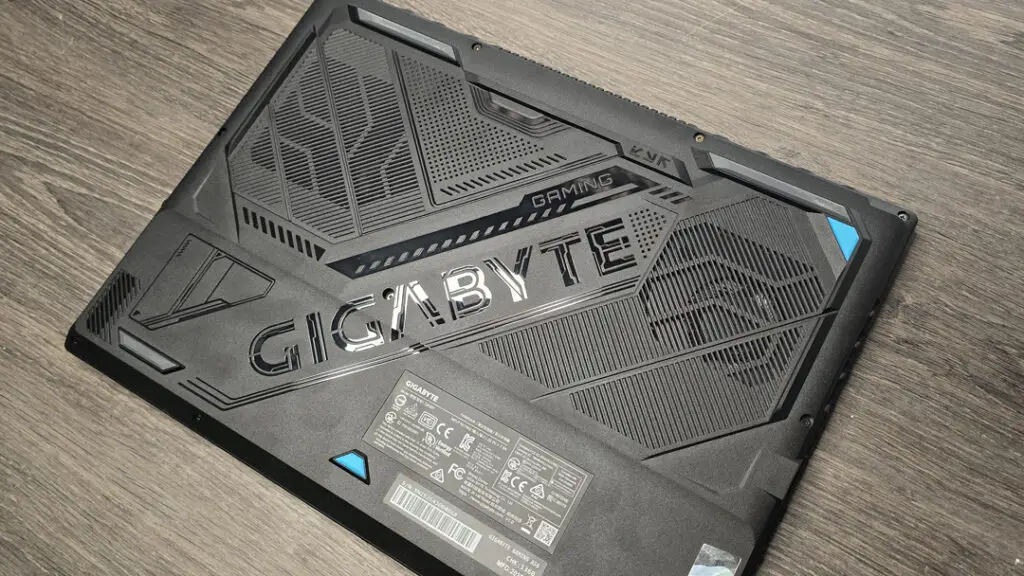
Comparing Gaming Laptop Experiences: A Side-by-Side Insight
Our team at Digital Tech Explorer had just concluded a detailed examination of the
Lenovo LOQ 15 Gen10 RTX 5060 gaming notebook when the Gigabyte Gaming A16 arrived. The Lenovo model, despite some quirks in its SSD and RAM configuration, left a strong impression due to its outstanding performance-to-price ratio and crisp 15.6-inch IPS display, delivering an exceptional gaming experience for its category. With Gigabyte’s A16 featuring the same
RTX 5060 and a similar 1920×1200 IPS display, initial hopes were high that it might rectify some of the minor issues present in Lenovo’s offering and set a new standard for budget-friendly gaming laptops.
Both laptops are positioned at a similar price point, around $1,300, share comparable form factors, and target the same budget-conscious audience with remarkably similar underlying hardware. On paper, this should have been a closely contested comparison, a true battle of gaming titans in the mid-range segment. However, as TechTalesLeo’s in-depth analysis revealed, the reality was quite different. For a deeper dive into the competitor, consider our full review of the
Lenovo LOQ 15 Gen10 RTX 5060 gaming notebook.
The Critical Performance Bottleneck: TGP and Core Specs Explained
The fundamental issue plaguing the
Gigabyte Gaming A16 is the critically low Total Graphics Power (TGP) allocated to its
Nvidia RTX 5060 graphics card. Gigabyte has opted to cap the TGP at a mere 85W across all graphics card configurations in this series, whether it features an
Nvidia RTX 5050,
RTX 5060, or even an
RTX 5070. This decision severely limits the card’s ability to maintain high clock speeds, significantly hindering its performance compared to rivals that allow these GPUs to stretch their legs.
The mobile
RTX 5060 is already at a disadvantage compared to its desktop counterpart, featuring approximately 15% fewer CUDA cores. This TGP restriction further exacerbates the problem, placing the
Gigabyte Gaming A16 at a distinct disadvantage against formidable competitors like the
Lenovo LOQ 15,
Erazer Deputy 15 P1, and
Asus TUF A14, all of which boast TGPs well over 100W, allowing their GPUs to perform closer to their full potential. This is a crucial detail for developers and tech enthusiasts making informed hardware decisions.
For those seeking granular detail, the full specifications for the
Gigabyte Gaming A16 (Model No: CVHI3US864SH) are outlined below:
Benchmarked Performance and Concerning Data Anomalies
The real-world implications of the
Gigabyte Gaming A16‘s restricted TGP are stark, as our thorough research at Digital Tech Explorer confirms. Benchmarking revealed an approximate 14% performance drop compared to the
Lenovo LOQ 15 Gen10 across various titles, tested at standard graphical presets without upscaling. This translates to a noticeable difference of 5-15 frames per second (fps) at 1080p, with average frame rates often hovering between 30-60 fps – a critical consideration for any serious gamer.
The performance gap widened considerably when employing upscaling or frame generation technologies, such as
Nvidia DLSS 4 technology, which are key features of the
RTX 50-series cards. In some instances, like F1 24, our testing observed a difference of nearly 40 fps between the
Gigabyte Gaming A16 and other similar
RTX 5060 laptops that are comparably priced and advertised. This significant disparity underscores the impact of Gigabyte’s TGP decision.
Adding to the performance concerns were unusual hardware reporting issues observed during our testing. Despite installing the latest drivers, both HWInfo and Nvidia FrameView frequently detected errors with the
GPU. Reports included erratic 4,000 MHz clock speeds and prolonged periods where temperatures registered at 0 degrees. These anomalies are particularly concerning given that the
GiMate AI suite is designed to optimize power delivery and fan profiles, yet it appears to struggle with accurate hardware monitoring, raising questions about system stability.
Beyond the GPU: RAM, Storage, and CPU Insights
While the
Gigabyte Gaming A16 undeniably struggles with its
GPU’s power delivery, the rest of its internal hardware offers a much more positive story, showcasing Gigabyte’s commitment to other crucial components. Unlike the
Lenovo LOQ 15 Gen10, the A16 features dual-channel memory across its entire range. The US configuration boasts a generous 32 GB of DDR5-5200 RAM, while the UK model comes with 16 GB, reflected in a lower price point. This dual-channel setup is a significant advantage over the middling single-channel RAM found in many competing budget-focused models, offering better overall system responsiveness for tech enthusiasts and developers.
Storage is another strong suit, with a substantial 1 TB PCIe 4.0 SSD. This is one of Gigabyte’s own TLC-powered
Aorus 5000E models, delivering swift speeds of approximately 6 GB/s – a considerable upgrade from the 512 GB SSD often found in similar budget-focused gaming laptops. Fast storage contributes significantly to loading times and overall system fluidity.
The
CPU, an
Intel Core i7 13620H from 2023, is admittedly a generation older than the latest
Intel Ultra line or contemporary
AMD Ryzen processors. However, it still offers respectable performance. General CPU and system performance were quite decent during our assessments, with particularly strong single-core results, proving capable despite the age gap. Overall, the non-GPU hardware package is robust and well-appointed, making the A16 a solid performer for tasks beyond intense gaming.
Design, Battery Life, and Identifying the Ideal User
The design of the
Gigabyte Gaming A16 is one of its most commendable aspects. It exudes a “business casual” aesthetic with a stealth-like aura, a refreshing change from the often-flashy designs of many gaming laptops. Free from excessive RGB logos, bulky form factors, or protruding elements, it presents a super-elegant and sleek profile. This laptop looks equally at home in a professional setting during a work call as it does during a late-night gaming session, perfectly aligning with TechTalesLeo’s focus on bridging complex technology with everyday usability and appealing to a wide audience. The thin bezels, effective RGB keyboard, integrated webcam, and comprehensive connectivity options—including dedicated Ethernet, WiFi 6E, and Bluetooth 5.2—all contribute to a well-rounded and appealing package.
Regarding battery life, the A16 houses a substantial 76 WHr unit, lasting 183 minutes in PC Mark’s gaming benchmark, aided by the
GiMate AI suite. However, this raises a pertinent question for Digital Tech Explorer’s audience: whether sacrificing raw gaming performance for extended battery life is a worthwhile trade-off, especially since most intensive gaming will predominantly be done while plugged in. Our consensus leans towards higher frame rates being preferable over an extra hour or two of usage with reduced performance, particularly for a machine marketed towards gaming.
Buy if:
- Gaming is a secondary thought: If you prioritize longer battery life, a sleek, professional design for mixed productivity, and occasional, less demanding gaming, the Gigabyte Gaming A16 presents a solid choice for a versatile laptop.
Don’t buy if:
- You demand optimal RTX 5060 performance: The severely limited TGP results in a significant performance reduction, with drops of up to 40 fps in some titles compared to other RTX 5060 laptops. If maximizing gaming frame rates and pushing the limits of your hardware is your priority, Digital Tech Explorer advises exploring other options with higher TGP.
GiMate AI Suite and TechTalesLeo’s Final Summary
The
GiMate AI suite on the
Gigabyte Gaming A16 is notably well-equipped, promising features like local Large Language Model (LLM) support, auto-overclocking, adaptive fan profiles, equalizer tweaks, and privacy modes. While some of these functionalities have been present in previous iterations of laptop software, the
GiMate suite integrates them smoothly and operates effectively with Microsoft assistance. Despite its advanced capabilities, TechTalesLeo finds it’s not a truly game-changing feature; users are likely to appreciate it initially but might not actively engage with it after a couple of weeks. Nevertheless, it represents a more thoughtful and polished application of such technologies.
Ultimately, as we’ve explored at Digital Tech Explorer, the
Gigabyte Gaming A16 falls short of being hailed as the best gaming laptop of 2025. While it boasts numerous strengths—including its attractive build quality, impressive RAM and SSD combination, refined software, competitive price point, and respectable battery life—these positives are overshadowed by the drastic performance impact of its
RTX 5060’s limited TGP. For a gaming notebook, its primary function is to deliver strong gaming performance and help tech enthusiasts stay ahead of trends. In isolation, its gaming capabilities are merely acceptable, but in today’s fiercely competitive market, this simply isn’t enough for Digital Tech Explorer to give it a top recommendation for serious gamers. We aim to help you make informed decisions, and in this case, the GPU bottleneck is a significant factor.